
Shopee Video Download: How to Save a Product Video with the Shopdora Plugin
If you need a Shopee video download, install the Shopdora plugin in Chrome. On the product page, the Download Images/Video button saves the listing video. No screen recording, and no rebuilding the video from scratch. This is for Shopee sellers in the Philippines, Malaysia, and Singapore.
Download the Shopdora plugin on Chrome
How to do a Shopee video download with the Shopdora plugin
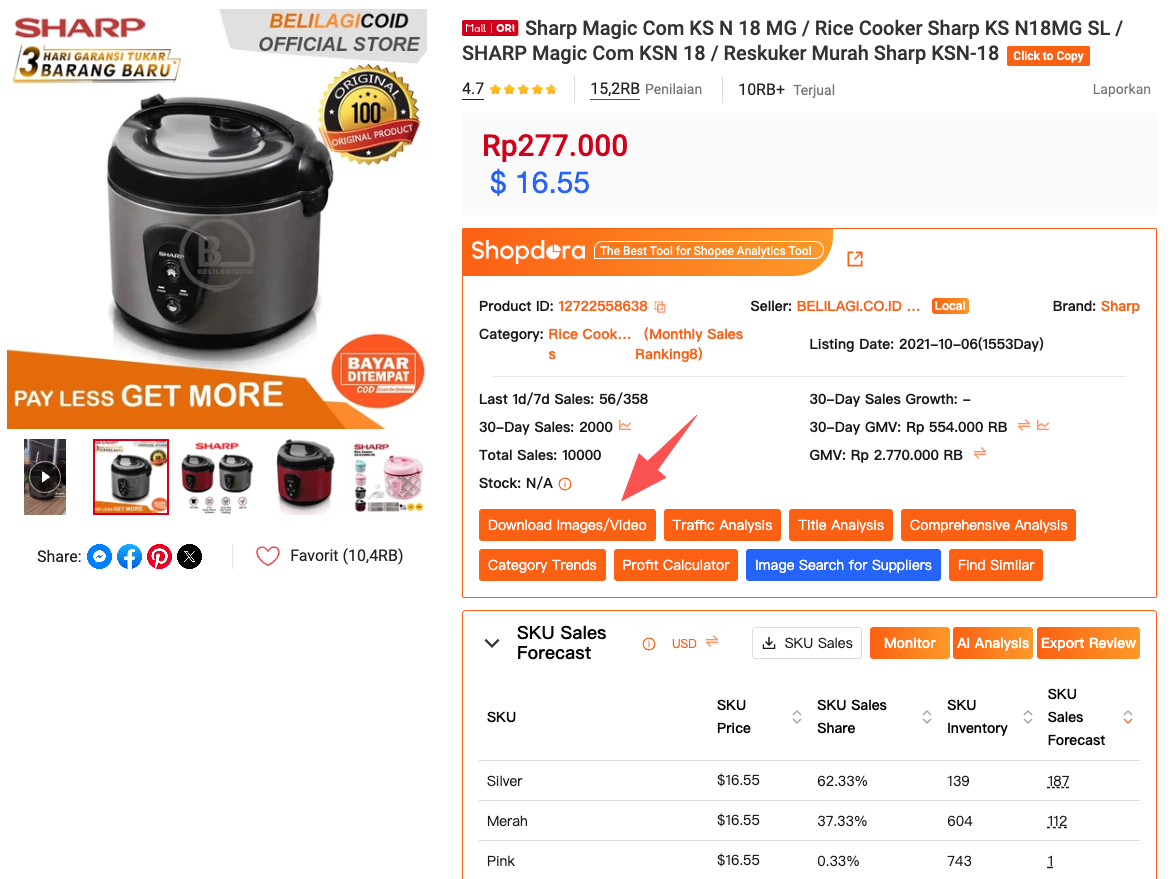
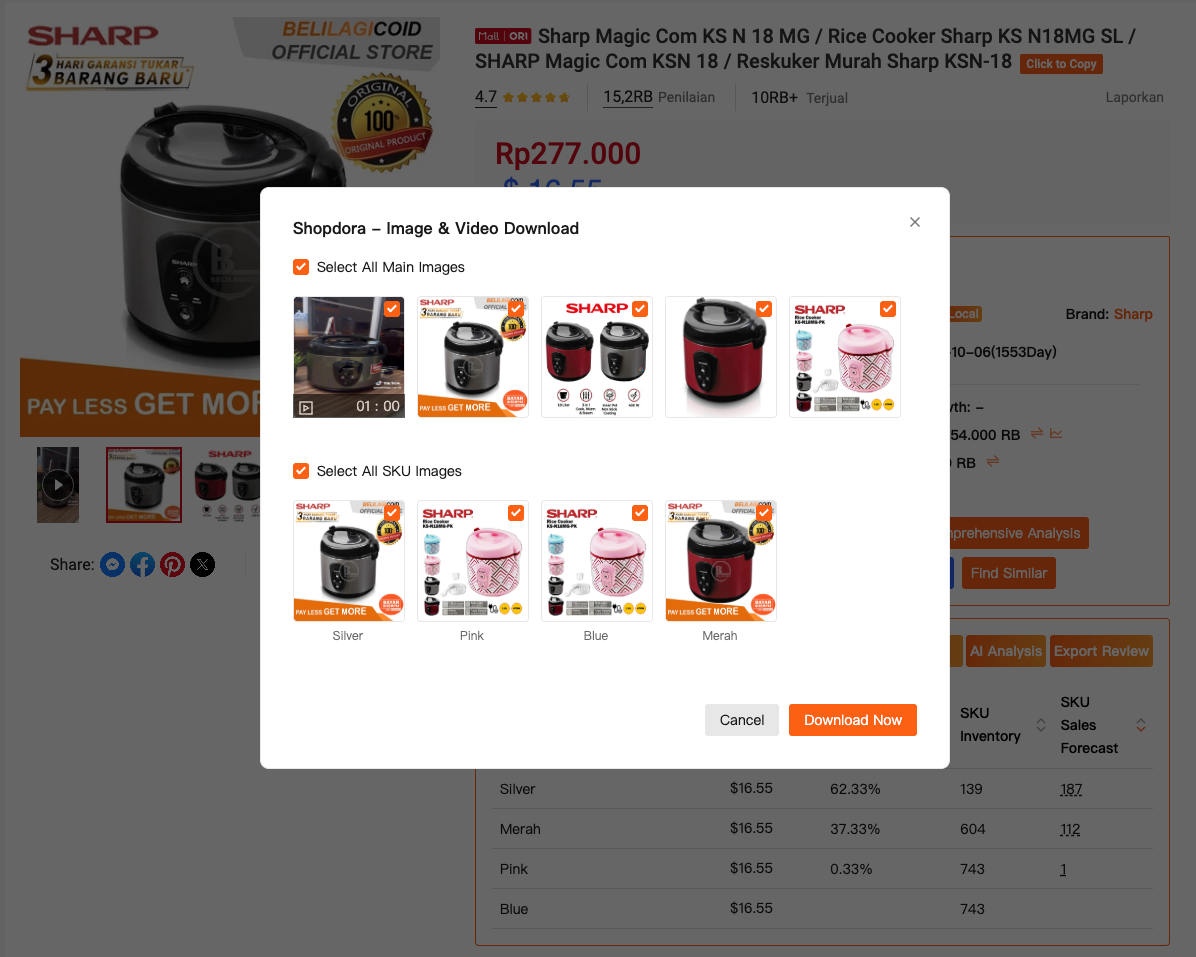
The feature is called Download Images/Video. The download happens on the product page itself.
- Open Chrome and download the Shopdora plugin.
- Log in to Shopdora and keep the plugin on.
- Open the listing on Shopee.
- Click Download Images/Video and save the product video.
- Review the file carefully. Frame by frame, if you need to.
Download the plugin and do a Shopee video download
The cost of not being able to download a Shopee video
Before the plugin, I watched the competitor's video, took mental notes, and tried to reshoot: angle, captions, editing. Sometimes I got it. Most of the time, I burned hours.
The information was already in the listing. The video showed how the product is used, which angle converts, and which feature the buyer wants to see first. Without a way to download a Shopee video and watch it again, the insight stayed stuck on the screen.

Why Seller Centre will not let you download a Shopee video
Seller Centre covers the basics of the shop. Content research, it does not. From there you cannot download a competitor's video, build a reference folder, or compare the structure at your own pace.
The result is two bad habits: copying a trend without knowing why it works, or reinventing the video with no reference. Neither one holds up.

What I started seeing after a Shopee video download
With the file in hand, I sorted the videos by category. The pattern showed up. Some categories need a fast demo packed with features. Others sell better with a slower pace, everyday use.
What surprised me most: a simple video beats a flashy video when it answers the buyer's question in the first seconds. Watching once does not show that. A Shopee video download, then a second look, does.
I looked at three things:
- What hook do the best sellers use at the start?
- How soon does the product appear in use?
- Does the video sell looks or function?

Shopee video download, then see who actually sells
Downloading the video helps. Sales context avoids the classic mistake: copying a pretty listing that does not convert.
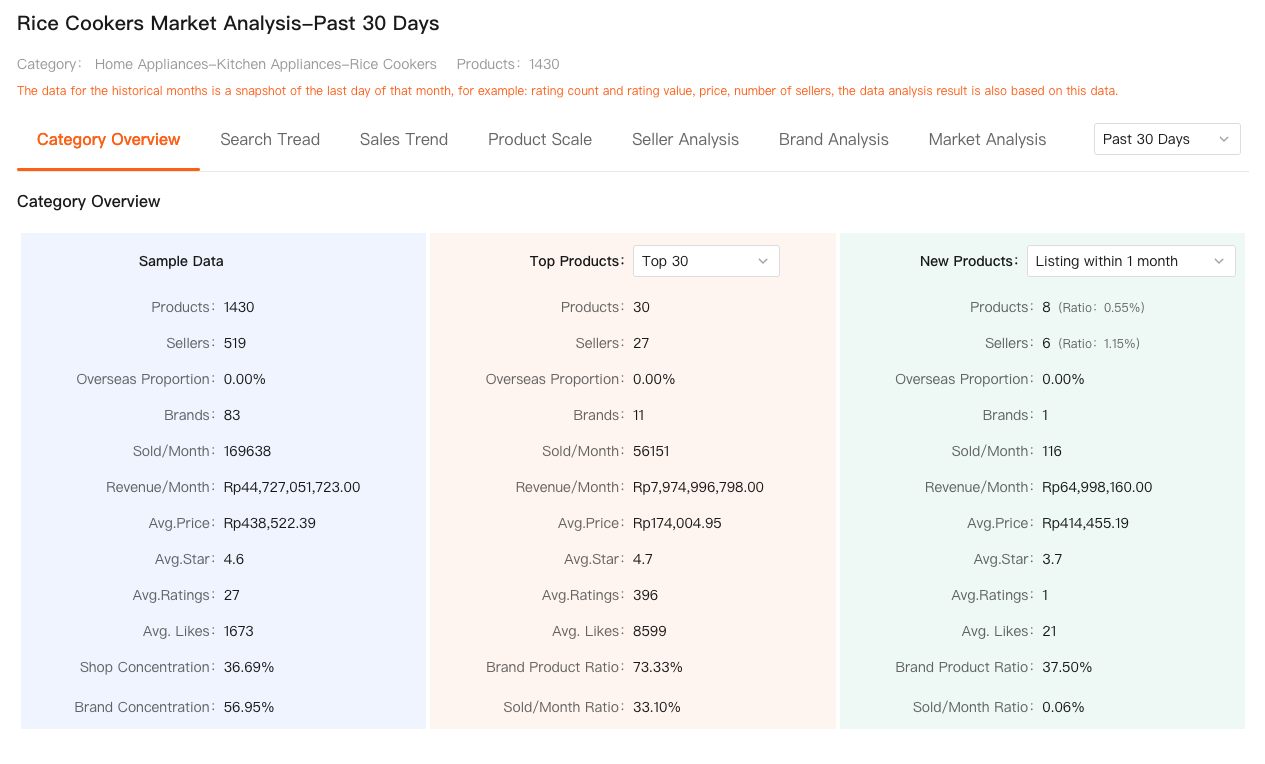
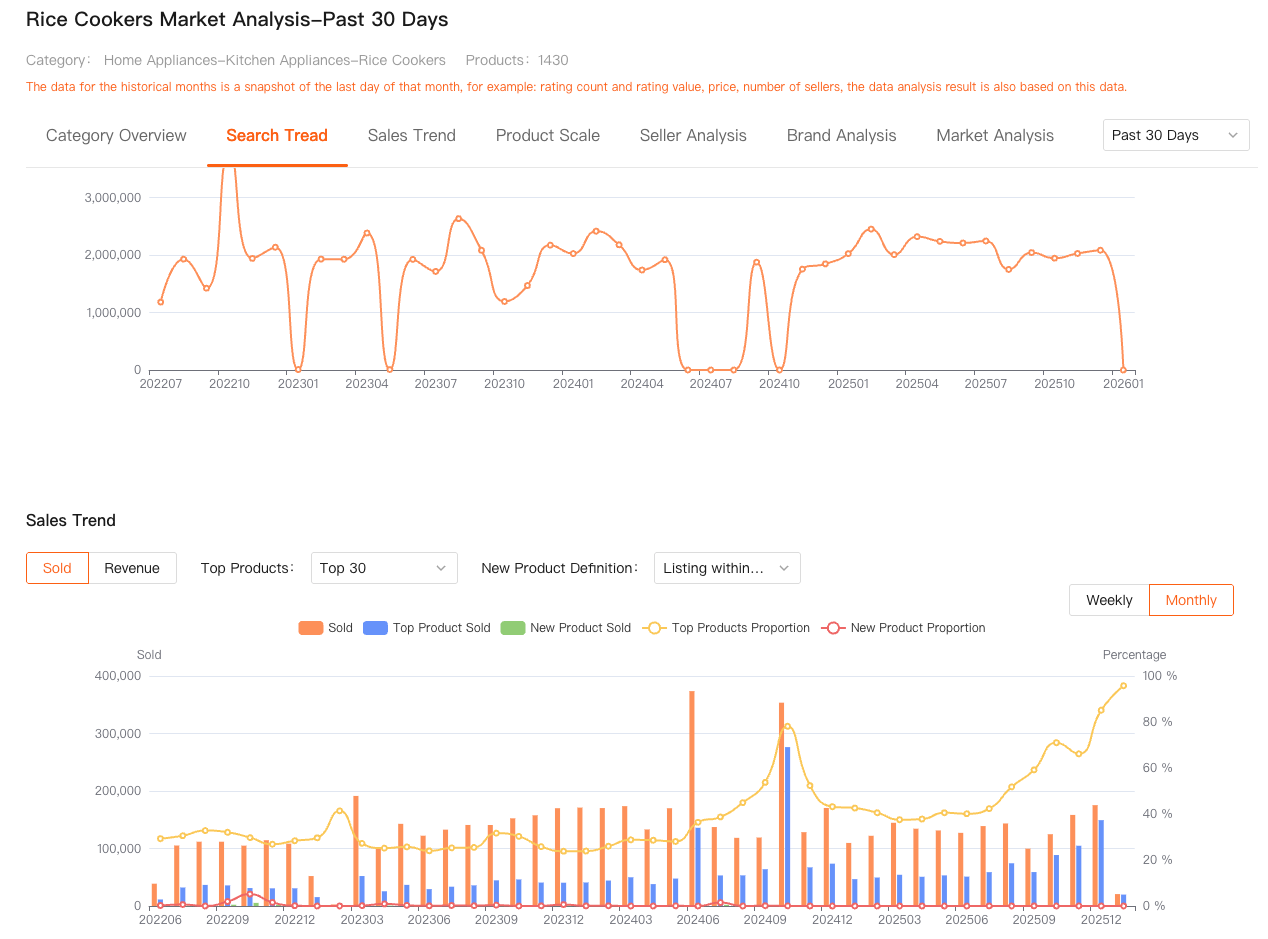
I cross-checked the video with Shopdora Market Analysis. Then I could see which product actually sold, not only which video looked better. I started studying listings with a stable rank and consistent sales. My video tests got more concrete.
A small change after downloading the video
I had an SKU stuck for weeks. After a Shopee video download from the listings that sold more, I saw the gap: my video introduced the product for too long. Competitors showed the main use in the first three seconds.
I rewrote the structure. No new shoot and no new budget. In a few days engagement went up, and sales followed.
Shopee video download for study, not for copying
A Shopee video download is not for republishing a competitor's file. I use it to learn faster: structure, pace, framing, and message. Then I shoot my own, with my brand and my product.
Buyers notice a copied video. The difference matters in practice, not only in the rules.
FAQ
How do I do a Shopee video download?
Install the Shopdora plugin on Chrome, log in, and open the product page. Click Download Images/Video to save the listing video.
How do I download a Shopee video without another app?
The download stays in Chrome, on the product page itself. You do not copy the link to a third-party site, and you do not need to record the screen.
Can I upload the competitor's video again?
No. Use the file only to study the hook, pace, and framing. The video that goes on your listing has to be yours.