
How Shopee Extensions Improve Product Research and Daily Operations

If you’re still depending on intuition and endless manual searches for product research, you’re missing out on revenue. Welcome to the age of the Shopee extension—the humble browser add-on that’s reshaping how smart sellers do business. Imagine it as slipping on a pair of X-ray specs for Shopee. Instantly, sales figures, market movements, and hidden opportunities become visible.
This isn’t just about speed—it’s about strategy. In e-commerce, picking the right item at the perfect moment can turn a side gig into a full-fledged venture. A reliable Shopee extension acts as your ultimate digital partner.

What Is a Shopee Extension, Exactly?
Simply put, a Shopee extension is a lightweight plugin you add to your browser, like Chrome. Once installed, it runs quietly until you open Shopee. Then, it activates, layering valuable insights and tools over the live pages you browse.
Why is this crucial? Because Shopee’s native interface only reveals the basics. A listing with thousands of reviews might seem like a hit, but a Shopee extension could reveal its monthly sales dropped sharply recently. That insight separates riding a trend from missing it entirely.
Without a Shopee extension, you lose the narrative behind each product:
- Actual sales momentum, beyond mere review numbers.
- Price history charts (spot flash sale cycles!).
- Which specific variants (SKUs) are top sellers.
- Precise keywords buyers use to search.
It makes data accessible. No “data analyst” role required—just the right Shopee extension.

Key Features That Give You an Edge
So, what can a Shopee extension actually do? Let’s explore the standout capabilities.
Live Metrics Replace Guesswork
Top-tier extensions eliminate speculation. Instead of asking, “Is this popular?” you view estimated sales and revenue directly on the product page. “This looks nice” becomes “This moves 300 units monthly”—a solid basis for business choices.
Competitor Insights Made Ethical
Analyzing rivals shifts from awkward stalking to smart strategy. See not only what competitors sell, but their pricing tactics, top-selling variants, and title formulas. It’s like accessing their playbook—legally.
Decode Shopee Search
Shopee’s search box is your main traffic source. Extensions with keyword tools reveal actual search terms. Identify growing trends, uncover high-demand/low-competition phrases, and learn why “gaming chair for back pain” outperforms “ergonomic desk chair.”
Automate the Grunt Work
Batch image downloads, exporting details to CSV, handling multiple listings—these tedious chores eat hours. Many Shopee extension tools automate such tasks, freeing your most valuable asset: time.
Introducing Shopdora: Your Centralized Data Hub
Among available tools, Shopdora-Shopee Data stands out as a favorite. It’s not just a single tool—it’s a command center inside your browser.
What Shopdora Displays:
- Sales Estimates: View projected monthly sales and revenue beyond review counts.
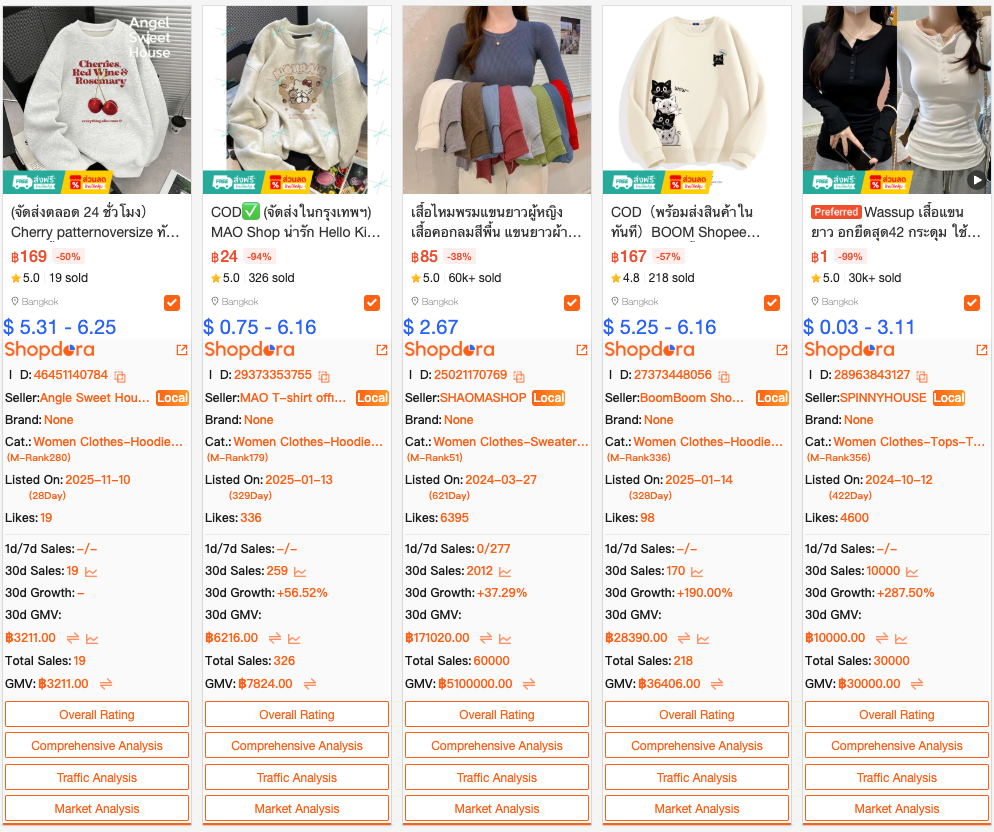
- SKU Analytics: Identify whether “pink, large” or “black, medium” drives the most sales.
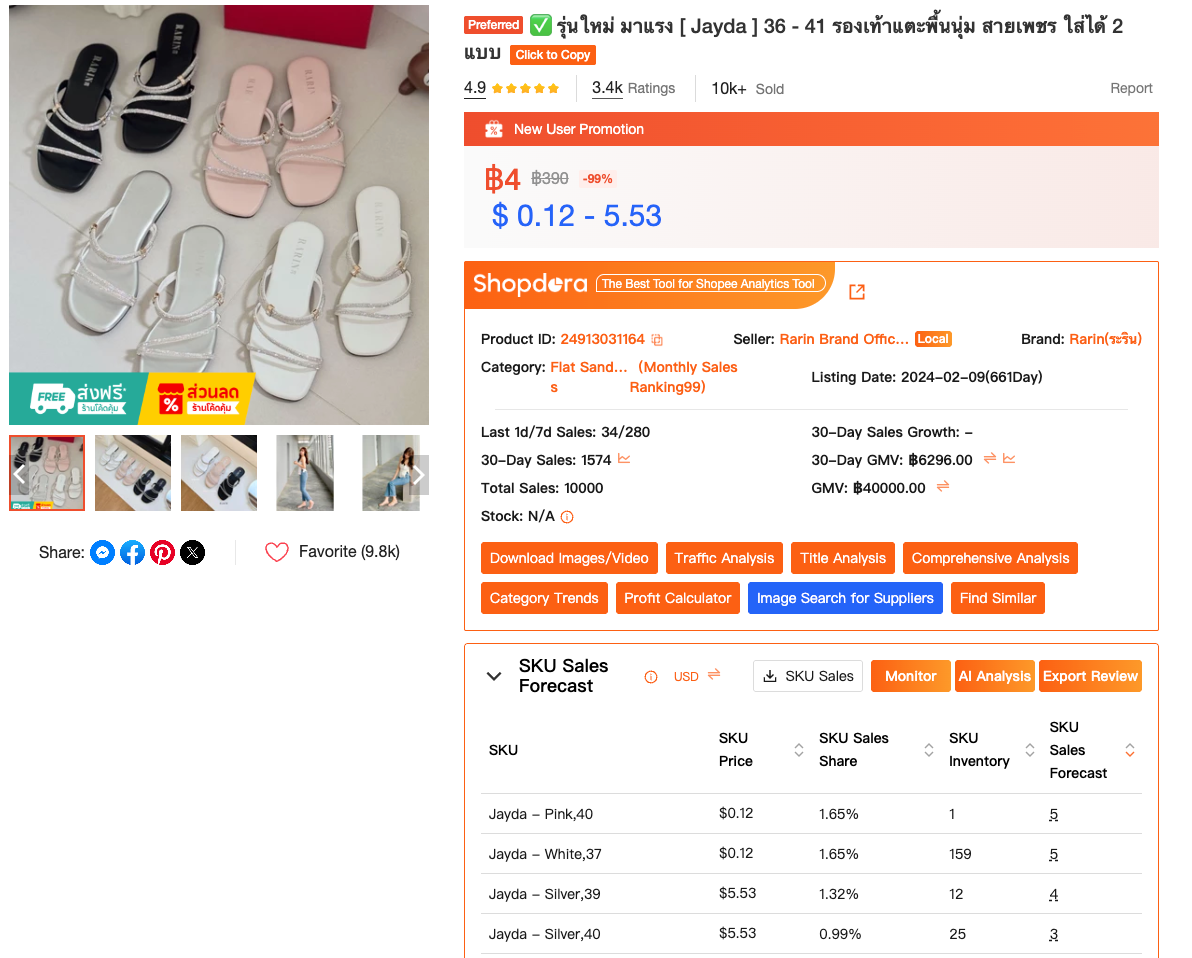
- Price History Graphs: Track any product’s pricing trends over time.
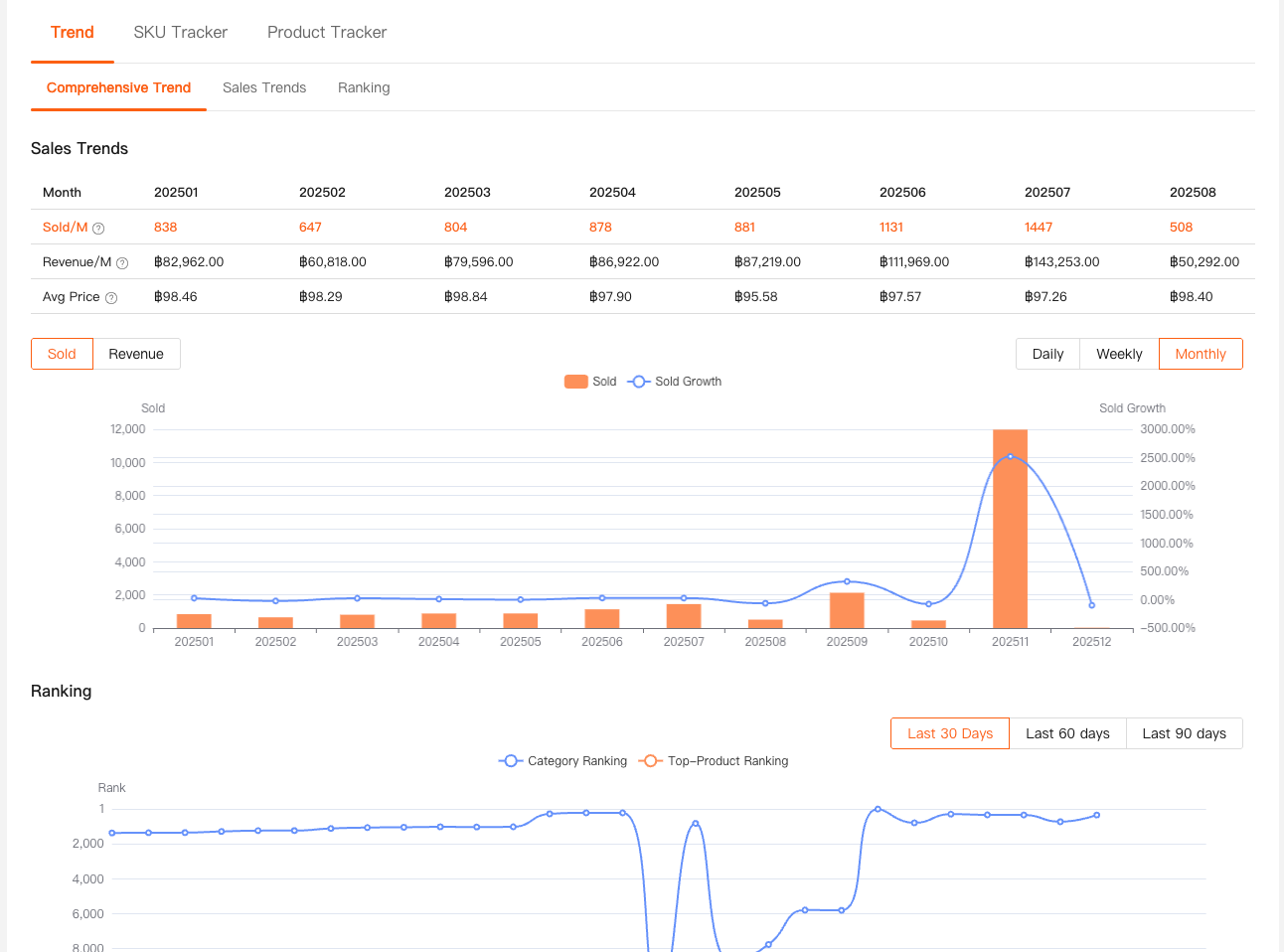
- Keyword Insights: See search volume data alongside product listings.
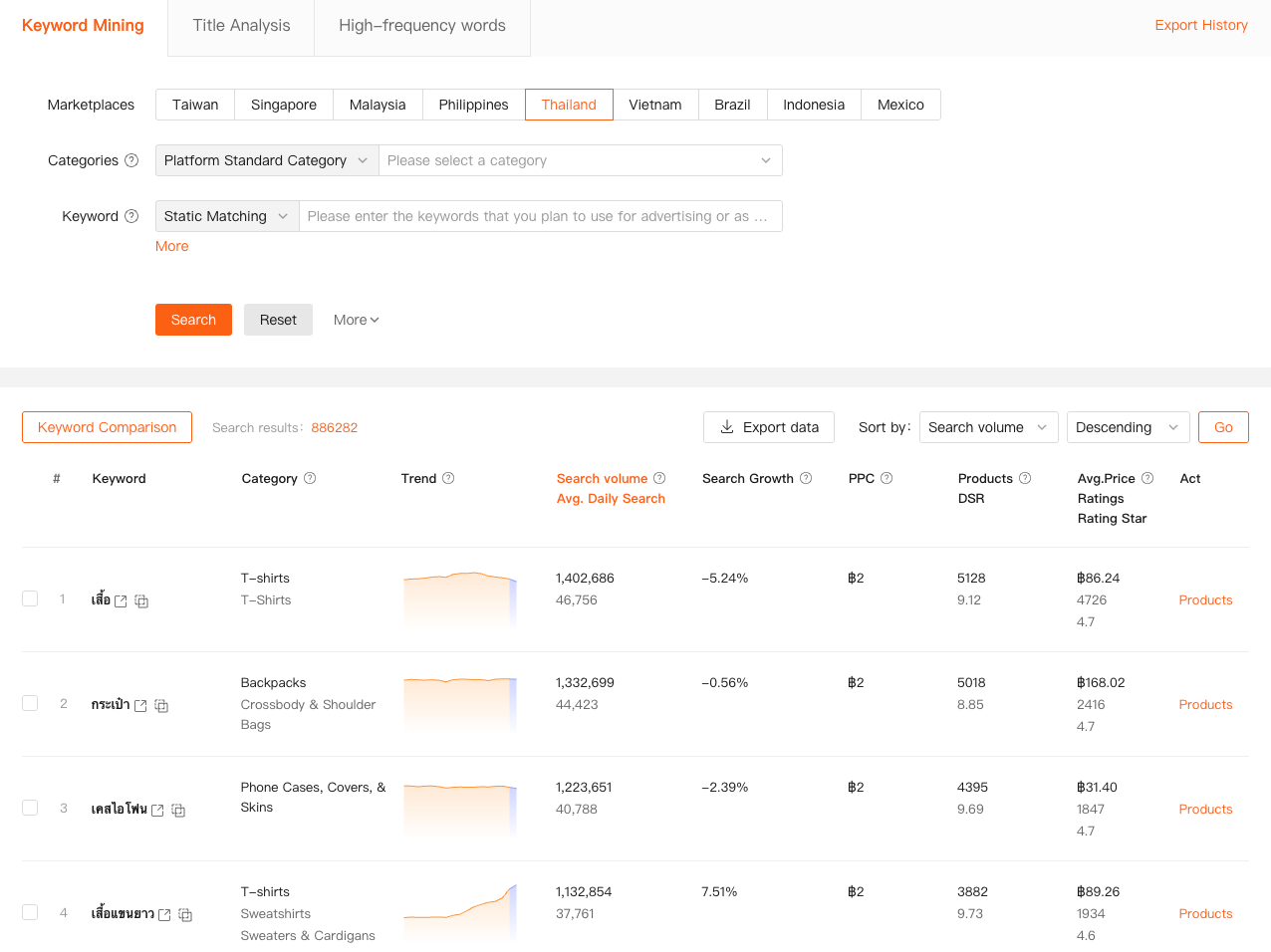
Putting Your Shopee Extension to Work
Discovering Winning Products:
- Identify Trends: Use keyword and trend tools to find categories with sustained growth, not short-lived fads.
- Analyze Top Performers: Use your Shopee extension to study successful listings—their pricing, keywords, and imagery.
- Find Market Gaps: Look for products with solid demand but average listings. Can you improve? That’s your opening.
Gaining a Competitive Edge:
- Monitor Key Players: Use your extension to track main competitors. Set price alerts and note new variant launches.
- Refine Your Offerings: Notice their best-selling SKU? Consider offering it with a better price, bundle, or improved quality.
Optimizing Listings for Search & Shoppers:
- Smart Keyword Use: Integrate high-volume keywords naturally into titles and descriptions.
- Visual Inspiration: Use Shopee extension features to efficiently study competitors’ images—learn from their angles and styling without copying.

Best Practices: Work Smarter, Not Harder
- Set Clear Goals: Start each session with an aim, like “find 5 potential products in kitchenware.”
- Combine Data Points: Cross-reference metrics. Strong sales plus low competition and rising search volume signals opportunity.
- Regular Check-Ins: Market trends shift quickly. Schedule weekly reviews with your Shopee extension to stay current.
- Trust Your Judgment: Data guides, but you lead. An extension may show opportunity in a niche, but your understanding of your audience is irreplaceable.
Stop guessing what sells. Start knowing.
Install a Shopee extension, explore the insights, and evolve your Shopee store from hopeful trial to a data-informed enterprise. Your future self, sipping coffee while automated reports generate, will be grateful.