
How Smart Sellers Solve Listing and Scaling Problems with the Shopee Seller Tool
Every Shopee seller eventually hits a ceiling.
Sales plateau. Ads get more expensive. Competitors copy listings faster than expected.
At that point, the problem is rarely effort — it’s visibility and control.
From hands-on experience working with Shopee sellers across multiple Southeast Asian markets, one thing is clear: sellers who grow steadily don’t rely on instinct alone. They rely on a Shopee seller tool that helps them see what’s really happening behind a product page.
In this article, we’ll look at how Shopee sellers use Shopdora by combining Find Similar, SKU Analysis, and Download Image/Video to solve three common but costly problems: blind competition, inefficient SKU strategies, and weak listing assets.
The Hidden Problems Most Shopee Sellers Don’t Notice Early Enough
Many sellers believe their issue is “not enough traffic” or “ads not working.”
In reality, the deeper problems are often:
- Not knowing how many sellers are already selling the same product
- Selling the wrong SKU as the main variant
- Using visuals that don’t actually convert
- Copying competitors blindly without understanding why they sell
These are operational blind spots — and this is exactly where a good Shopee seller tool earns its value.
Part 1: Avoiding Blind Competition with “Find Similar”
One of the most underestimated risks on Shopee is selling a product that’s already oversaturated — without realizing it.
How “Find Similar” Changes the Game
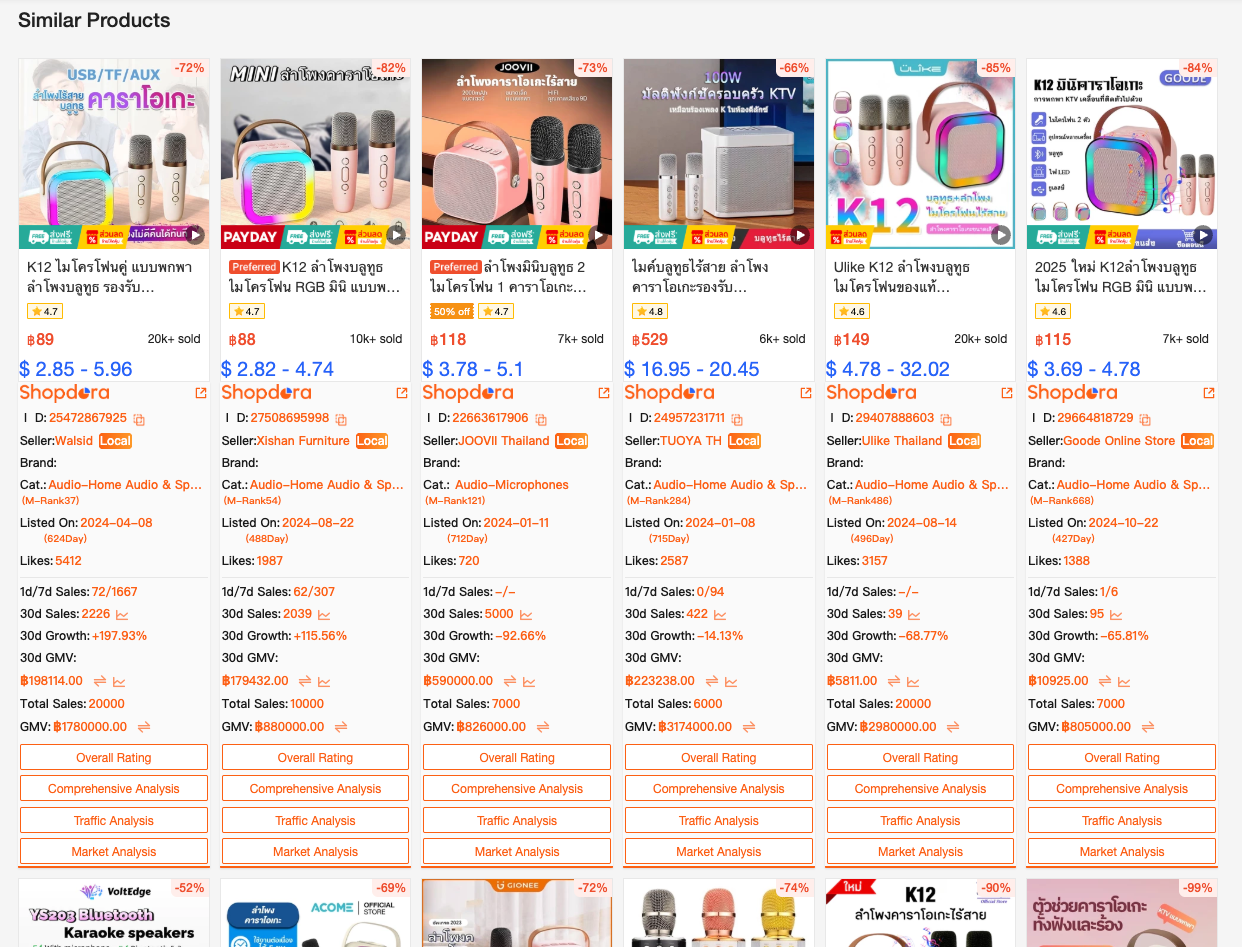
Shopdora’s Find Similar feature allows sellers to click directly from a Shopee product page and instantly see:
- How many similar products exist
- Who the main competitors are
- Their prices, sales volume, and listing age
- Whether demand is spread out or concentrated
Instead of guessing whether a product is “competitive,” sellers get clarity in seconds.
Real Seller Insight
Many sellers assume:
“If it’s selling well, I should sell it too.”
But experienced sellers know the better question is:
“Is there still room for me to compete?”
With Find Similar, sellers can:
- Avoid categories where a few top sellers dominate
- Identify products where newer listings are still scaling
- Decide whether to compete on price, differentiation, or bundle strategy
This step alone saves sellers weeks — sometimes months — of wasted testing.
Part 2: Fixing Profit Leaks with SKU Analysis
Even sellers with traffic and orders often overlook one critical detail: SKU performance.
Not all SKUs are created equal, and treating them the same is a silent profit killer.
What SKU Analysis Reveals
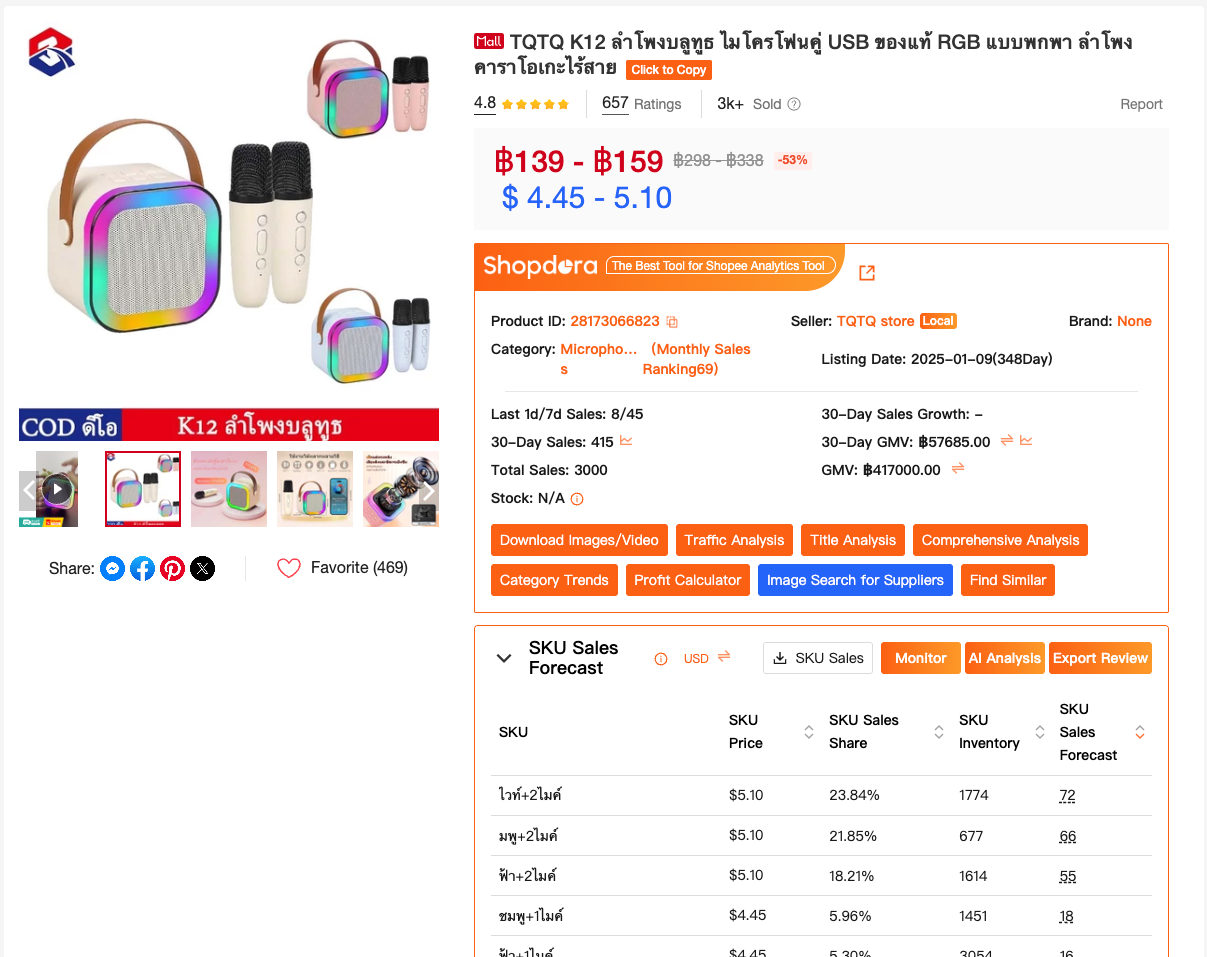
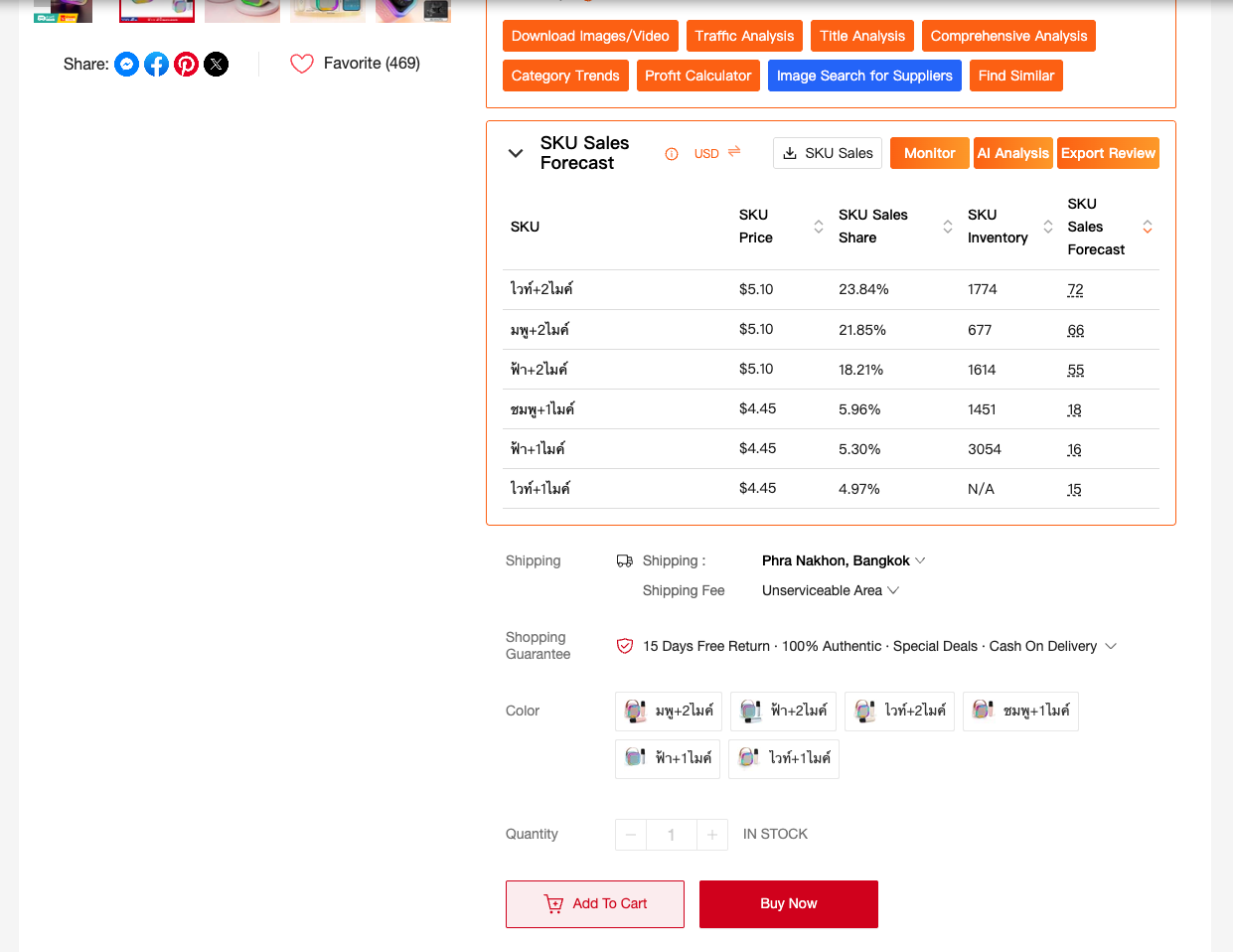
Shopdora’s SKU Analysis shows detailed variant-level data directly on the product page, including:
- SKU price
- SKU sales share
- SKU inventory levels
- SKU sales forecast (based on top 300 reviews)
This allows sellers to understand which variants actually drive revenue — not just clicks.
How Sellers Use This Data
Experienced sellers use SKU data to:
- Push high-conversion SKUs in ads
- Adjust pricing for low-performing variants
- Reduce inventory risk on slow SKUs
- Reorganize listings to highlight best sellers
A common pattern:
20% of SKUs generate 70–80% of sales.
Without SKU-level visibility, sellers often promote the wrong variant and blame ads when conversions drop.
Part 3: Improving Conversion with Download Image/Video
Traffic doesn’t convert if your visuals don’t sell.
Shopee is a visual-first platform, and buyers decide within seconds whether to click, scroll, or leave.
Why Downloading Competitor Assets Matters
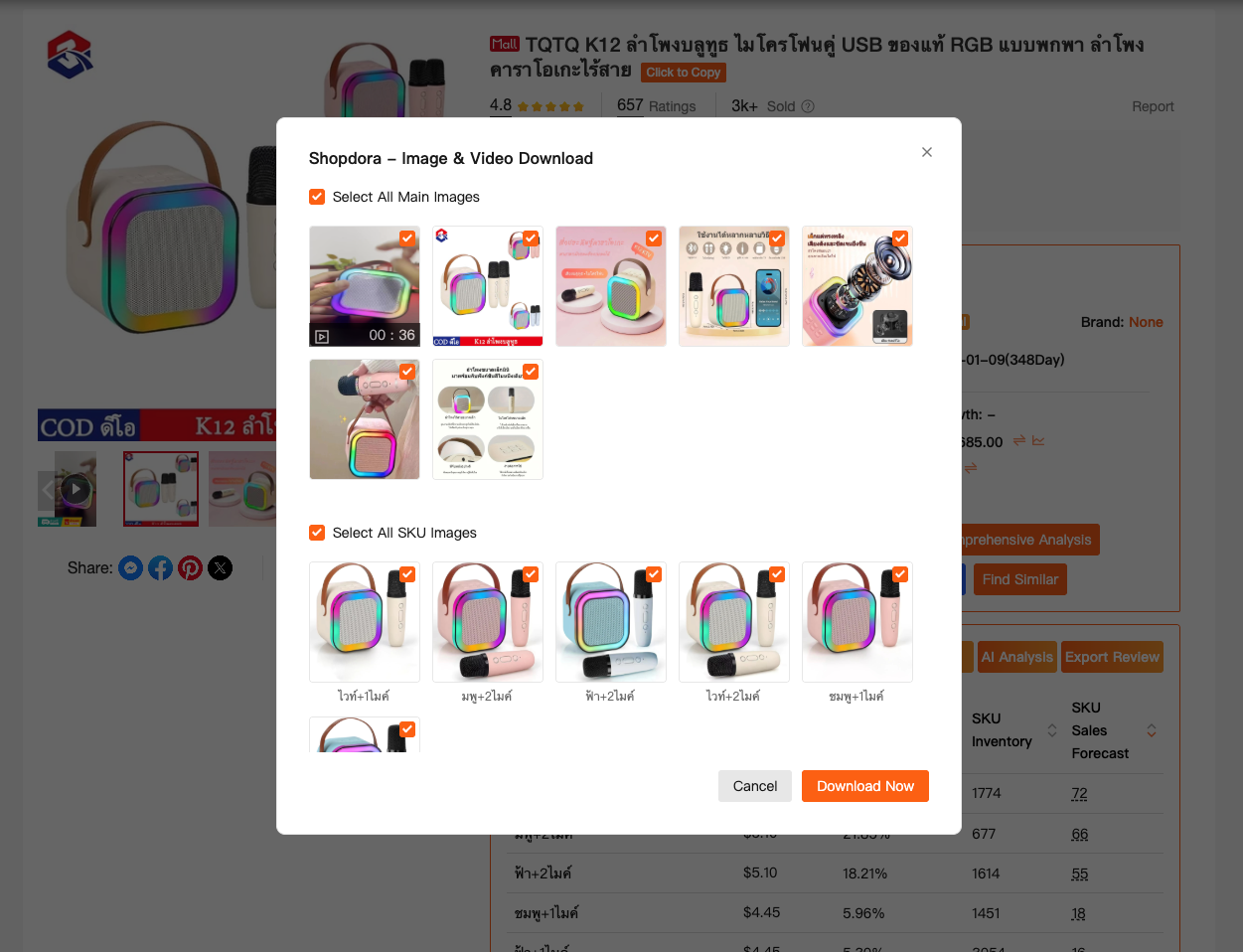
Shopdora’s Download Image/Video feature lets sellers:
- Download competitor images and videos in original quality
- Study layout, angles, text overlays, and selling points
- Analyze how top sellers structure visual storytelling
This isn’t about copying — it’s about understanding patterns that work.
Practical Use Cases
Smart sellers use this feature to:
- Improve their own image structure
- Test new video formats
- Localize visuals for different markets
- Shorten learning curves when launching new products
Visual optimization is often the fastest way to increase conversion without increasing ad spend.
How These Features Work Together in Real Operations
When combined, these three functions solve a full operational loop:
- Find Similar answers: Should I even sell this product?
- SKU Analysis answers: Which variant should I push?
- Download Image/Video answers: How do I improve conversion?
Together, they turn Shopdora into a practical Shopee seller tool — not just a data viewer, but a decision engine.
Why Experienced Shopee Sellers Depend on Tools Like This
Seasoned sellers don’t chase shortcuts. They chase predictability.
A trustworthy Shopee seller tool should:
- Reduce uncertainty before decisions are made
- Be usable directly from Shopee product pages
- Support both product research and listing optimization
- Help sellers avoid costly mistakes early
Shopdora is designed around how sellers actually work — not how dashboards look on paper.
Final Thoughts: Better Tools Create Better Decisions
Selling on Shopee will always involve competition.
What separates successful sellers is not luck — it’s visibility.
When sellers understand:
- Who they’re competing with
- Which SKUs matter
- What visuals convert
They stop reacting — and start planning.
That’s the real value of using the right Shopee seller tool.