
Serious Shopee Sellers Rely on This Shopee Seller Tool to Make Smarter Decisions

Selling on Shopee looks simple from the outside. List a product, run a few ads, wait for orders to come in.
In reality, every experienced Shopee seller knows the truth: growth is driven by data, not guesswork.
After working closely with Shopee sellers across different categories, one pattern shows up again and again. The sellers who scale faster aren’t necessarily spending more on ads — they’re using the right Shopee seller tool to understand traffic, keywords, and product performance before making decisions.
In this article, I’ll walk you through how sellers use Shopdora, a practical Shopee seller tool, by combining Title Analysis, Traffic Analysis, and Market Analysis to solve real, everyday problems on Shopee. This isn’t theory — it’s how sellers actually work.
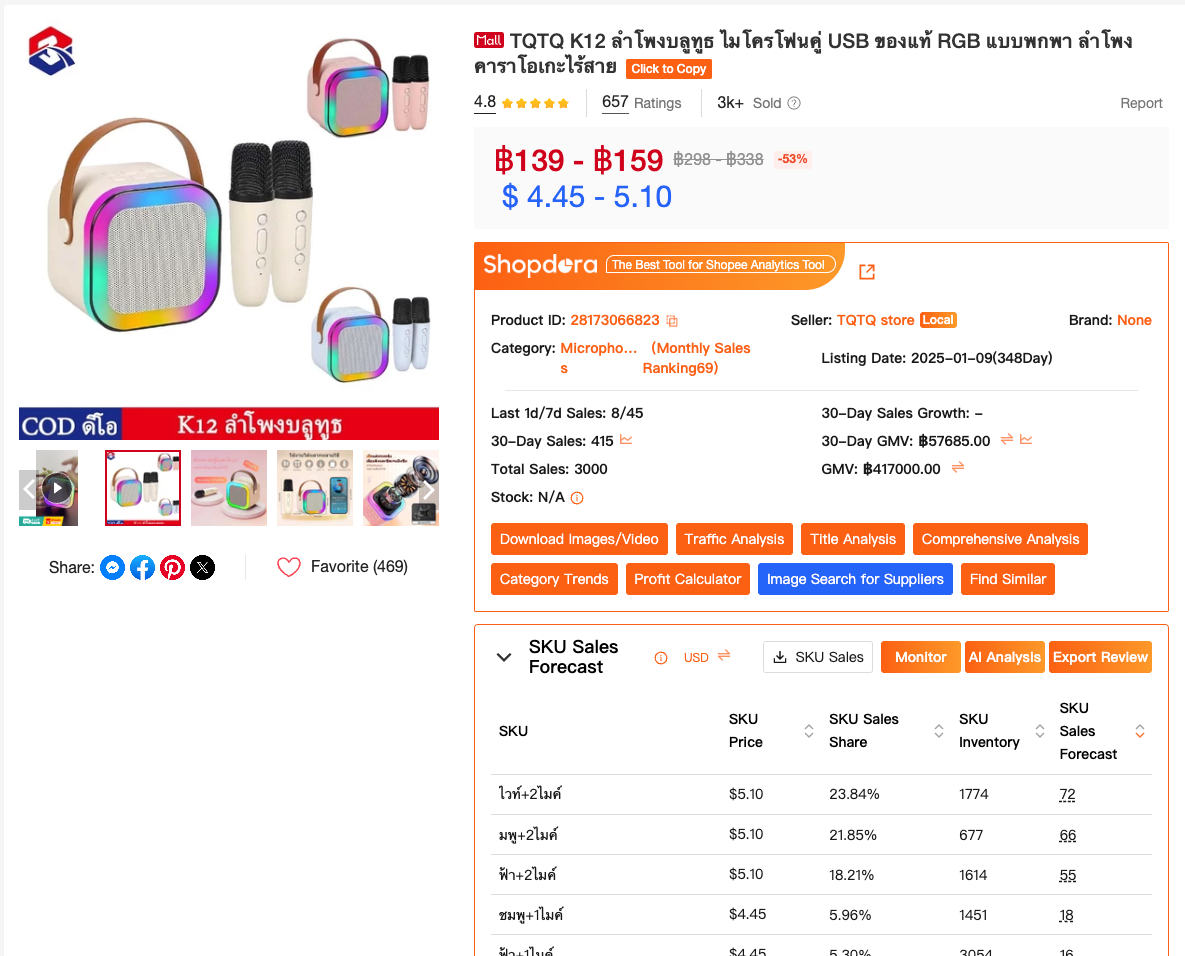
The Real Problem Shopee Sellers Face
Most Shopee sellers don’t fail because their products are bad.
They fail because:
- Their titles include keywords that don’t bring traffic
- High-search keywords exist, but aren’t used at all
- Traffic looks “stable,” but conversions stay flat
- Sellers react too late to category-level changes
Shopee gives you basic metrics, but it doesn’t explain why traffic behaves the way it does. That’s where a specialized Shopee seller tool becomes essential.
Part 1: Fixing Keyword Blind Spots with Title Analysis
One of the first things I always check for a listing is the title. Not because it needs to sound pretty — but because it determines whether Shopee’s search algorithm can understand and rank your product.
How Shopdora’s Title Analysis Helps
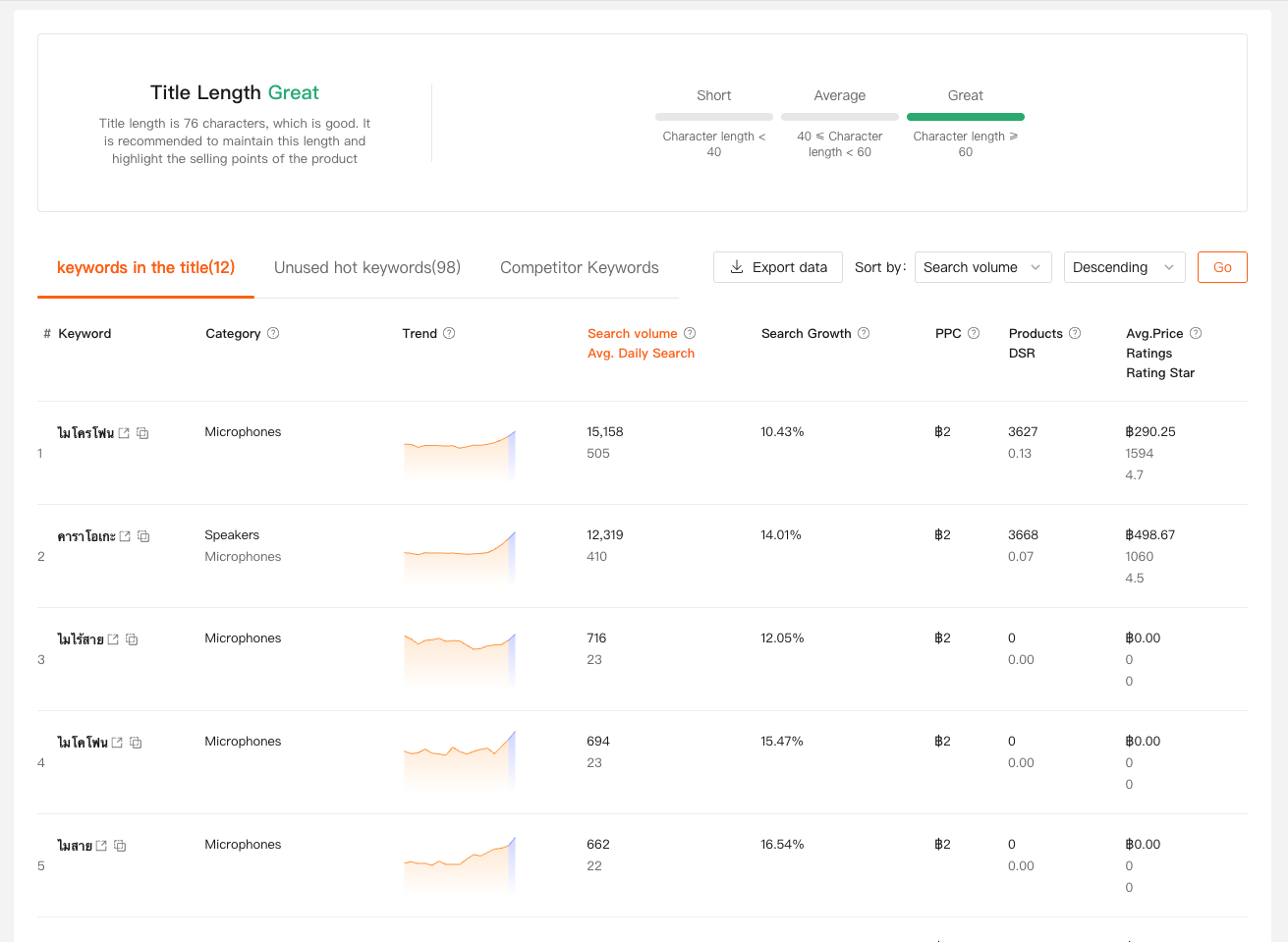
Shopdora’s Title Analysis lets sellers paste in their product title and instantly see how well it aligns with high-search keywords in a specific site and category.
But what really makes it useful are two often-overlooked sections:
1. Non-Keywords (Used but Not Working)
These are keywords that:
- Belong to the top 100 search keywords in the product’s subcategory
- Are already used in your listing
- But bring little to no traffic
This insight is powerful. Instead of deleting these keywords blindly, sellers can:
- Check their search volume
- Decide whether to support them with ads
- Or downgrade their priority in the title
In practice, I’ve seen sellers recover traffic simply by shifting ad budget toward these “almost working” keywords.
2. Unused Hot Keywords (Missed Opportunities)
These are keywords that:
- Are among the top 100 searched in the subcategory
- Are not used in your listing at all
Shopdora shows both:
- Search volume
- Relevance to your product
This makes title optimization much more strategic. Instead of guessing which keyword to add, sellers can confidently rewrite titles based on real demand.
Part 2: Understanding Traffic Quality with Traffic Analysis
Traffic numbers alone don’t tell the full story.
What matters is where that traffic comes from — and whether it’s sustainable.
What Traffic Analysis Actually Reveals
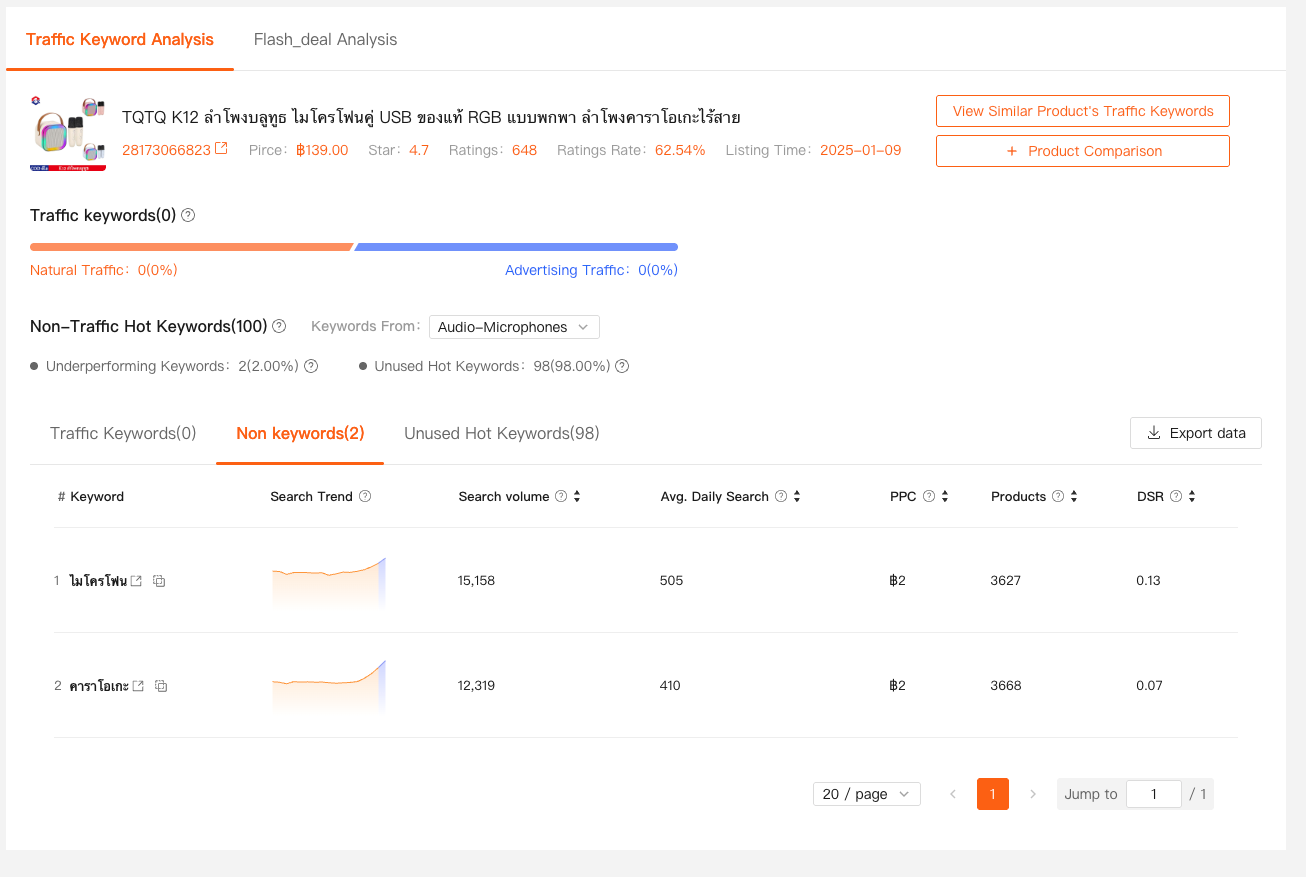
Using Shopdora’s Traffic Analysis, sellers can see:
- Which keywords bring organic traffic
- Whether traffic comes from ads or search
- Keywords that rank but sit outside top pages
- High-volume keywords with weak conversion signals
One common scenario I see:
A listing gets traffic from a few large keywords, but ranks on page 10 or beyond. That means visibility exists, but not dominance.
With this insight, sellers can:
- Decide which keywords deserve ad support
- Identify keywords worth pushing into top 3 pages
- Avoid wasting budget on low-intent traffic
When combined with Title Analysis, Traffic Analysis explains why certain keywords work — and why others don’t.
Part 3: Making Sense of the Bigger Picture with Market Analysis
Even the best-optimized listing can struggle if the category itself changes.
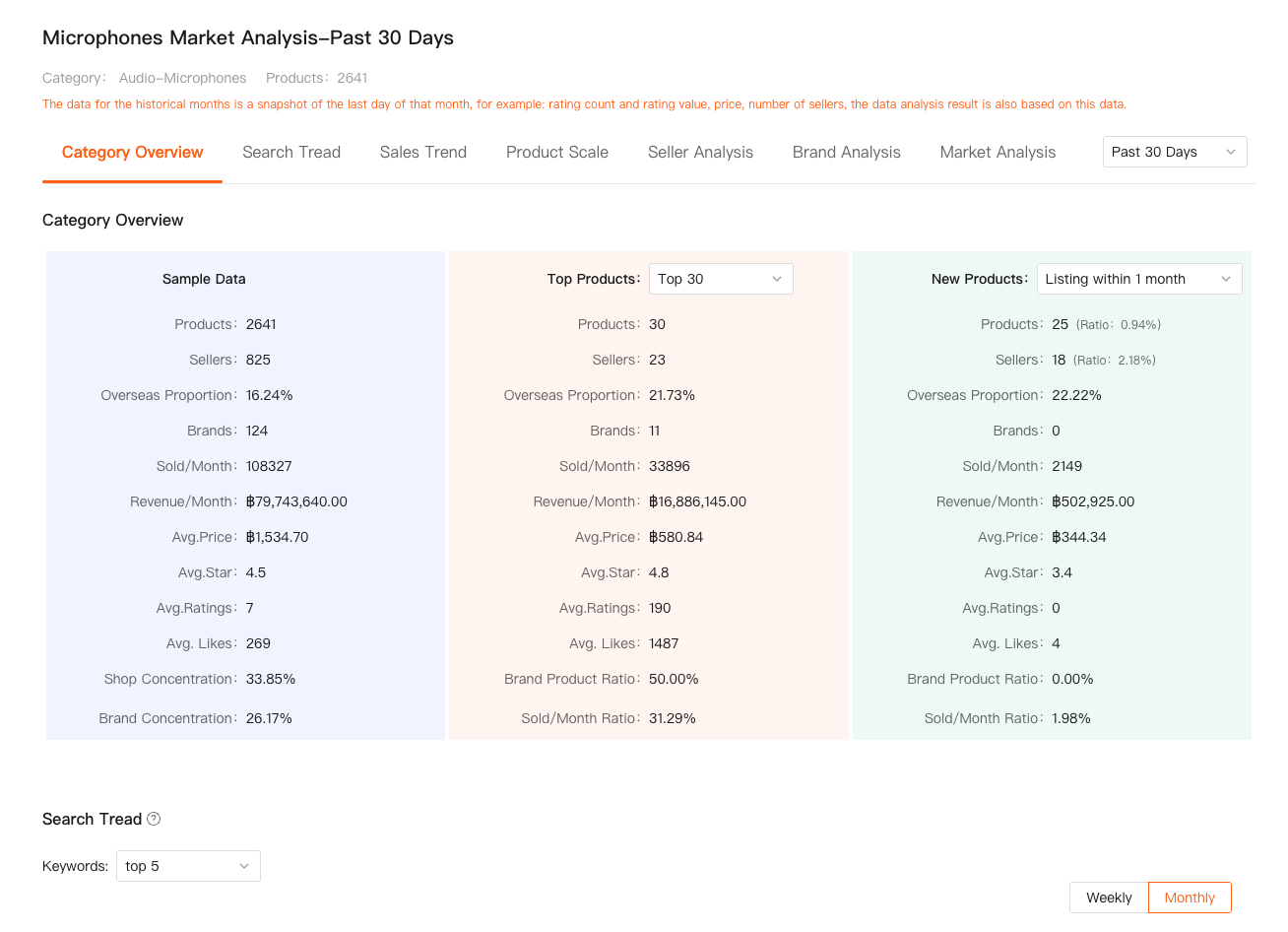
Shopdora’s Market Analysis gives sellers a category-level overview that Shopee doesn’t clearly show in one place:
- Number of active products and sellers
- Monthly sales and revenue
- Price distribution
- Brand concentration
- New product performance
Why This Matters More Than You Think
I’ve seen sellers panic over declining sales, only to realize:
- The entire category is slowing down
- Price competition intensified in the last 30 days
- Top products absorbed most of the demand
With market-level data, sellers can:
- Adjust expectations realistically
- Decide whether to push ads or hold budget
- Identify niches with lower seller concentration
- Time new listings more strategically
This is the kind of insight that separates reactive sellers from strategic ones.
How These Three Features Work Together
Individually, each feature is useful. Together, they solve real problems:
- Title Analysis finds keyword gaps and inefficiencies
- Traffic Analysis explains where visibility actually comes from
- Market Analysis validates whether growth is realistic in the current environment
This combination turns Shopdora into more than just another dashboard — it becomes a decision-making tool.
Final Thoughts
No tool can replace seller intuition. But the right Shopee seller tool sharpens that intuition with facts.
If you’re serious about long-term growth on Shopee, stop guessing:
- Guessing which keywords matter
- Guessing why traffic drops
- Guessing whether your category is still worth pushing
Use data to support every move — and let experience do the rest.
That’s how smart Shopee sellers stay ahead.