
Shopee Extension: How I Actually Use One Tool to Solve 80% of Daily Seller Problems
Hi, I’m David. I’ve been selling on Shopee for the past three years, running my own store and handling everything myself — from product research to listing optimization and daily operations.
Most of what I write here comes from real problems I’ve hit along the way. This post is one of them: How I actually use one tool to solve 80% of daily seller problems. What you’ll read below is based on how I actually work day to day, not theory.
And if there’s one thing almost every seller tells me sooner or later, it’s this:
“Shopee is getting harder to manage.”
More competition.
More data.
More decisions — made faster, often with incomplete information.
That’s why the idea of a Shopee extension matters far more than most sellers realize. Not as a gimmick, but as a way to think better inside the platform, without constantly switching tabs, exporting spreadsheets, or guessing.
In this article, I want to share how I personally use a Shopee extension powered by Shopdora, and how a handful of its features help me solve very real, very common seller problems — every single week.
Why Sellers Eventually Need a Shopee Extension
Shopee already gives you data.
But it gives it to you too late, too scattered, or without context.
Here’s what usually happens:
- You notice a competitor suddenly taking your traffic
- A product’s sales drop, but ads look “fine”
- You want to launch a new SKU but don’t know if the market is already saturated
- You suspect keywords are the issue, but can’t prove it
A Shopee extension works inside the browsing experience, turning listings, shops, and categories into decision-making signals — not just pages to scroll through.
That’s where my workflow changed.

Feature 1: Product Research — Stop Guessing What to Sell
One of the first problems sellers face is what to sell next.
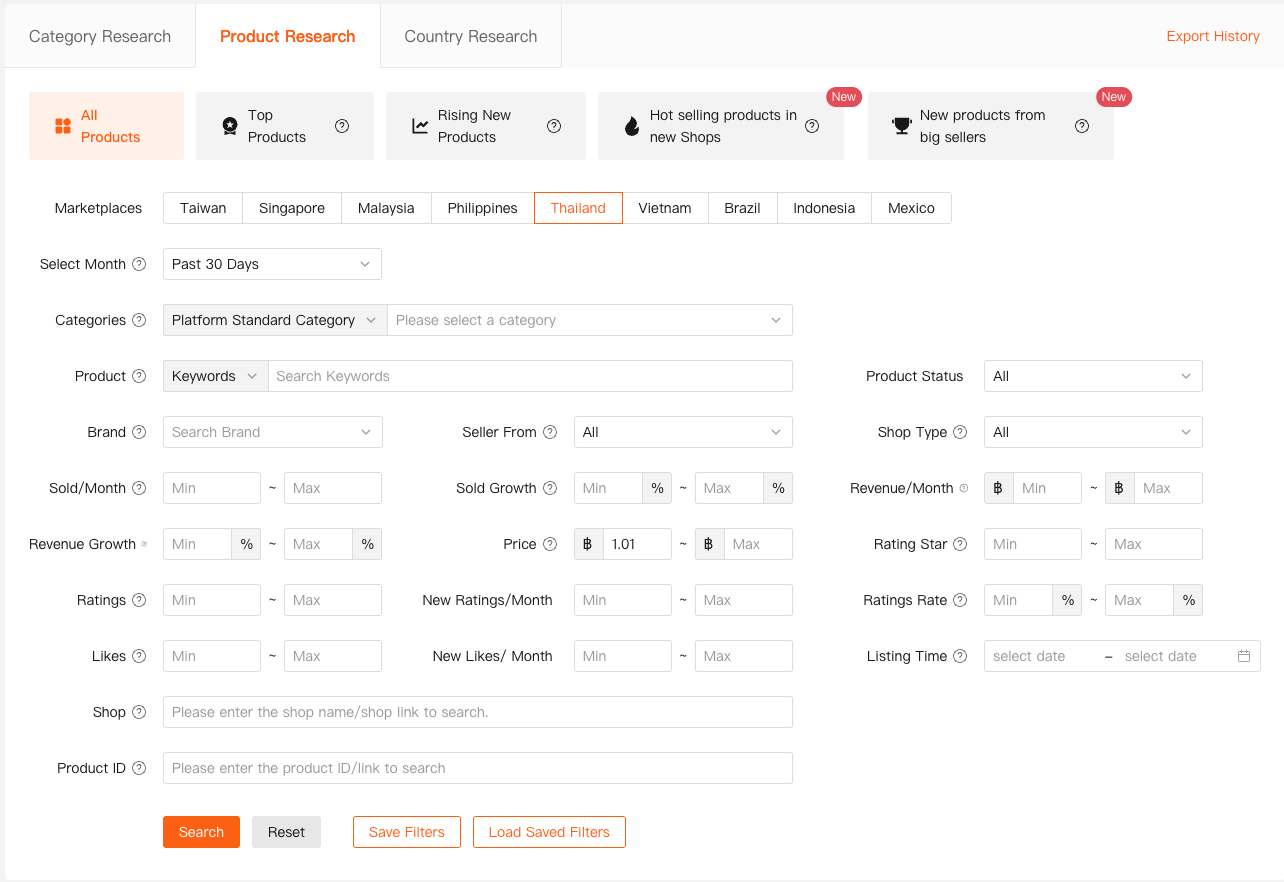
The Product Research feature lets me:
- Scan products across multiple Shopee markets
- Filter by sales volume, growth rate, price range, ratings, and listing age
- See trends instead of snapshots
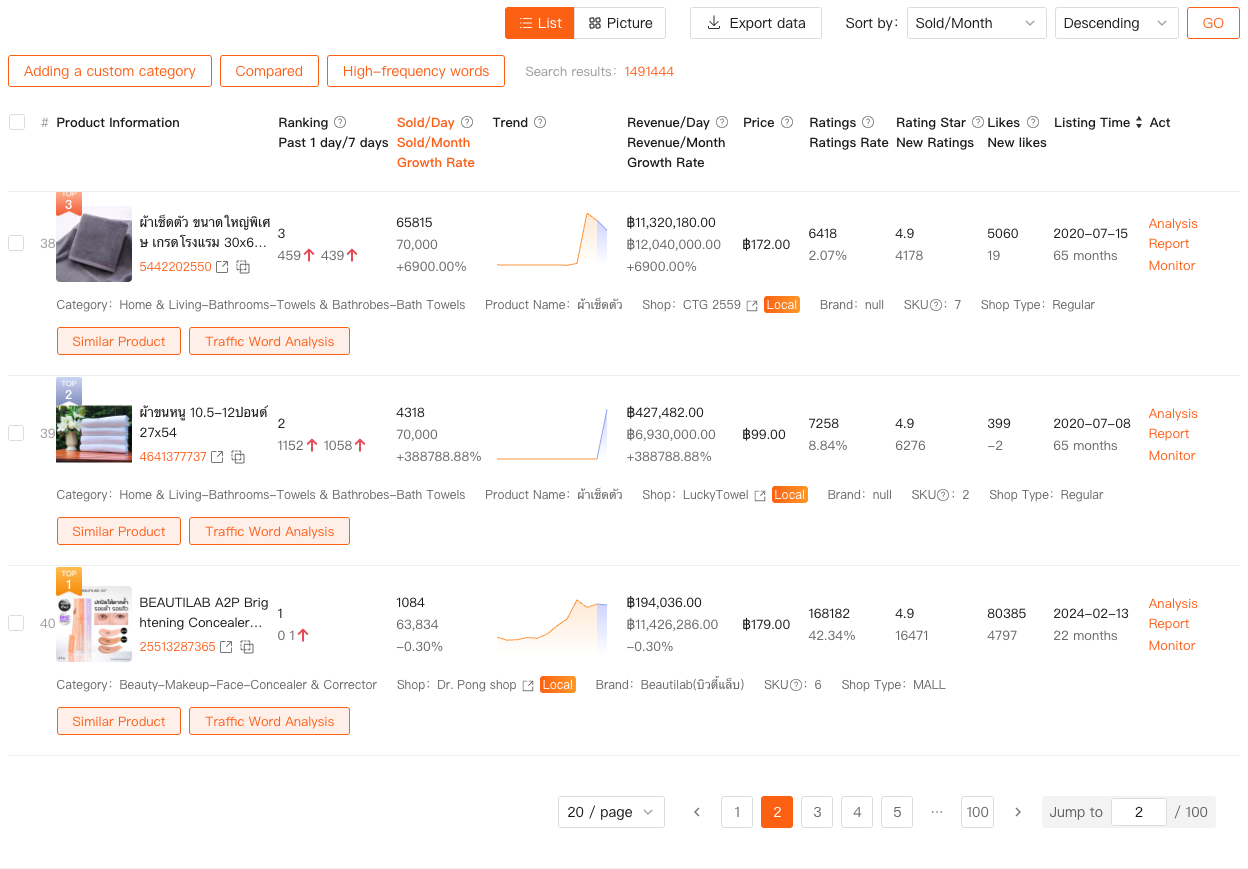
Instead of chasing “hot products” screenshots on social media, I can see:
- Whether sales are growing steadily or spiking temporarily
- If revenue is concentrated among a few sellers or spread out
- How long top products have been on the market
This alone removes a huge amount of emotional decision-making.
Feature 2: Market Analysis — Know the Game Before You Play
Many sellers jump into a category without understanding its structure.
Market Analysis helps answer questions like:
- Is this category expanding or declining?
- How intense is competition right now?
- Are new sellers entering — and surviving?
I use this feature before investing in:
- Inventory
- Branding
- Long-term ad campaigns
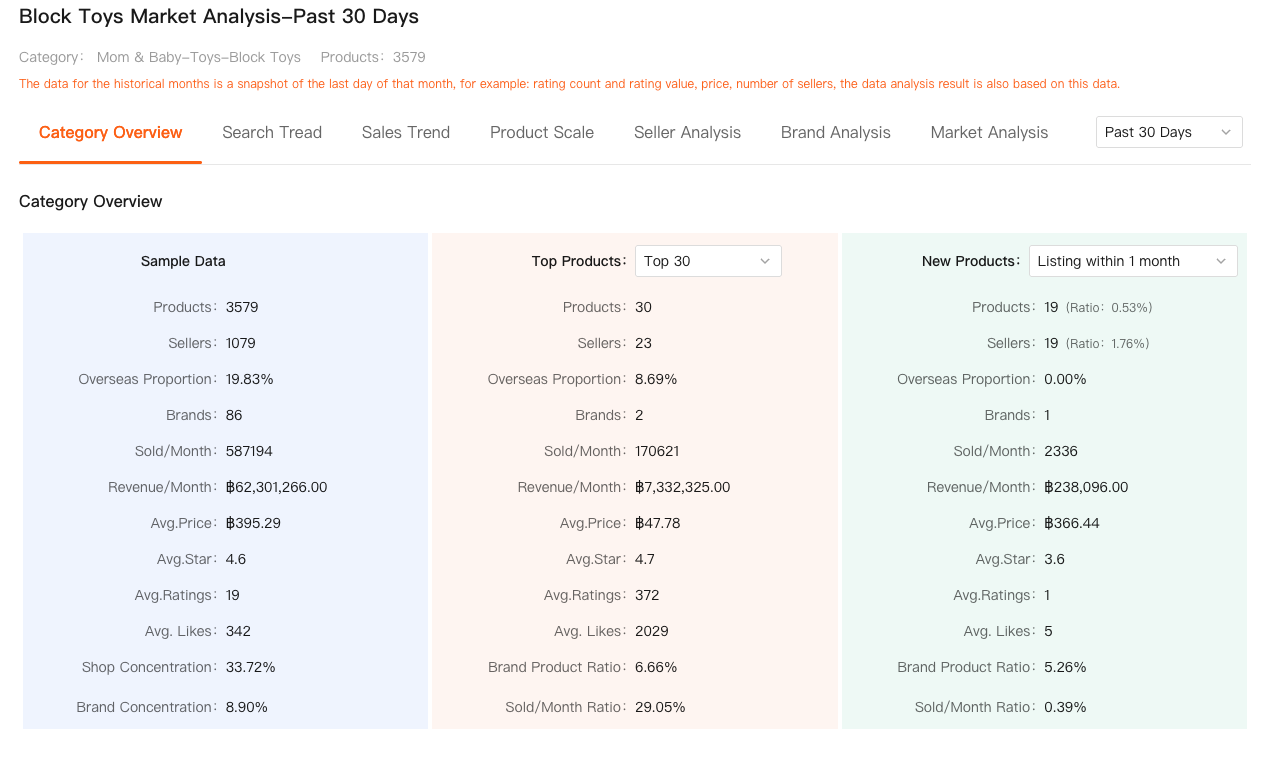

It gives context to numbers. High sales alone don’t mean opportunity — sometimes they mean the opposite.
Feature 3: Traffic Analysis — Where Sales Actually Come From
Traffic is one of the most misunderstood areas on Shopee.
With Traffic Analysis, I can break down:
- Organic vs. paid traffic
- Traffic keywords bringing real visits
- High-search keywords I’m not ranking for at all
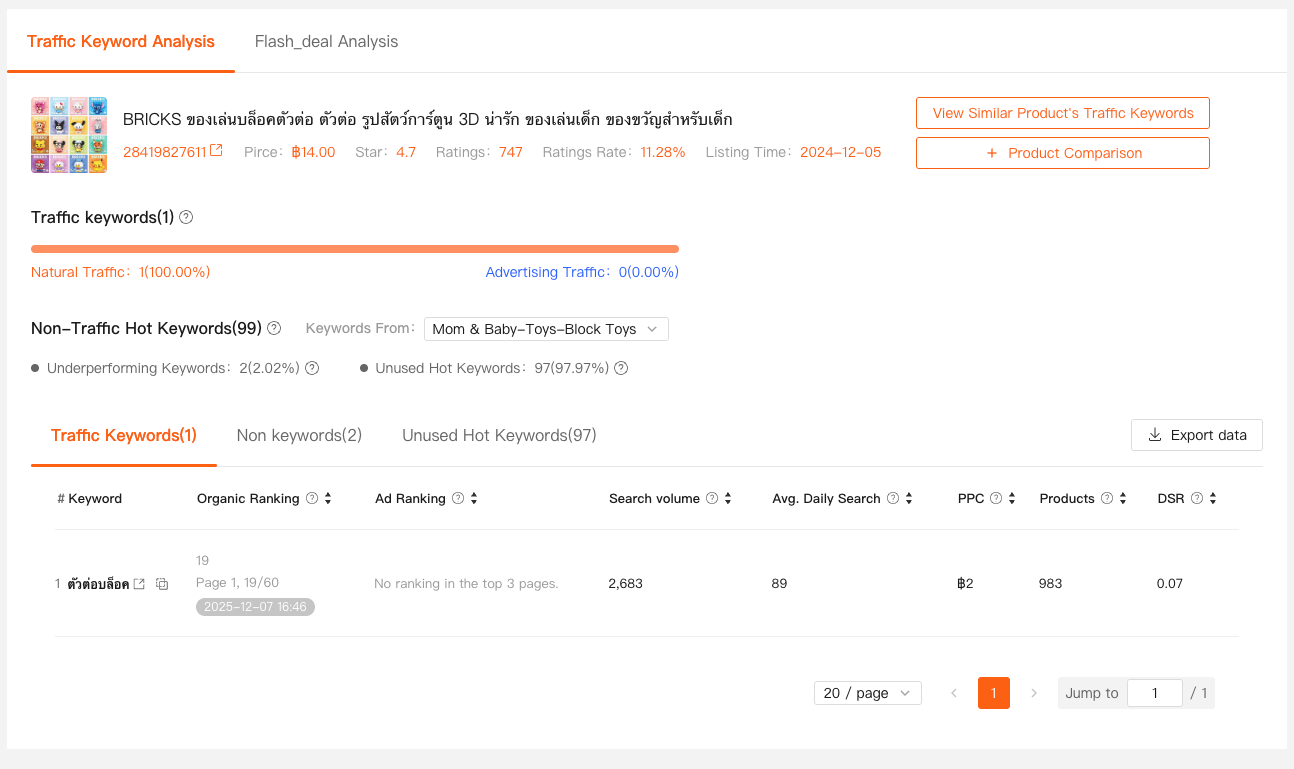
This helps me spot:
- Listings over-dependent on ads
- Keywords that bring traffic but no conversion
- Missed opportunities hiding in plain sight
Instead of “optimizing everything,” I know exactly what to fix first.
Feature 4: Keyword Mining & Title Analysis — Fix the Foundation
Most Shopee sellers obsess over images and price, but forget that keywords decide visibility.
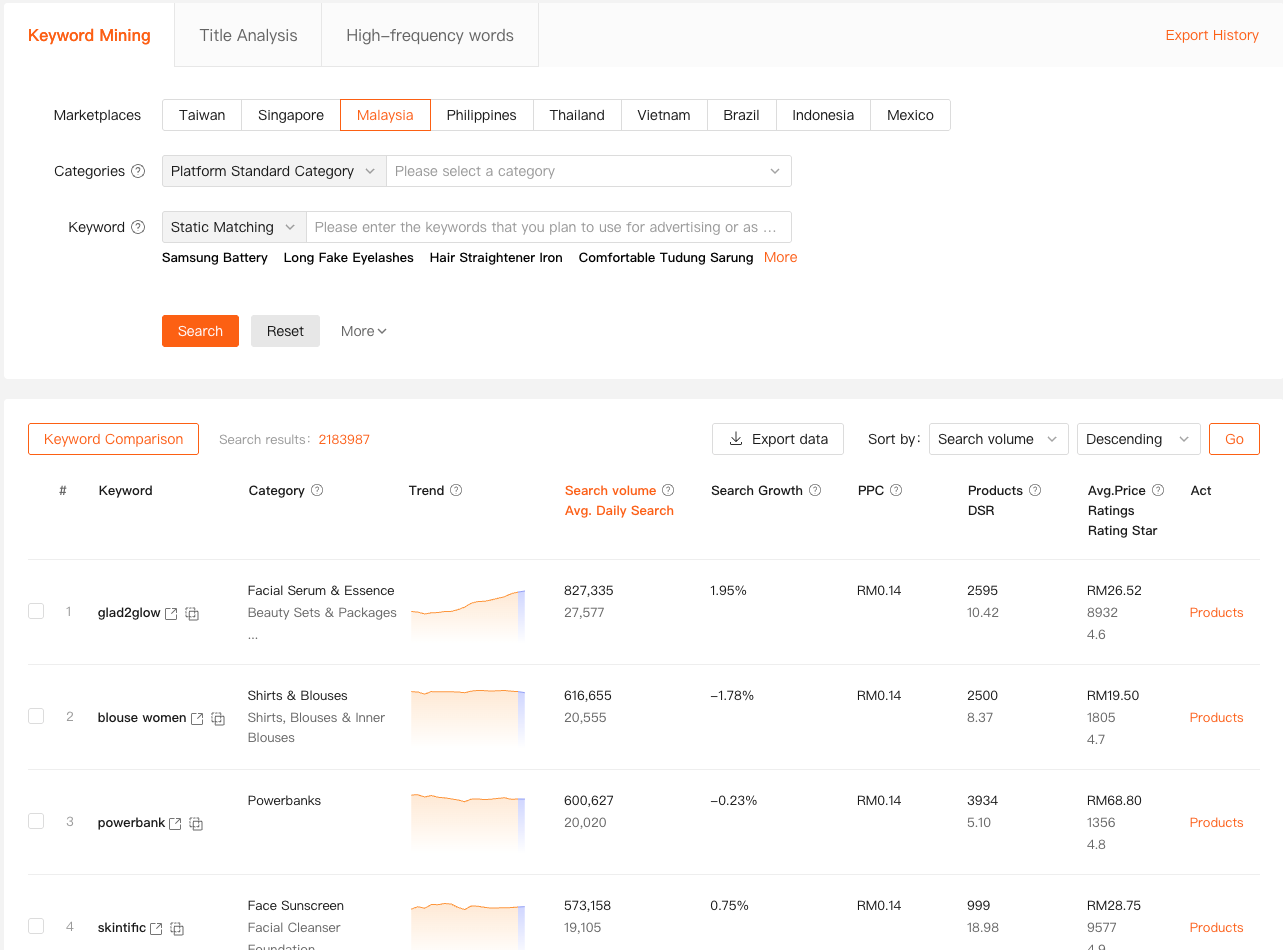
Keyword Mining allows me to:
- See real search volumes by market and category
- Identify rising keywords before they peak
- Check competition levels for each term
Title Analysis then shows:
- Which keywords are actually used in top listings
- Which hot keywords I didn't use
- How competitors structure their titles for visibility
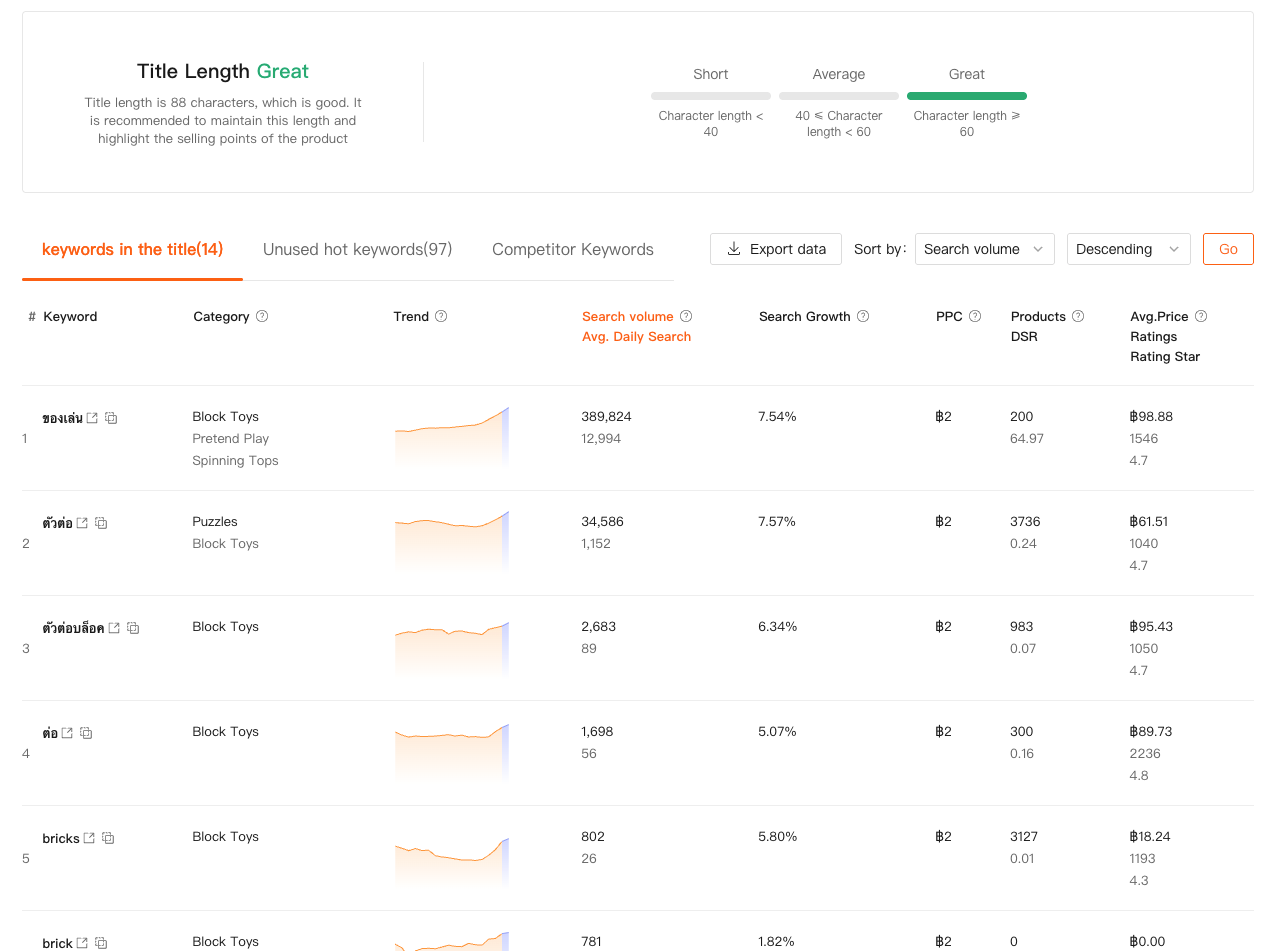
Together, these two features help me turn keyword strategy from guesswork into process.
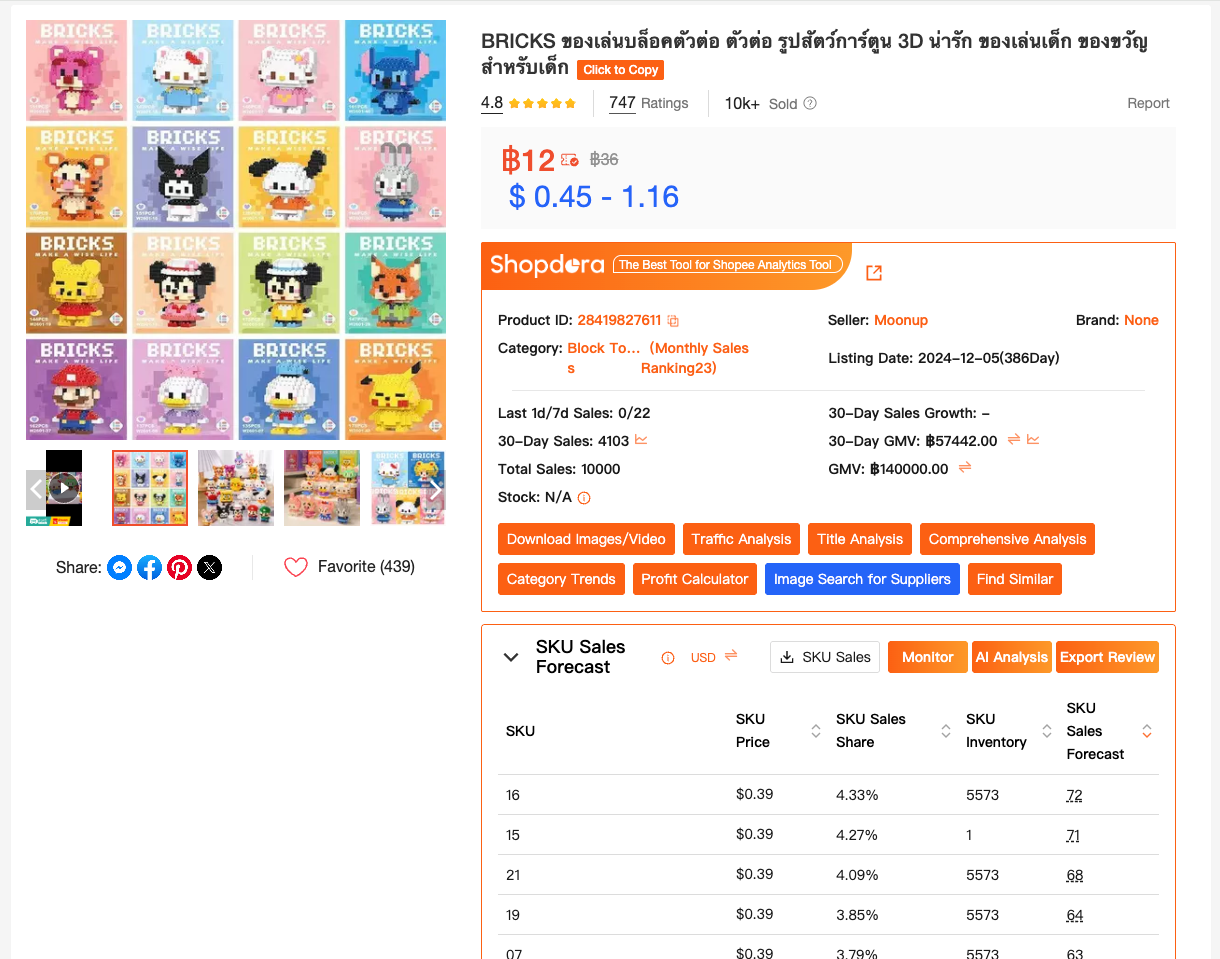
Feature 5: SKU Insight — Understand Variations That Really Sell
SKU Insight is one of those features sellers don’t realize they need — until they use it.
It lets me:
- See sales distribution across variants
- Identify “fake bestsellers” driven by one SKU
- Decide which variations deserve stock and ads
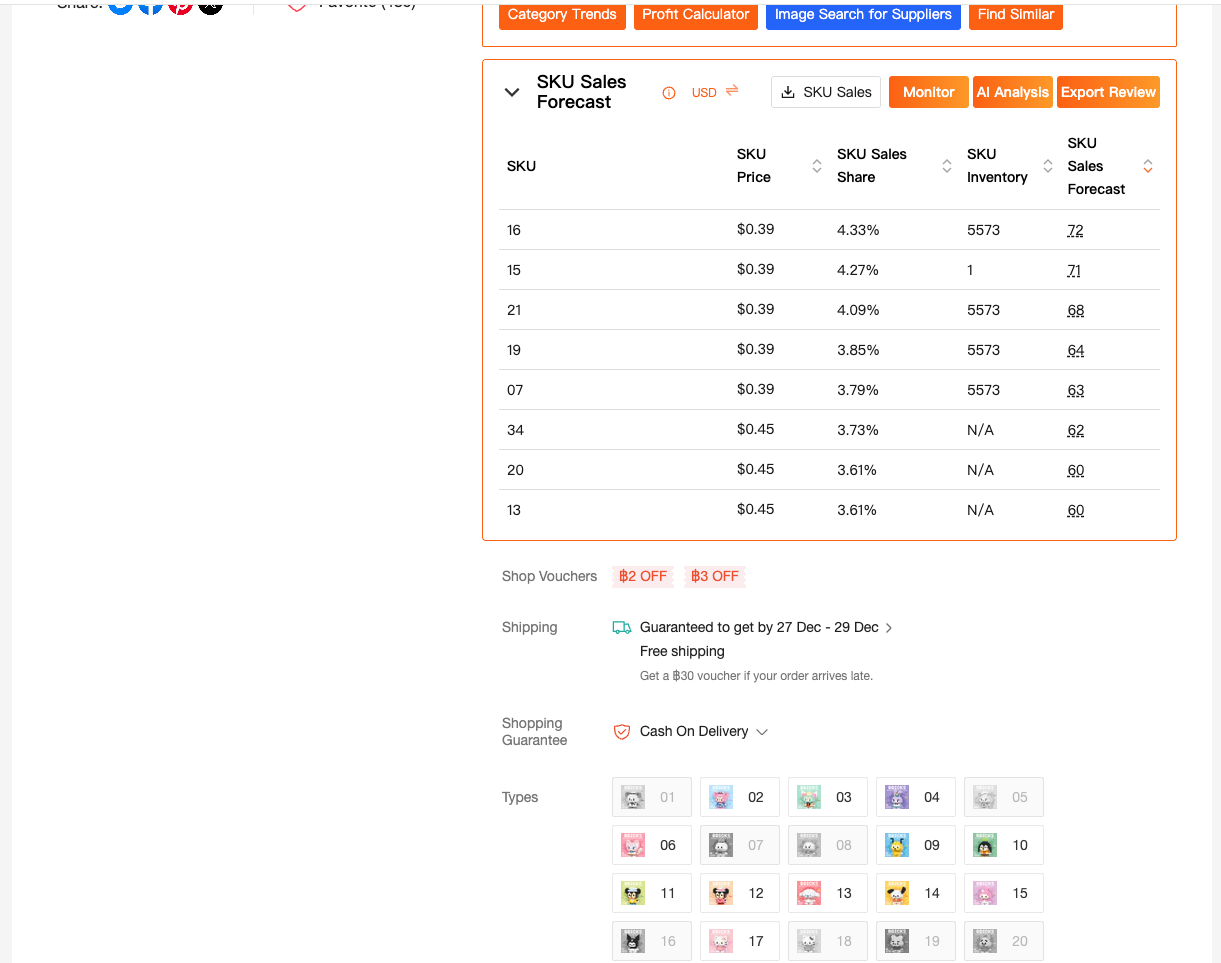
This has saved me more money than any discount strategy ever could.
Feature 6: Brand Ranking & Shop Ranking — Track Who’s Really Winning
Instead of watching individual listings, I often want the bigger picture.
With Brand Ranking and Shop Ranking, I can:
- Track top-performing brands in a category
- Monitor shop-level growth trends over time
- Spot emerging competitors early
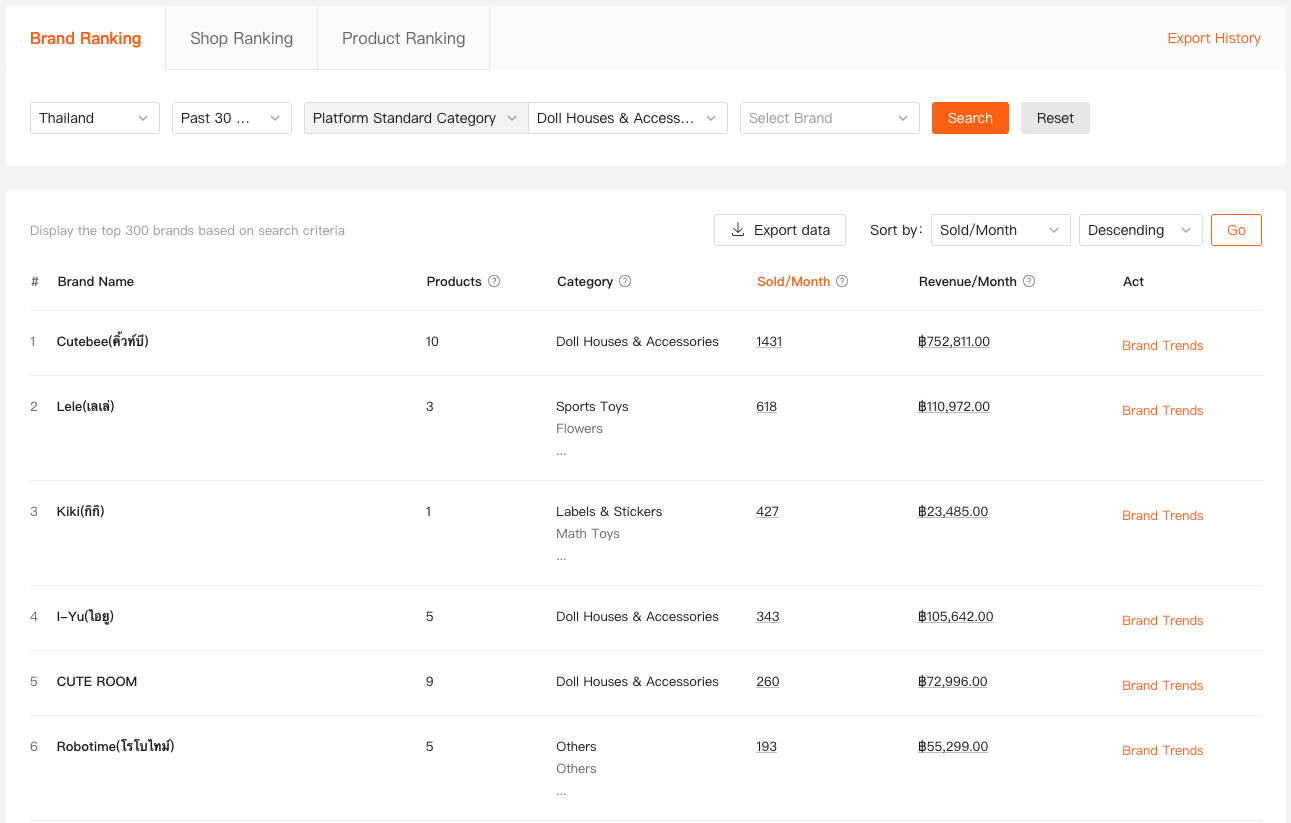
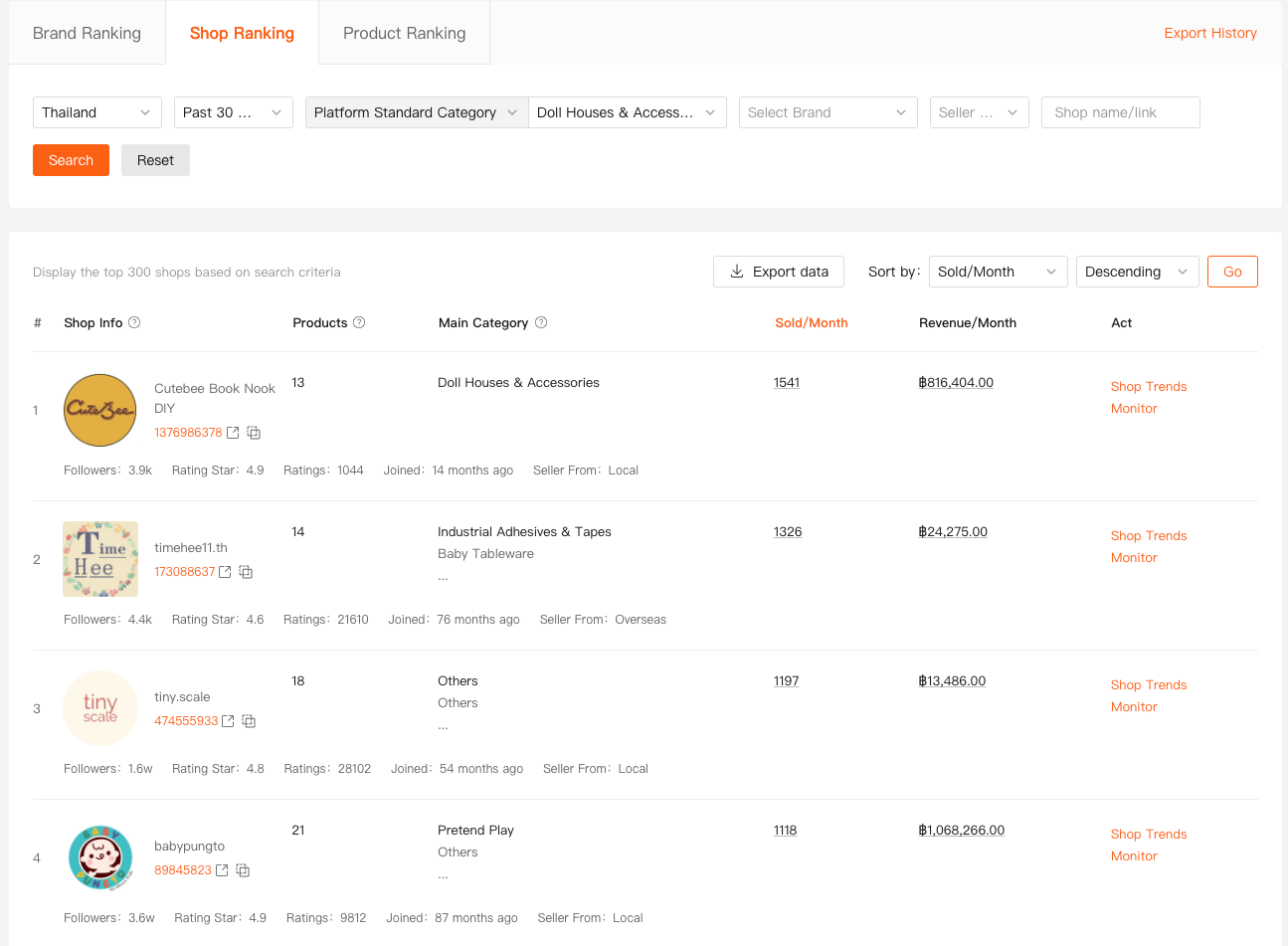
This shifts my mindset from “reacting to listings” to understanding ecosystems.
Using Data Without Losing Seller Instinct
One thing I want to be clear about:
Tools don’t replace experience.
They sharpen it.
The features I mentioned come from Shopdora, but the value isn’t in the tool itself — it’s in how you use the insights responsibly, consistently, and ethically.
I still test.
I still fail sometimes.
But I fail faster and with better understanding.

Final Thoughts
Selling on Shopee today isn’t about working harder — it’s about working clearer.
A good Shopee extension doesn’t overwhelm you with data.
It quietly answers the questions you’re already asking every day.
For me, using these features changed how I:
- Choose products
- Optimize listings
- Allocate budget
- Compete long-term
I’m David.
And if there’s one thing I’ve learned from working alongside real Shopee sellers, it’s this:
The sellers who last aren’t the ones who chase trends fastest —
they’re the ones who understand their market best.
A solid Shopee extension just helps you get there sooner.