
Shopee Image Downloader: How I Fixed My Listing Visuals Without Chasing Designers
Hi, I’m David.
I’ve worked with Shopee sellers long enough to notice something ironic: everyone knows images matter, yet most sellers struggle the most with product visuals.
Not because they don’t care — but because good images are hard to get.
You need references.
You need to understand what works in your category.
You need consistency across listings.
And you need all of that fast.
This is where the idea of a Shopee image downloader stops being a “nice-to-have” and becomes a real productivity tool. In this article, I’ll walk you through how I personally approach product visuals on Shopee, why downloading competitor images and videos (properly) changed my workflow, and how I use a specific Shopee tool feature to solve problems sellers rarely talk about openly.
The Real Problem With Shopee Product Images
Let’s be honest.
Most Shopee sellers fall into one of these situations:
- You’re launching a new product and don’t know what image style converts
- Your CTR is low, but you can’t pinpoint why
- Your designer asks for “reference images” and you don’t have any
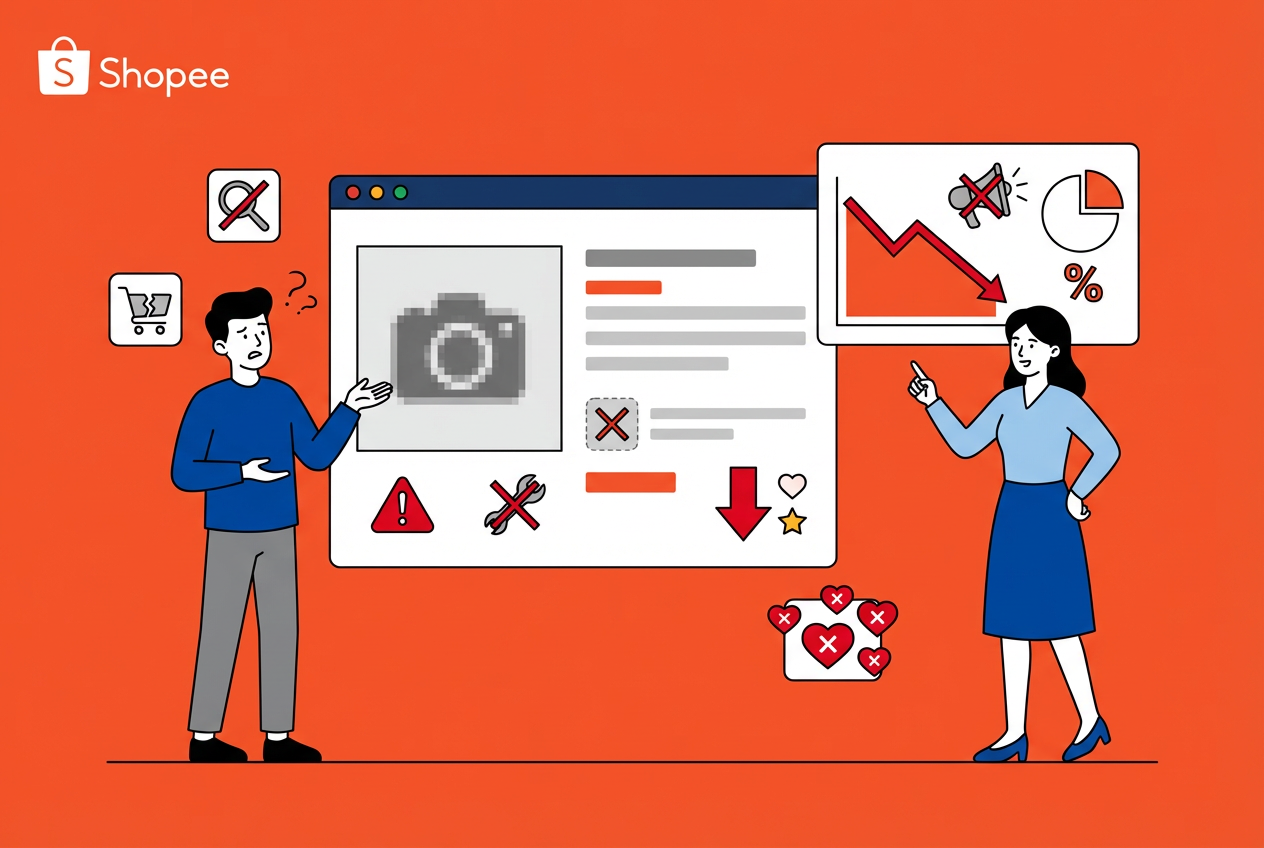
- You want to analyze competitors’ visuals, but screenshots are messy and incomplete
Shopee is a visual-first marketplace. Buyers scroll fast. If your main image doesn’t communicate value in under a second, they move on.
The issue isn’t talent.
It’s access.
You can’t optimize what you can’t clearly study.
Why a Shopee Image Downloader Actually Matters
When people hear “image downloader,” they often think it’s about copying.
That’s not how professional sellers use it.
A proper Shopee image downloader helps you:
- Analyze visual patterns in top listings
- Break down image order and storytelling logic
- Understand how sellers use icons, text overlays, and lifestyle shots
- Benchmark video usage, not just photos
In other words, it’s a research tool, not a shortcut.
Once I reframed it that way, my approach to listing optimization changed completely.
My Workflow: Downloading Images the Right Way
Here’s how I actually use image and video downloads in practice.
Step 1: Study Before You Design
Before creating or updating any listing, I look at:
- Top-ranking products in the same category
- New high-growth listings
- Listings with unusually high engagement
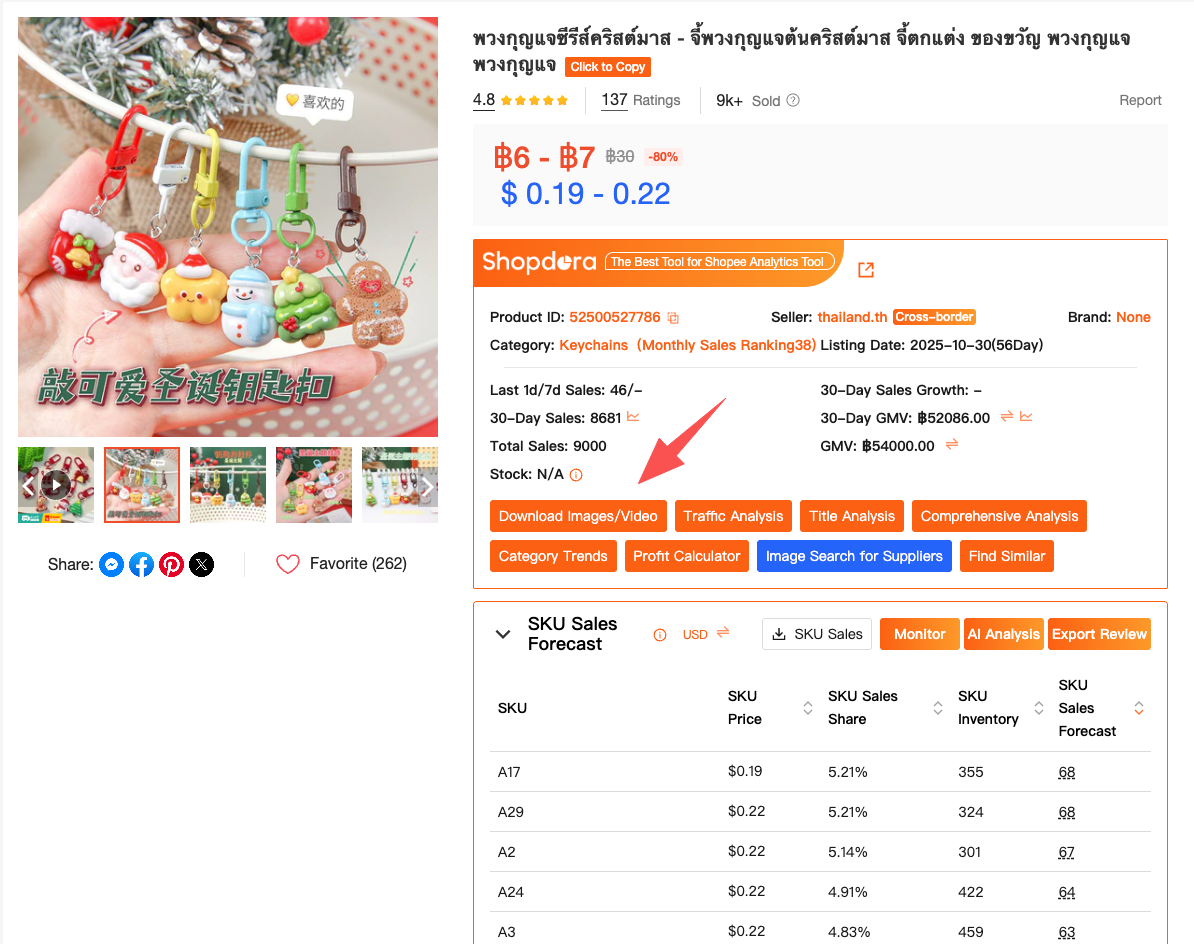
Using Download Image / Video (a feature from Shopdora), I can pull:
- Full-resolution product images
- All gallery images in sequence
- Product videos without watermarks or compression loss
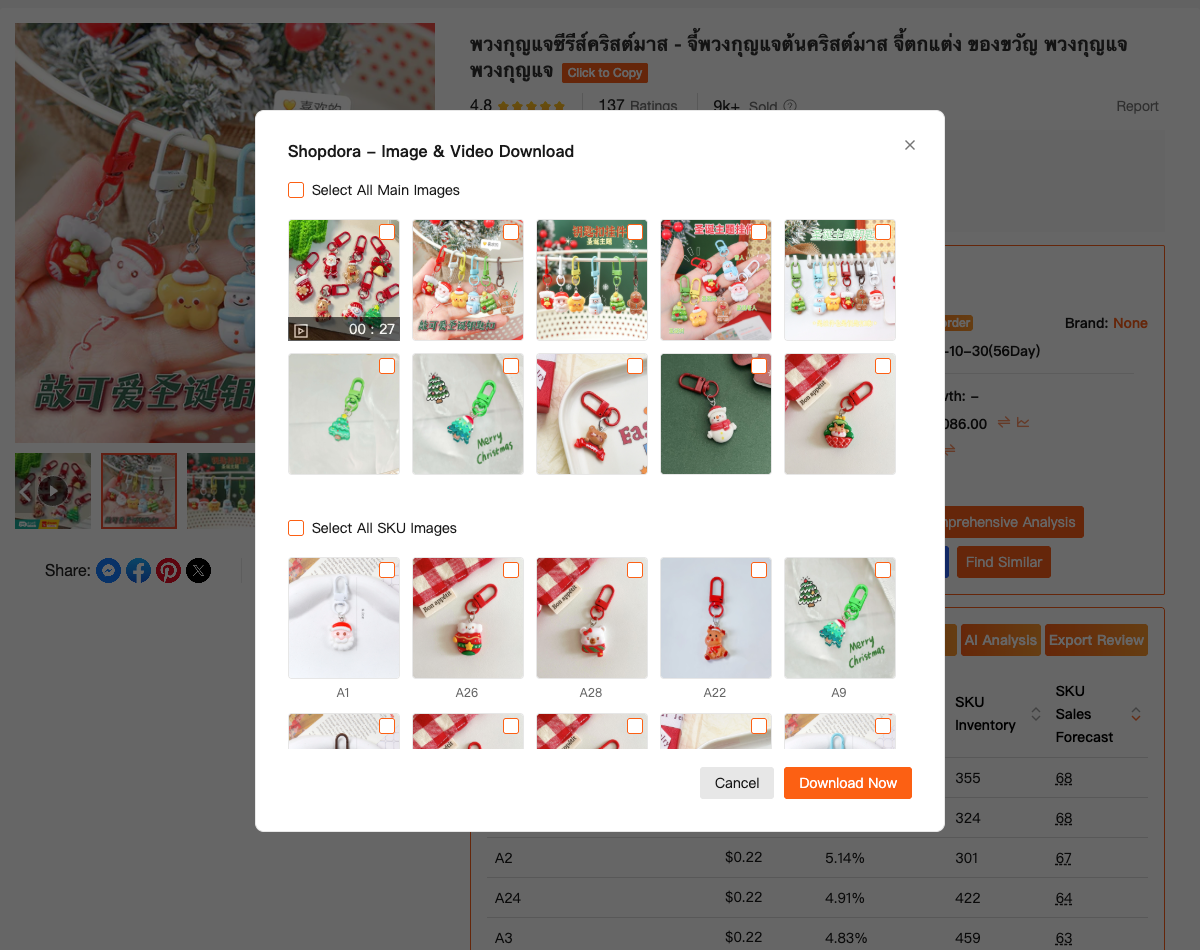
This matters because image order tells a story.
The first image hooks attention.
The second explains the product.
Later images remove objections.
You can’t see this clearly with partial screenshots.
Step 2: Break Images Into Functions, Not “Looks”
One mistake sellers make is judging images emotionally:
“This looks nice.”
I break them down functionally:
- What problem does this image solve?
- Is it trust-building, feature-focused, or comparison-based?
- Why is this image placed third, not first?
Downloading images lets me zoom in on:
- Text hierarchy
- Icon placement
- Color contrast choices
- Mobile readability
These details disappear when you only view images inside Shopee’s UI.
Step 3: Learn From Videos (Most Sellers Don’t)
Shopee videos are still underused, yet they convert extremely well in certain categories.
With the video download capability, I can:
- Study pacing and length
- See how sellers structure the first 3 seconds
- Analyze whether videos focus on lifestyle, demo, or unboxing
I’ve rebuilt entire video briefs for designers simply by studying 5–10 top competitor videos side by side.
Without downloading them, this comparison would be painful.
Why Screenshots and Browser Tools Aren’t Enough
I tried the “free” ways:
- Manual screenshots
- Right-click saving (often blocked)
- Random browser extensions
They all failed in the same way:
- Low resolution
- Missing images
- Broken formats
- No batch capability
A proper Shopee image downloader needs to be:
- Stable
- High-quality
- Fast
- Able to handle both images and videos
The Download Image / Video feature I use comes from Shopdora, and the main reason I stuck with it is simple: it doesn’t interrupt my workflow.
I research → download → analyze → brief → execute.
No friction.
Turning Downloaded Images Into Better Listings
Downloading images alone won’t improve sales.
What matters is what you do next.
Here’s how I turn downloaded visuals into action:
- Create internal “visual benchmarks” for each category
- Build mood boards for designers using real Shopee data
- Identify gaps (e.g. no comparison image, no size reference)
- Improve image sequencing based on proven patterns
This process helped me fix listings that already had decent traffic but poor conversion — without touching ads.
Ethical Use: Inspiration, Not Imitation
This matters.
Using a Shopee image downloader doesn’t mean copying content directly. That’s risky and unsustainable.
The goal is to understand:
- Structure
- Logic
- Presentation strategies
Good sellers don’t clone images.
They learn faster.
Final Thoughts
If you sell on Shopee long enough, you realize that images aren’t decoration — they’re strategy.
A proper Shopee image downloader gives you visibility into what actually works in your niche, not what you think works.
For me, having reliable image and video downloads changed how I:
- Communicate with designers
- Optimize listings
- Launch new products with confidence
I’m David.
And if there’s one thing I’ve learned from working with Shopee sellers, it’s this:
Better images don’t start with design.
They start with understanding.
And understanding always comes from seeing clearly what’s already winning.