
Shopee Image Downloader: How I Steal Winning Visuals Without Copying
Hi, I’m David.
I’ve been running my own Shopee store for a little over three years now, mostly in non-standard categories where product images matter more than price. If you sell in Shopee long enough, you’ll eventually realize something uncomfortable but very real: the difference between a listing that converts and one that doesn’t is often decided before the buyer reads a single word.
It’s decided by images.
I used to think “just make it cleaner” or “shoot it better” was enough. But after watching competitors outrank me with similar products again and again, I learned the hard way that winning visuals are rarely accidental. They follow patterns — angles, layouts, background styles, and even image sequencing — and if you don’t systematically study them, you’re always reacting too late.
That’s exactly where a Shopee image downloader stopped being a “nice-to-have” tool for me and became part of my daily workflow.
Why Shopee Sellers Struggle With Images More Than They Admit
Most Shopee sellers don’t fail because their products are bad. They fail because they don’t fully understand what visual language the market is already responding to.
Shopee doesn’t give you an easy way to analyze competitor images at scale. You can right-click and save one image, sure — but once you’re comparing 20 listings across a category, trying to understand why certain products dominate search results, manual saving becomes a waste of time and energy.
What you really need is a way to quickly collect competitor images, organize them, and study patterns, not to copy them, but to understand why they work.
This is the problem I was trying to solve when I started using Shopdora’s image-related features.
How a Shopee Image Downloader Fits Into a Real Seller Workflow
I want to be very clear here: downloading images alone does nothing if you don’t know what to do with them.
The way I use a Shopee image downloader is always tied to a broader analysis flow. When I open a competitor product page, my goal isn’t “this image looks nice.” It’s questions like:
- Why did they choose this hero image instead of a white-background one?
- Why does the second image immediately show size comparison?
- Why do their lifestyle shots appear before detailed specs?
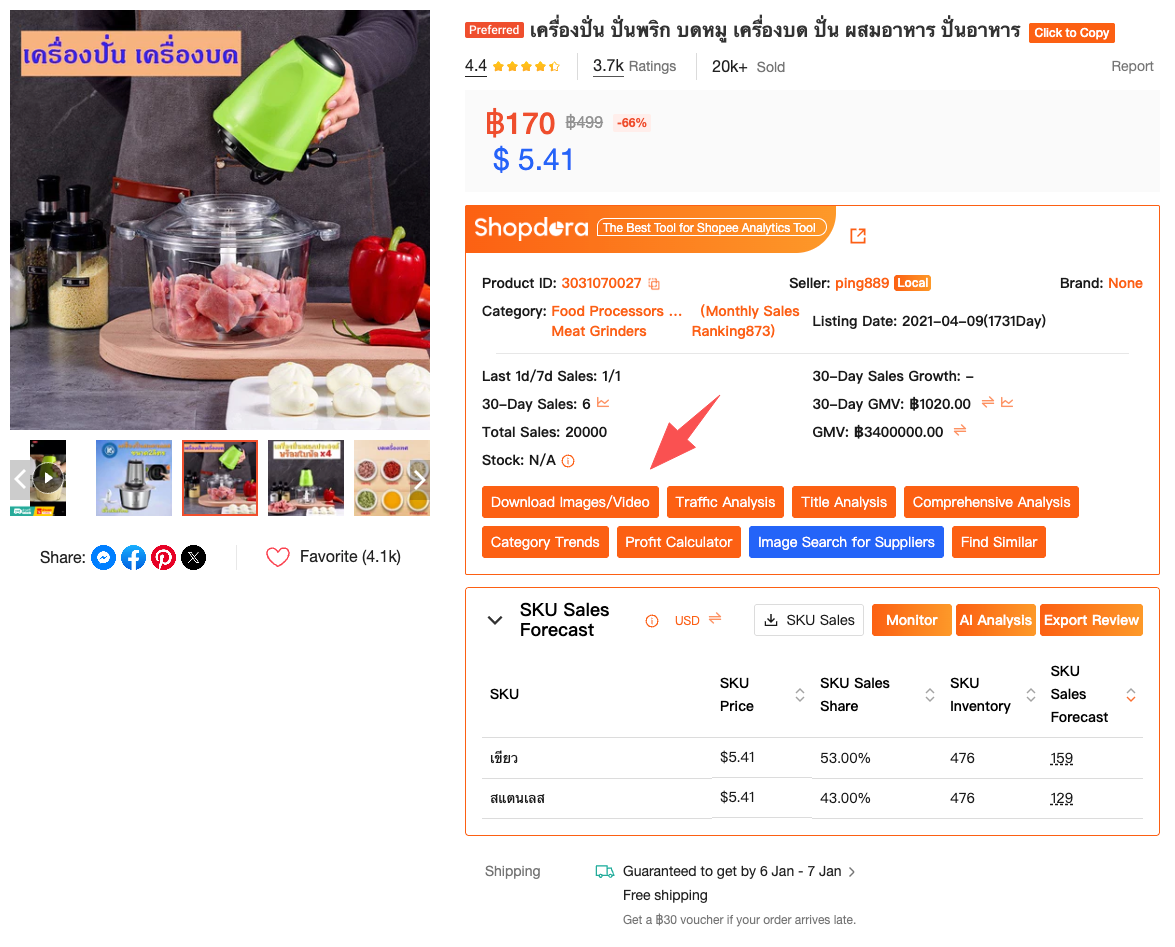
With Shopdora’s Download Image / Video feature, I can export all images (and videos when available) from a competitor listing in one go. That single action saves me an enormous amount of time, but more importantly, it allows me to study images side by side, outside of Shopee’s interface, where patterns become obvious.
Over time, I stopped looking at images as decoration and started treating them as structured data.
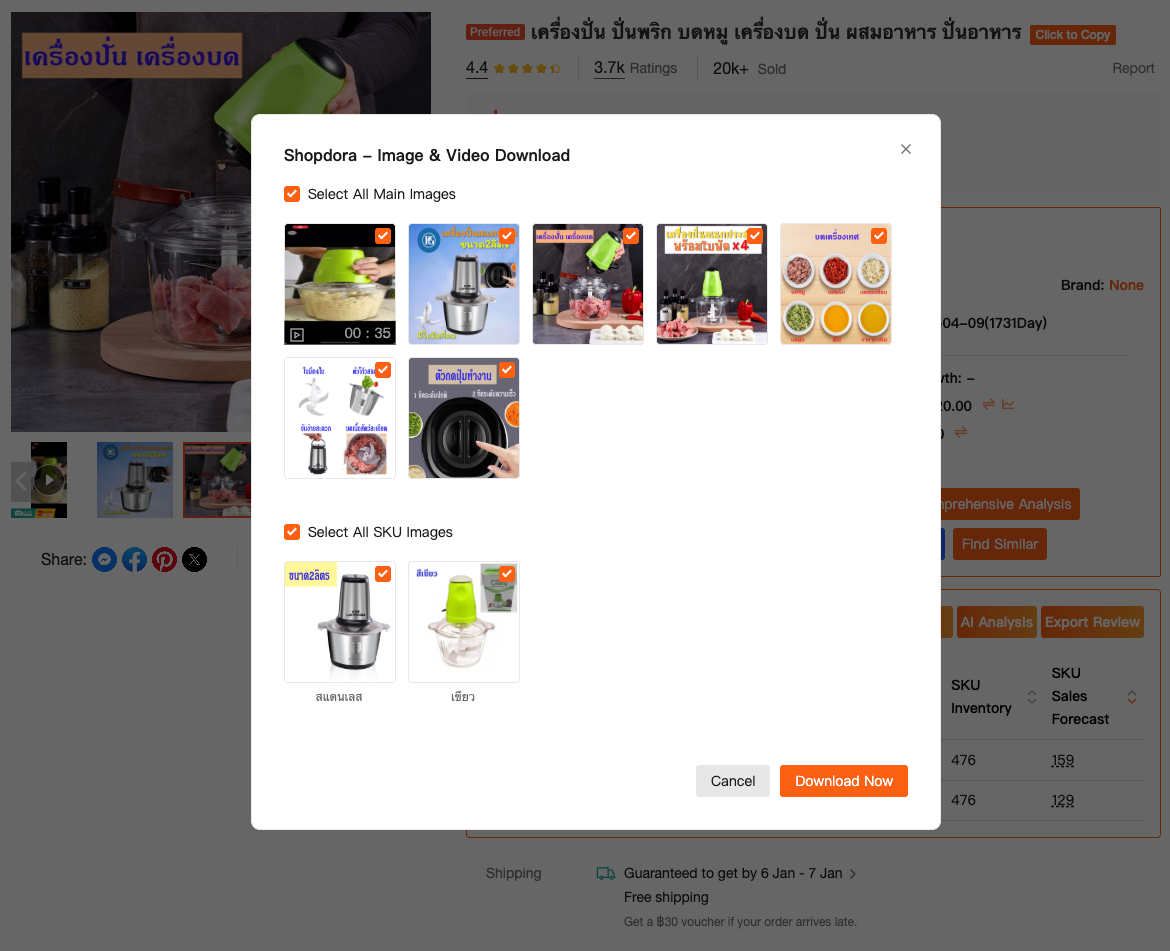
Learning Visual Patterns Without Crossing the Line
Let’s address the elephant in the room: yes, people worry about copying.
A Shopee image downloader doesn’t mean cloning someone else’s creatives. In fact, copying blindly is usually what kills your listing long term. What you should be extracting instead are visual principles.
For example, in one category I sell in, I noticed that top-performing listings almost always used:
- A neutral hero image with context, not pure white
- A second image focused on usage scenario, not features
- A third image answering the top buyer objection visually
I would never reuse their images. But without downloading and reviewing them calmly, away from the page, I wouldn’t have spotted this sequence at all.
This is where Shopdora quietly becomes useful without being intrusive. It doesn’t tell you what to design — it simply removes friction from collecting visual references, which is the part Shopee itself makes unnecessarily painful.
From Image Downloading to Smarter Product Decisions
Something unexpected happened once I started using a Shopee image downloader consistently: it influenced how I chose products.
When you pair downloaded images with Shopdora’s Find Similar or Product Research features, you begin to see whether a product’s success comes from the product itself or from how it’s presented.
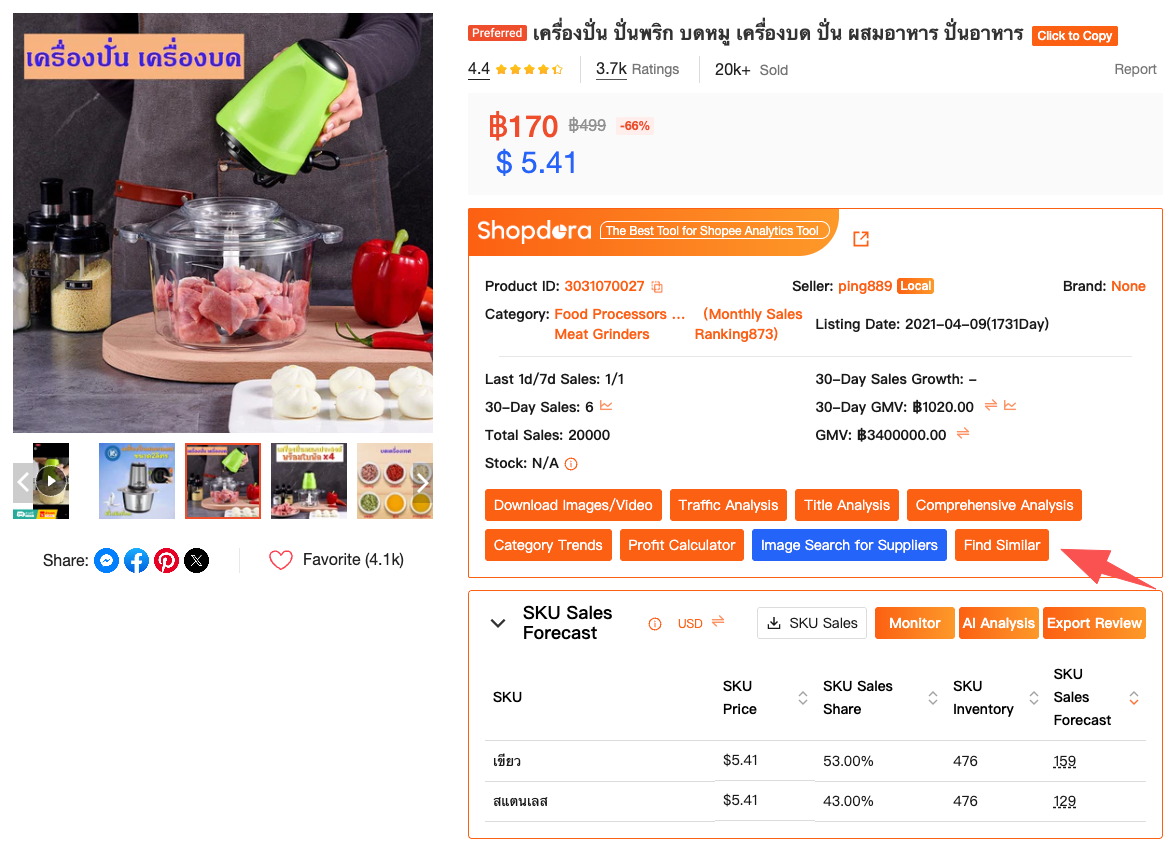
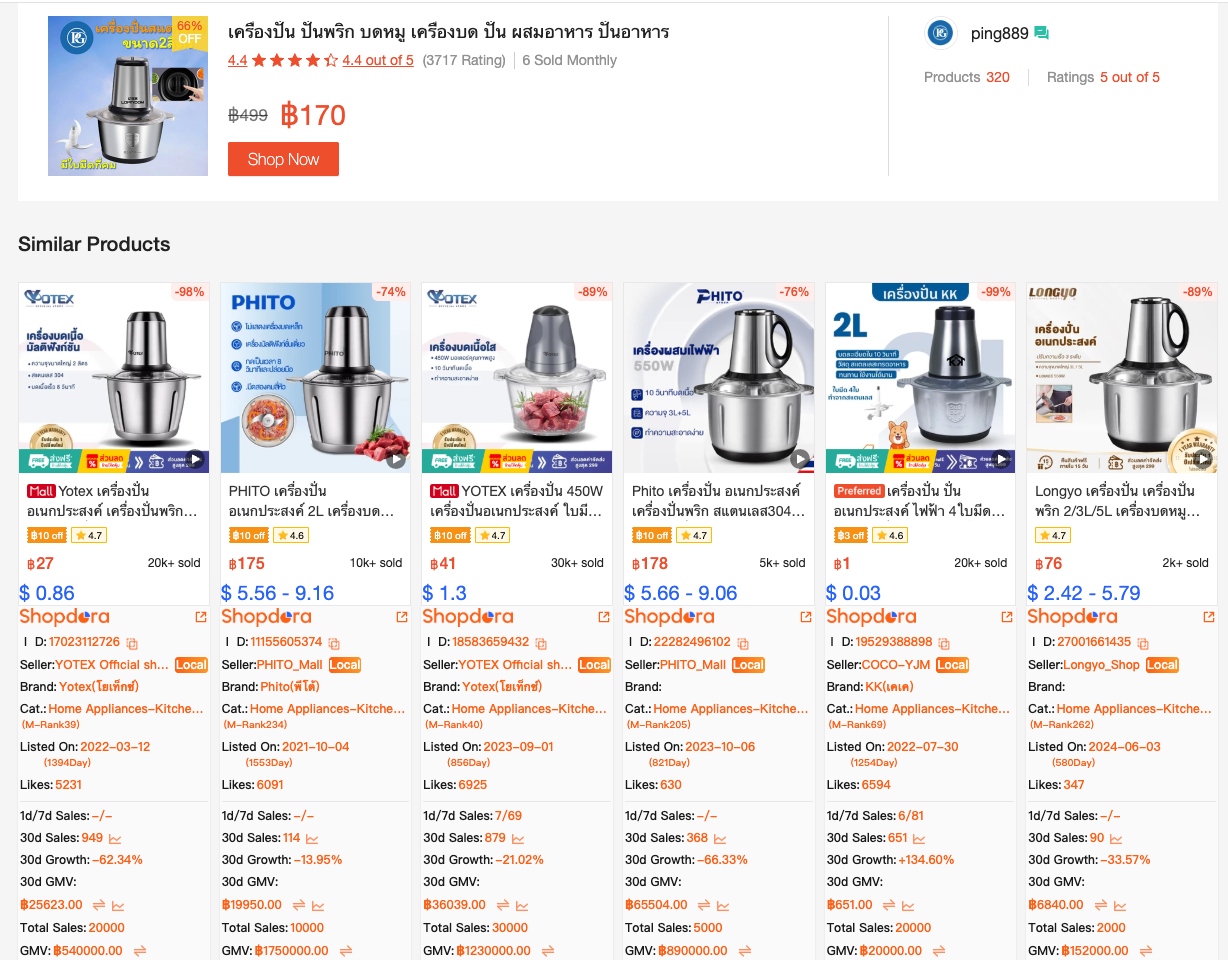
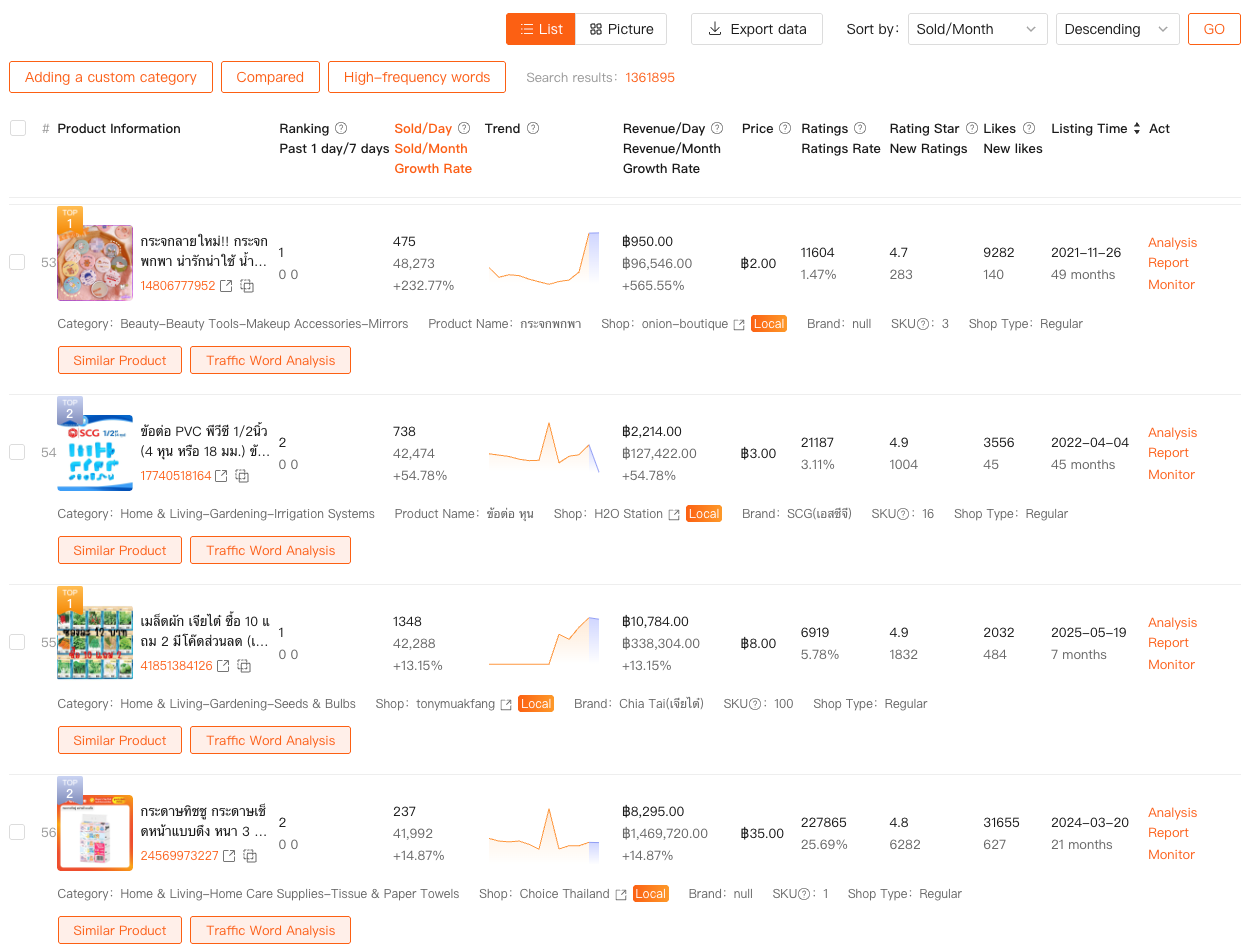
I’ve dropped product ideas entirely after realizing that:
- The top listings all relied heavily on complex lifestyle photography
- Visual differentiation was already maxed out
- New sellers had almost no room to stand out visually
Without image analysis, I might have entered those products blindly and blamed “competition” later. Instead, images became an early warning system.
Why This Matters More Than Ever on Shopee
Shopee has become brutally competitive. In many categories, pricing strategies converge quickly, and advertising efficiency keeps declining. Visuals are one of the few remaining areas where sellers can still create real differentiation without racing to the bottom.
A Shopee image downloader doesn’t make you creative. What it does is make you observant, and that’s a far more valuable skill in the long run.
By systematically downloading and reviewing competitor images, you train yourself to notice:
- What visual promises competitors are making
- Which buyer fears are being addressed visually
- How information density changes across images
Over time, this directly improves your own conversion rate — not because your images look flashier, but because they answer questions faster.
Where Shopdora Fits (Without the Hard Sell)
I’m not interested in tools that shout at me or tell me I’ll “10x sales overnight.” What I care about are tools that quietly remove blind spots.
Shopdora’s image-related features sit in that category for me. The Download Image / Video function solves a very specific pain point for Shopee sellers: getting competitor visuals out of the platform efficiently, so you can actually study them. When combined with its broader market and product analysis capabilities, images stop being guesswork and start becoming part of a repeatable decision process.
You don’t need to use every feature. I certainly don’t. But if images are a bottleneck in your store — and for most Shopee sellers, they are — then having a reliable Shopee image downloader is no longer optional.
Final Thoughts
If I could go back and give my younger self one piece of advice, it would be this: stop obsessing over prices and start studying images earlier.
Images are where buyer trust begins. And trust, on Shopee, is everything.
A Shopee image downloader won’t magically fix bad products or poor positioning. But used correctly, it gives you visibility into what’s actually working in your market — and that insight alone can save you months of trial and error.
If you’re serious about improving your listings, start by looking, not guessing.