
Shopee Image Downloader: How I Use Downloaded Images to Actually Win on Shopee
Hi, I’m David.
I’ve been running my own Shopee store for just over three years now, selling across multiple categories and markets. Like most sellers, I didn’t start with a system. I started with instincts, late nights, and a lot of trial and error. Over time, tools became part of my workflow—not because they looked impressive, but because they helped me make fewer blind decisions.
One of the most common tools sellers look for early on is a Shopee image downloader. I know why. You see a competitor selling well, their images look clean and professional, and your first instinct is to save them and “learn from the best.” I did exactly the same thing. What I didn’t realize back then was that downloading images is the easiest part—and often the least important one.

Why Most Sellers Use a Shopee Image Downloader but Still Don’t Improve Results
A Shopee image downloader gives you access to competitor visuals: product images, detail shots, sometimes even videos. On its own, that feels powerful. But after doing this long enough, I can say one thing clearly—images without context are just decoration.
Early on, I copied visual styles that looked successful but didn’t work for my own listings. Same layouts, same angles, sometimes even similar copy structure. The results were inconsistent at best. Only later did I understand the real issue: I was copying what I could see, without understanding why it worked in the first place.
This is where most sellers get stuck. They collect images, but they don’t know which ones actually matter. A clean Shopee image downloader solves the collection problem. It does not solve the decision problem.
Using Shopdora’s Download Image / Video as a Clean Collection Tool
One thing I appreciate about Shopdora’s Download Image / Video feature is that it stays in its lane. It does exactly one thing well: allowing sellers to download competitor product images and videos in original quality, without watermarks or compression, directly from the Shopee product page.
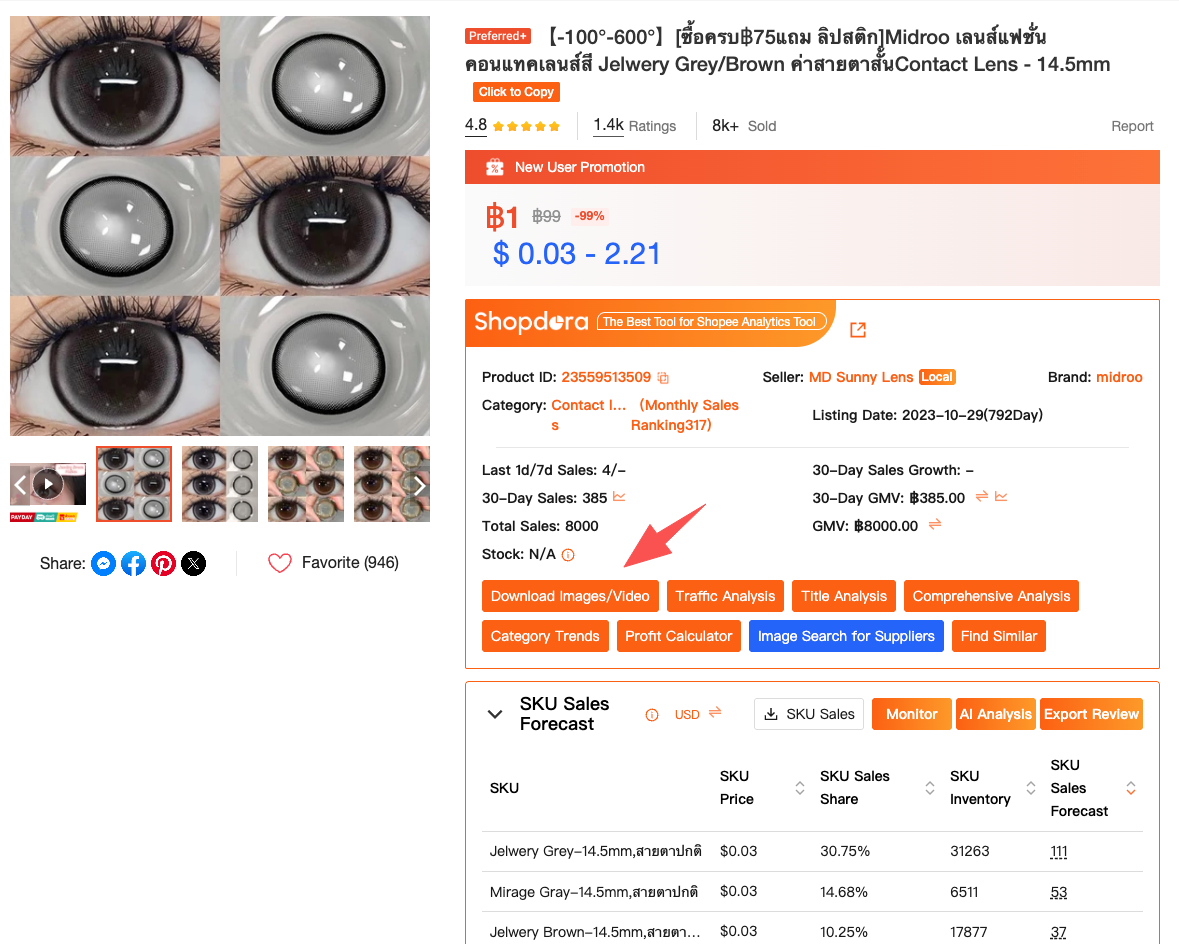
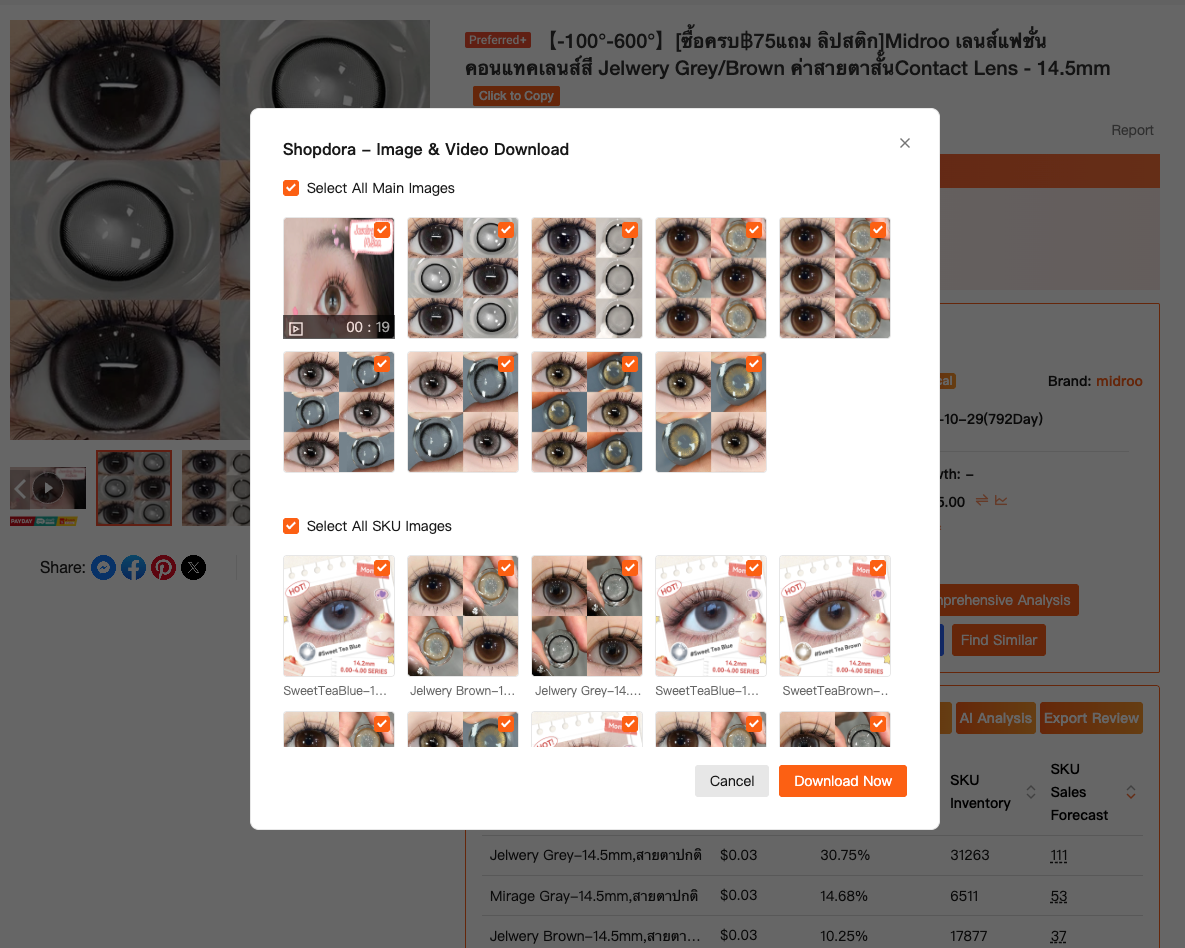
That sounds simple, but it matters more than people think. When you’re doing serious competitor research, low-resolution screenshots or missing assets distort your judgment. Original images let you see how visuals are actually presented to buyers—image order, emphasis, background choices, and video framing—without guessing.
However, I treat this feature strictly as a material collection step. I don’t evaluate images the moment I download them. I park them, label them, and only come back to them after I’ve checked the data.
Why Image Analysis Only Makes Sense When You Look at the Market First
Here’s the uncomfortable truth: Shopee’s seller center shows you your performance very clearly—but it shows you almost nothing about everyone else. You can see your SKU sales, your conversion rate, your inventory. What you can’t see is whether the competitor you’re copying is actually growing, declining, or being propped up by short-term promotions.
This is where I rely on Shopdora’s Comprehensive Analysis and Market Analysis features. Before I study a single downloaded image, I check whether that product or category is trending up or cooling down. I look at sales trends, price changes, and ranking movements across the market.
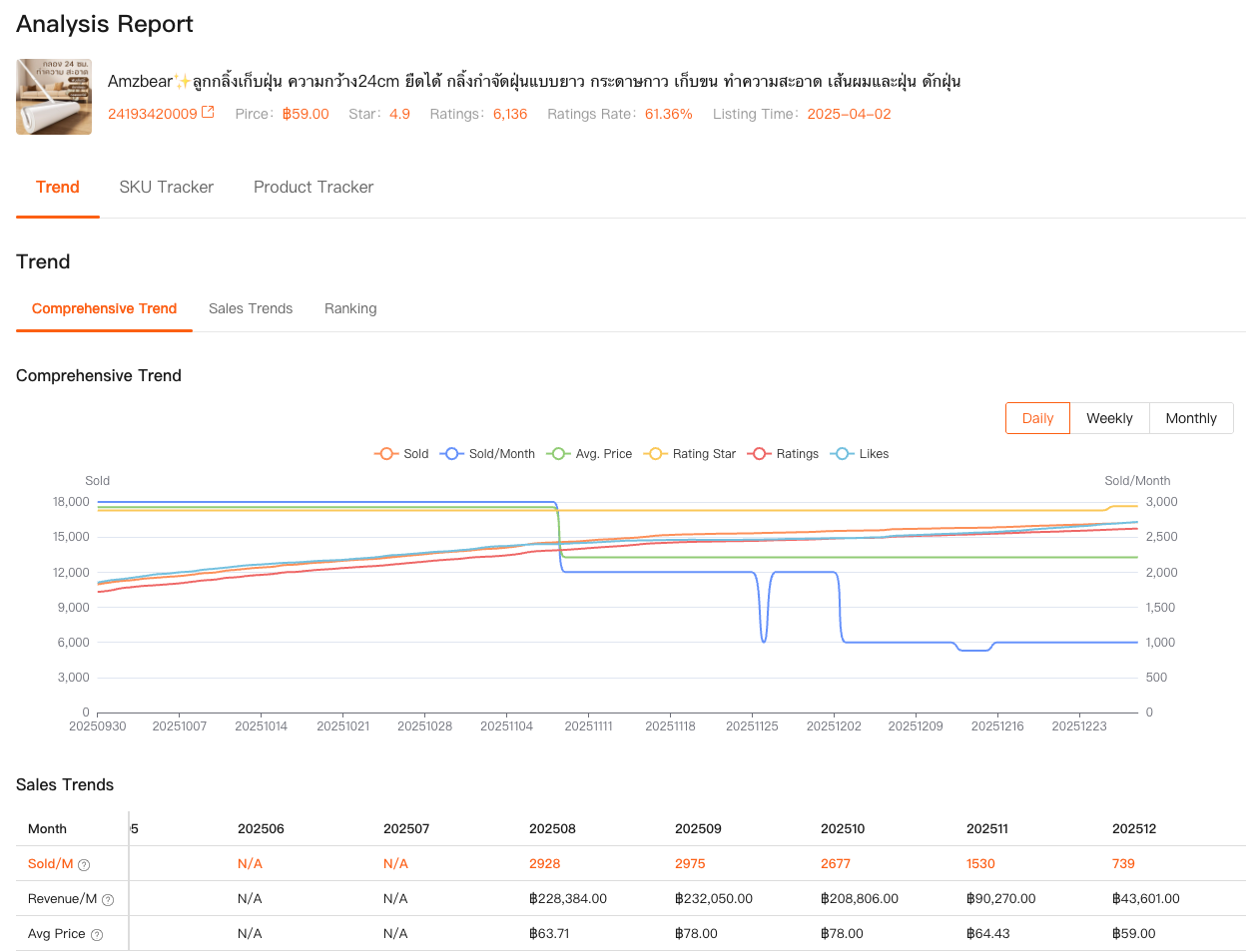
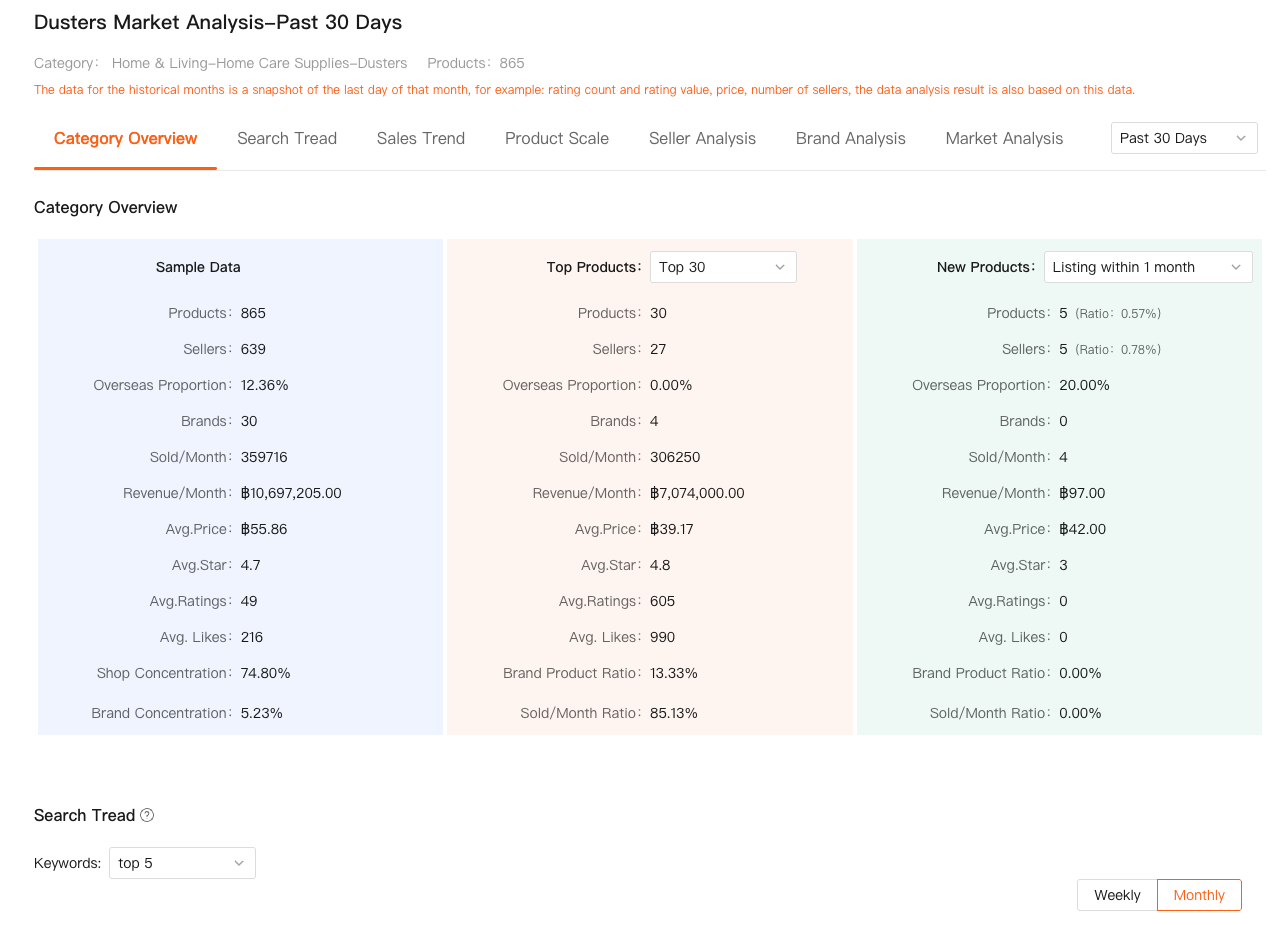
Only after that step do images start to mean something. A minimalistic image style from a product that’s losing momentum tells a very different story from the same style used by a product that’s steadily climbing. Without market context, it’s impossible to tell the difference.
Turning Downloaded Images into SKU-Level Insights
One of the most practical uses of a Shopee image downloader is SKU research. Many listings look strong overall, but only one or two variants actually drive most of the sales. Shopee doesn’t show you that breakdown for competitors.
After downloading SKU-specific images and videos, I use Shopdora’s SKU Insight feature to understand how the market behaves at the variant level. This data shows how sales are distributed across SKUs, which variants dominate, and which ones quietly underperform.
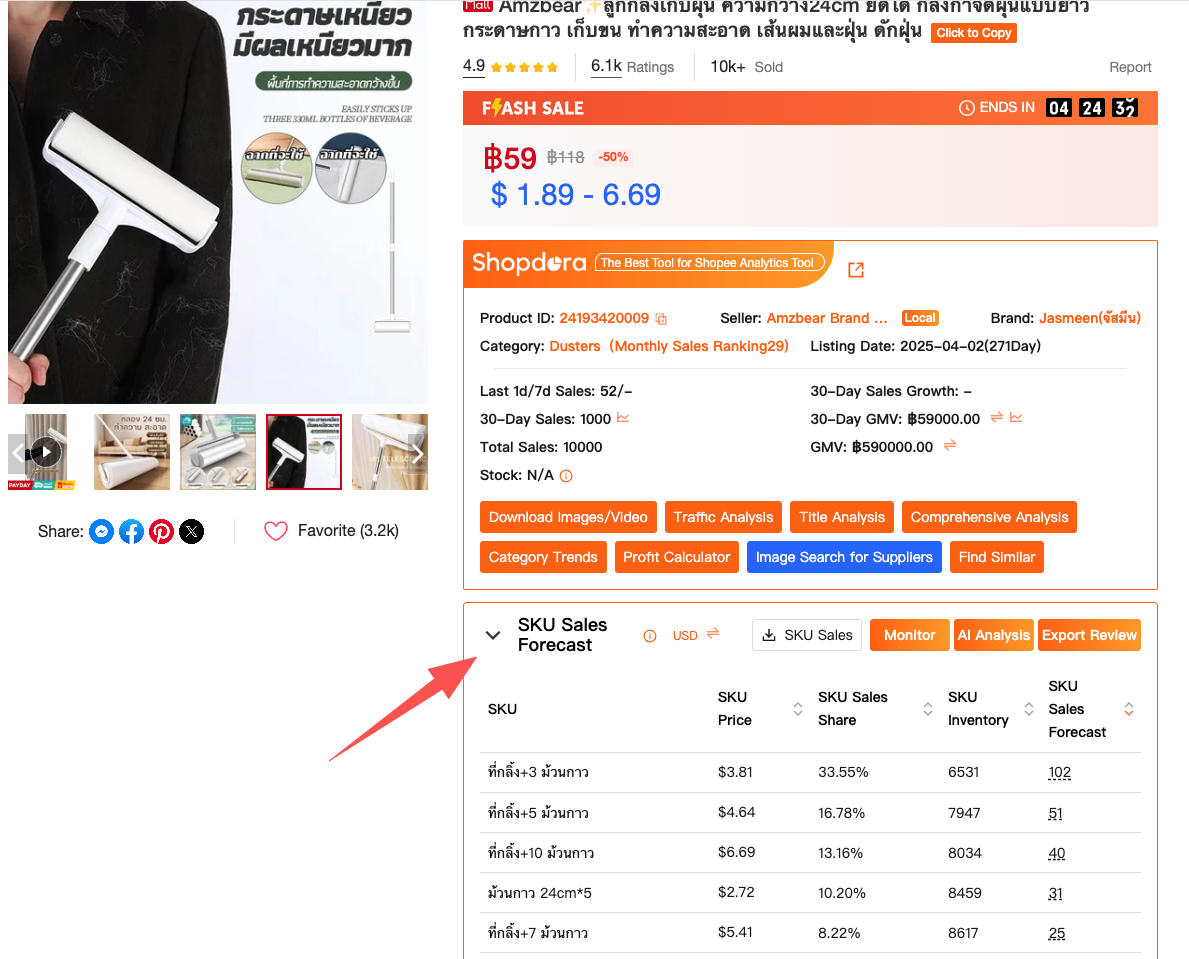
Once I know which SKU actually sells, I revisit the images. Patterns emerge quickly. The best-performing SKU often has clearer visuals, simpler naming, or more obvious use-case presentation. That insight doesn’t come from downloading images alone—it comes from pairing visuals with competitor SKU data.
Why Copying Images Blindly Is Risky—and How Data Reduces That Risk
There’s a fine line between learning from competitors and copying mistakes you don’t understand. I’ve seen sellers replicate entire image sets from competitors whose sales later collapsed. At the time, those listings looked “successful.” The data told a different story.
By checking market-level trends first, I avoid building listings around visuals that belong to a declining phase of a product lifecycle. In some cases, images that look outdated are still attached to strong sellers simply because they built authority early. New sellers copying those visuals rarely get the same results.
Using a Shopee image downloader together with market data helps me separate cause from coincidence. I’m not asking “Does this image look good?” I’m asking “Does this visual approach consistently appear in products that are currently winning?”
From Assets to Decisions: How My Workflow Actually Looks Today
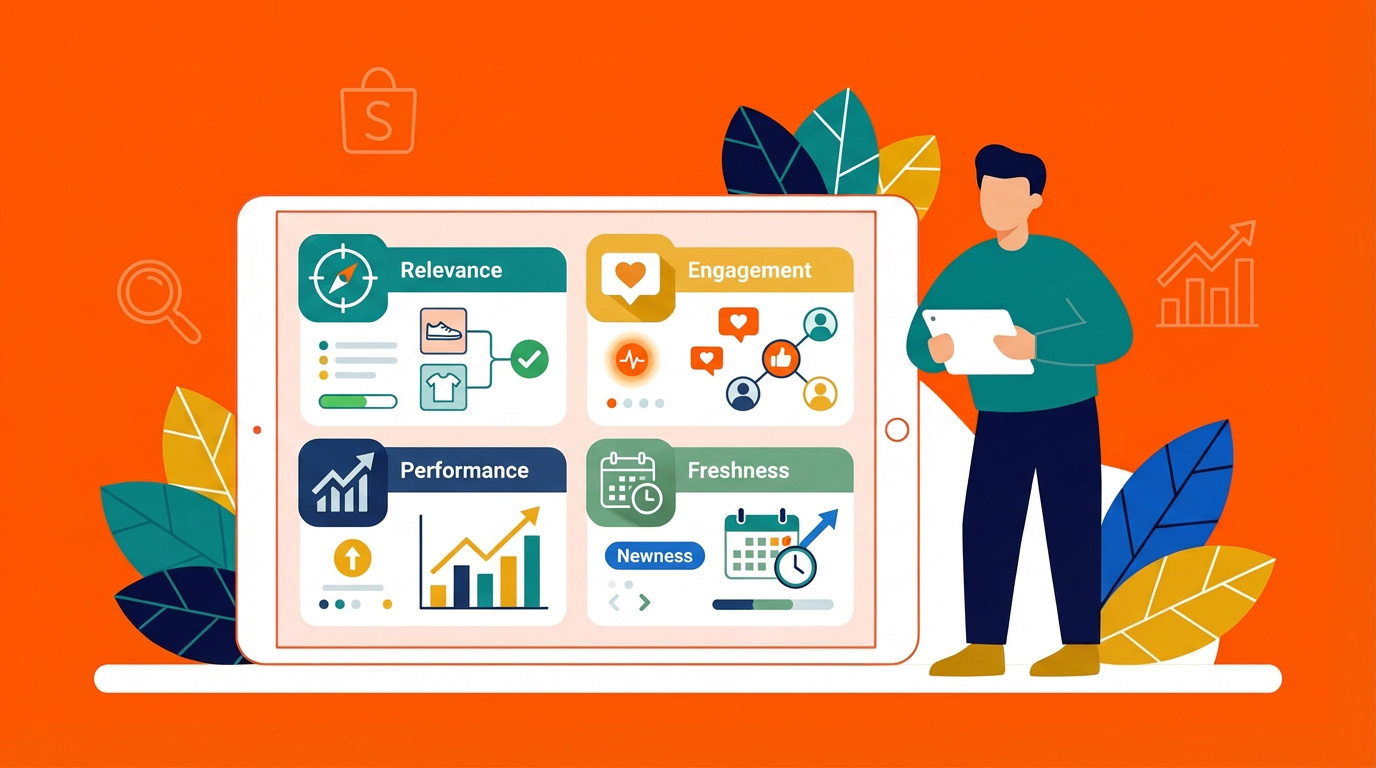
Today, my workflow is straightforward. I download images and videos using Shopdora’s tool whenever I identify a competitor worth studying. I don’t analyze them immediately. Instead, I first check market trends, product performance, and SKU distribution using Shopdora’s analysis features.
Only then do I study visuals with intent. I’m not looking to copy layouts pixel by pixel. I’m looking for patterns—how information is prioritized, how variants are explained, how buyers are guided through the images. That difference is subtle, but it’s where real improvements come from.
Final Thoughts
If you’re searching for a Shopee image downloader, you’re already thinking in the right direction. Visuals matter. But they matter most when they’re backed by understanding. Downloading images is step one. Knowing which images are worth learning from is where sellers actually level up.
After three years of selling on Shopee, I’ve stopped chasing shortcuts. Tools like Shopdora don’t give answers—they give visibility. And visibility is what turns guessing into decision-making.
I still download competitor images every week. I just don’t mistake collecting assets for understanding the market anymore.