
Shopee Optimization Isn’t About Tweaks — It Starts with Smarter Product Decisions

Hi, I’m David.
I’ve been selling on Shopee for a little over three years now. I started like most solo sellers do: copying competitors, watching bestseller lists, and constantly “optimizing” listings that never really took off.
For a long time, I thought Shopee optimization meant adjusting what was already online — better titles, cleaner images, lower prices. But eventually I realized something uncomfortable:
Most optimization problems are actually product decision problems, not listing problems.
Once I changed how I choose products and keywords — not just how I present them — everything else became easier. That shift happened when I started using Shopdora, specifically its Product Research and Keywords Mining features.

The Real Optimization Problem Most Shopee Sellers Don’t See
Here’s the issue I see again and again:
Sellers try to optimize products after they’ve already committed to them.
They list a product, spend time on images and ads, then wonder:
- Why traffic is low
- Why clicks don’t convert
- Why ads don’t stabilize even after weeks of testing
The truth is harsh but simple:
You can’t optimize demand that doesn’t exist — or demand you don’t understand.
That’s why my Shopee optimization workflow now starts before I upload anything.

Step One: Use Shopdora Product Research to Avoid “False Demand”
Shopdora’s Product Research is not a trend list or a recommendation engine.
It’s a data-driven product filtering system, and that difference matters.
This feature lets me filter products by:
- Shopee site and category
- time range (like the past 30 days)
- real sales, revenue, growth rate, price range, ratings, listing time
- product source (top products, rising new products, new-shop hot sellers, etc.)
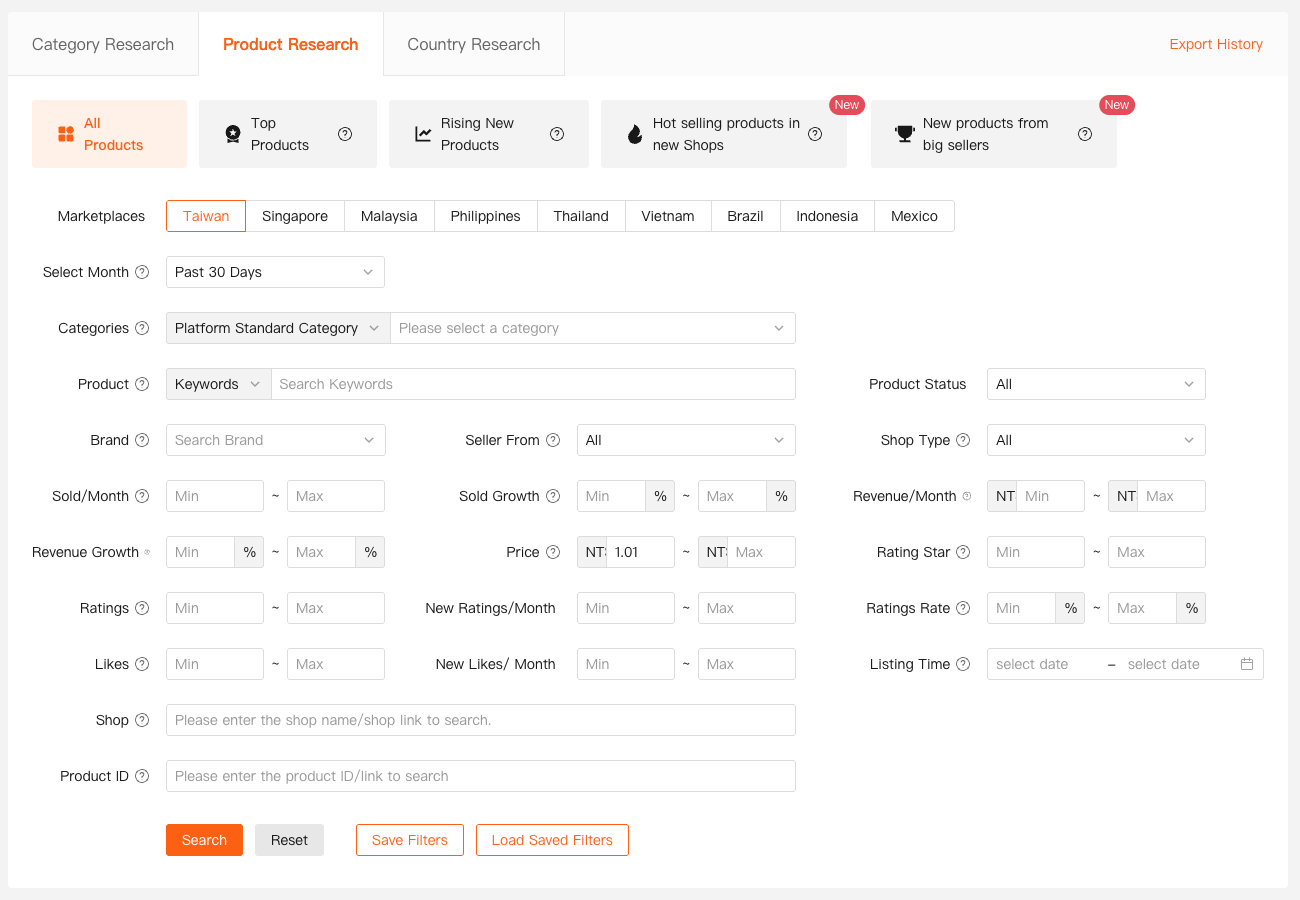
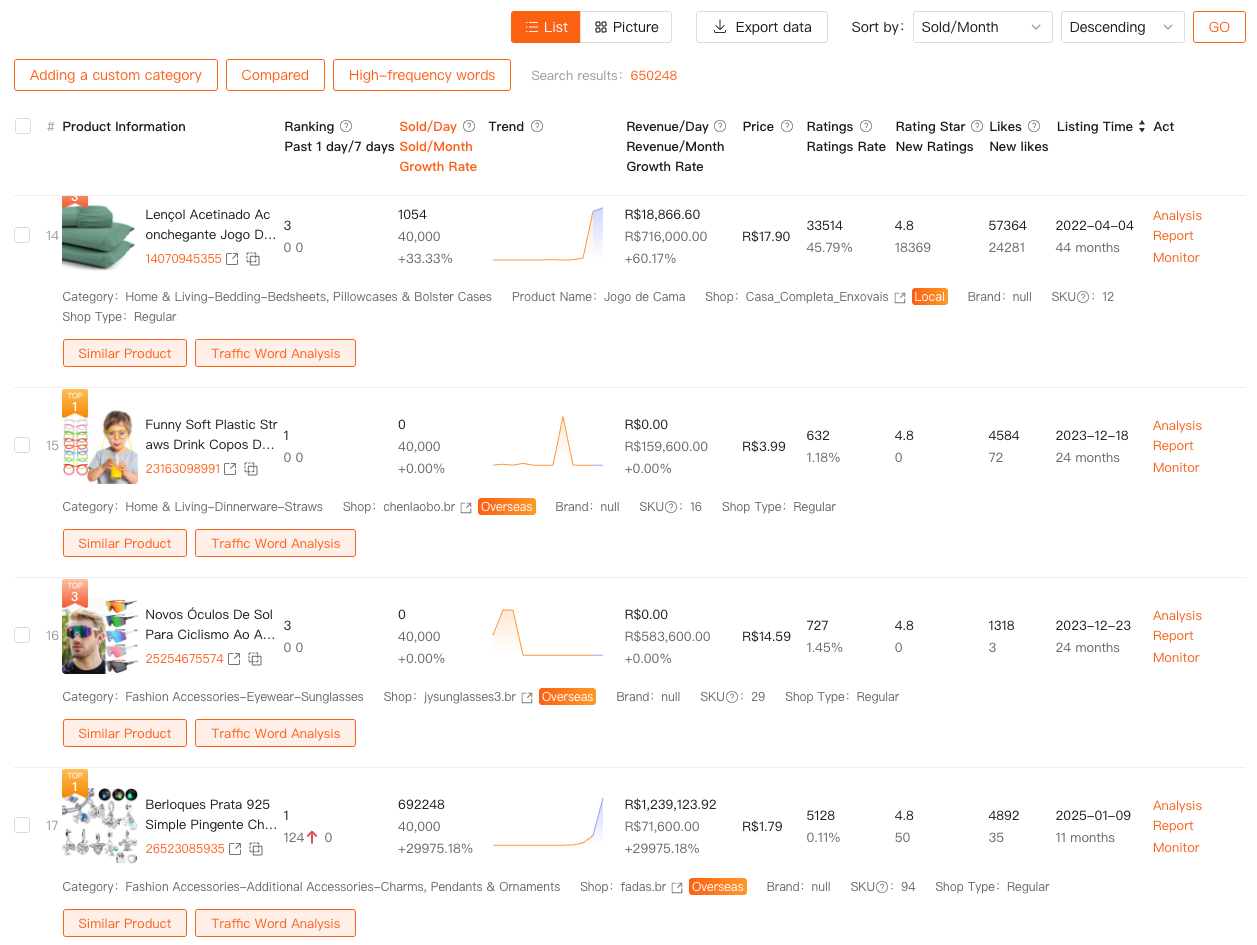
Instead of asking “What looks popular?”, I ask:
- Is demand recent, not historical?
- Is growth coming from many sellers or just one big shop?
- Are new products gaining traction, or only old listings dominating?
This alone eliminates a huge percentage of bad optimization decisions.
If a product shows flat sales, declining growth, or heavy concentration in one shop, I don’t touch it — no matter how “optimized” competitors look.
That’s the first layer of Shopee optimization most sellers skip entirely.
Step Two: Keywords Mining — Where Optimization Actually Begins
Once I’ve narrowed down viable products, I move to the second core feature:
Shopdora’s Keywords Mining.
This feature is accessed from the Shopdora website (not the product page), and it does something Shopee doesn’t clearly offer:
It exposes platform-level keyword data.
With Keywords Mining, I can:
- filter keywords by site and category
- see real search volume, trends, growth, PPC reference, and competition
- paste a product link to reverse-check which keywords a listing is actually covering
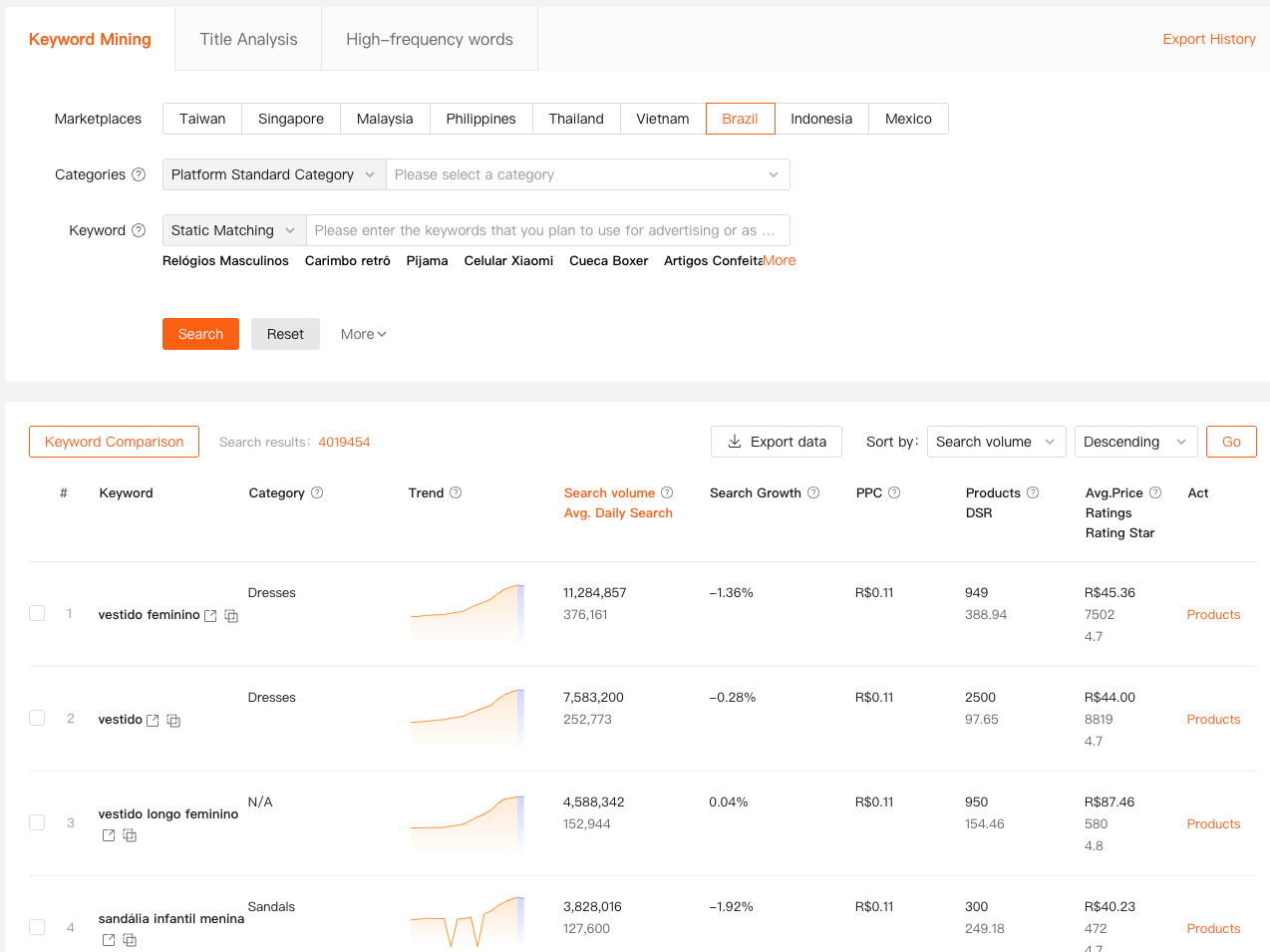
This changes how I think about optimization.
Instead of starting with a product and forcing keywords into it, I start with:
“What keywords already have stable demand — and what kind of products are winning those searches?”
That’s Shopee optimization from the demand side, not the listing side.
Solving a Core Seller Problem: Optimizing Without Guessing Keywords
Here’s a common mistake I used to make:
I’d find a product with decent sales, then write titles based on intuition or competitor wording.
With Shopdora’s Keywords Mining, I now do the opposite:
- I identify keyword clusters with consistent demand
- I check how crowded those keywords are
- I see whether existing products are fully optimized for them — or just partially
Very often, I discover:
- keywords with strong volume but poor product matching
- keywords being used but not ranking
- keywords with rising demand that most listings haven’t adapted to yet
That’s where real optimization opportunities come from — not from rewriting the same title again.

How Product Research and Keywords Mining Work Together
This is where Shopdora really stands out.
Product Research tells me:
- what is selling
- how fast it’s selling
- who is selling it
Keywords Mining tells me:
- why it’s selling
- what users are actually searching for
- where keyword gaps exist
When I combine the two, I’m no longer “optimizing” in the traditional sense.
I’m aligning:
- product selection
- keyword intent
- and market timing
That’s a much higher-leverage form of Shopee optimization than changing images or prices later.

Optimization Becomes Easier When the Foundation Is Right
Here’s the interesting part.
When I choose products using Shopdora’s Product Research and validate demand with Keywords Mining:
- titles almost write themselves
- ads stabilize faster
- conversion problems are easier to diagnose
Because I’m no longer fighting the market.
Optimization stops being reactive and becomes structured:
- If traffic is low, I know it’s a keyword mismatch
- If clicks are high but sales are low, it’s a product or price issue
- If ads are expensive, I know whether competition or demand is the cause
That clarity is what most sellers are missing.
Final Thoughts
After years of trial and error, I’ve learned that Shopee optimization doesn’t start on the listing page. It starts with better product and keyword decisions.
That’s why I rely on Shopdora’s Product Research and Keywords Mining — not to chase trends, but to understand demand before I commit.
If you’re constantly “optimizing” but not improving results, the problem may not be how you optimize — but where you start.