
Shopee Price Tracker and Keywords That Actually Drive Sales

Hi, I’m David.
I run my own Shopee store and have been doing everything solo for more than three years. No analyst, no outsourced team, no “guru formulas.” Just real products, real ads, and a lot of trial and error.
For a long time, my biggest problem wasn’t traffic or ads. It was decision-making.
I didn’t know when competitors changed prices. I didn’t know which keywords were actually bringing traffic. And Shopee’s seller backend only showed me my own data — nothing about the market.
That changed when I started using Shopdora, not as a dashboard to “look at numbers,” but as a Shopee analytics tool to answer very practical questions:
Should I adjust price today? Which keywords are worth optimizing? Am I losing traffic silently?
This article is about how I now solve those problems using three core Shopdora features, and exactly how you can do the same.

The Real Pricing Problem on Shopee
Most sellers think pricing is simple.
Lower price, more sales. Raise price, higher margin.
In reality, Shopee pricing is dynamic. Competitors change prices quietly. Flash sales distort perception. Ads push certain SKUs at specific moments. By the time you “feel” something is wrong, sales are already gone.
Shopee does not give you a built-in price tracker for competitors. That gap is where most sellers lose money.
This is where Shopdora’s Comprehensive Analysis becomes critical.
When I’m on a competitor’s Shopee product page, I use the Shopdora browser plugin (installed directly from the Chrome Web Store). Once activated, I can open Comprehensive Analysis for that product and see historical sales trends, revenue movement, and ranking changes over time.
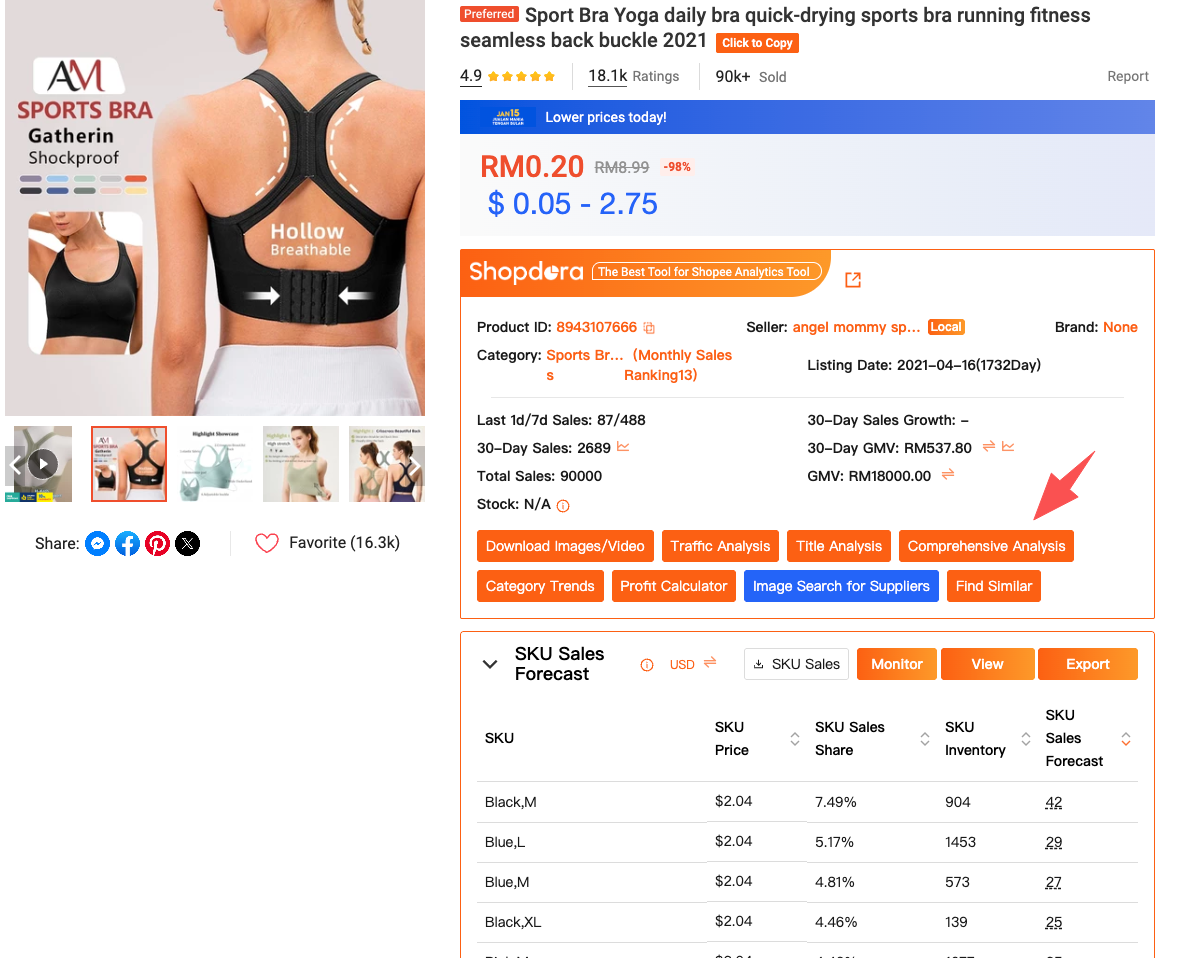
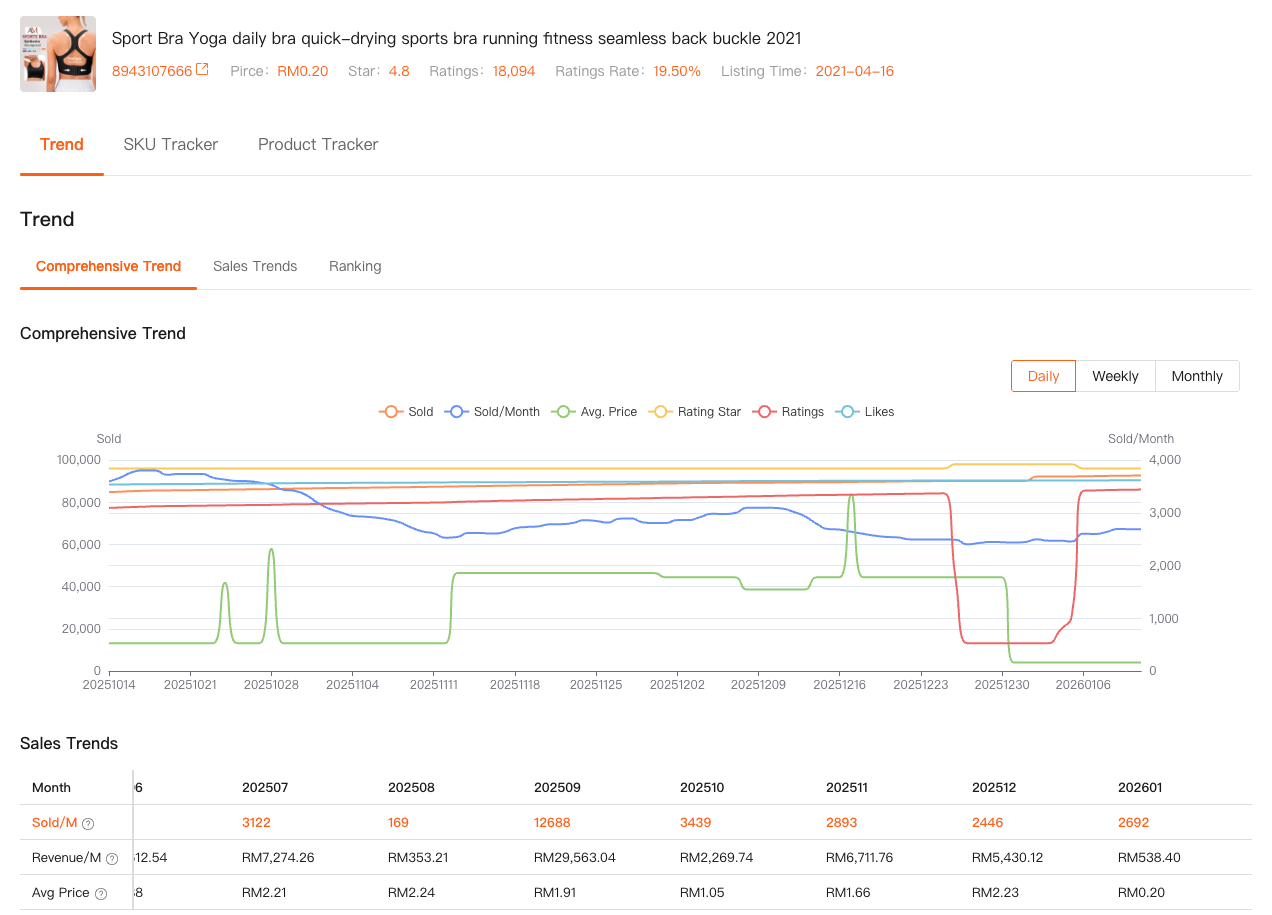
I don’t need to scrape anything. I don’t need to guess.
If a competitor suddenly drops price and their sales spike within days, it shows up clearly. That’s how I decide whether to respond with price, bundles, or ads — instead of reacting blindly.
This is the kind of Shopee price tracker logic sellers actually need: not just prices, but price + performance context.
Why Shopee Keywords Are More Than Just Search Volume
Another mistake I made early on was treating keywords like a checklist.
High volume keyword? Put it in the title. End of story.
But Shopee keywords behave differently across categories and time. Some keywords bring impressions but no conversion. Others don’t look big but quietly drive sales.
Inside Shopdora’s Keywords Mining, I can analyze real platform-level keyword data that Shopee itself doesn’t fully disclose in the seller backend. I can filter keywords by site and category, see search volume trends, growth rate, PPC competitiveness, and how many products are already competing for that keyword.
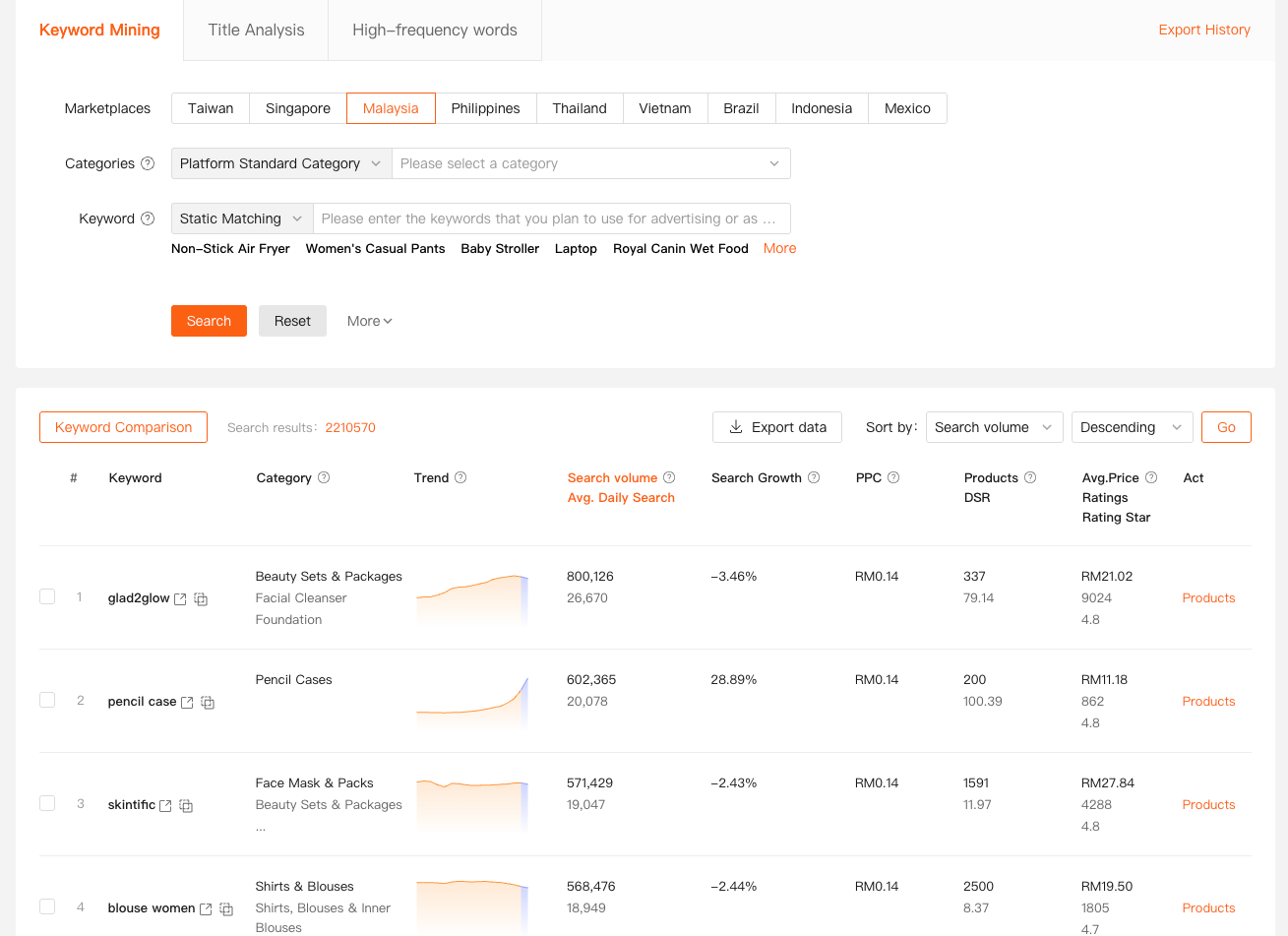
There are two ways I use this feature:
First, by accessing Keywords Mining directly from the Shopdora web dashboard, I analyze market-wide keyword demand before launching or optimizing a product.
Second, when I already have a product link, I paste it into Keywords Mining to reverse-check which keywords the product is actually covering. This immediately shows me gaps between what I think I’m ranking for and what Shopee is really associating with my listing.
That’s when keyword optimization stops being theory and becomes execution.
From Keywords to Actions: Optimizing Titles That Convert
Finding keywords is only half the job.
Using them properly is where most sellers fail.
This is where I combine Keywords Mining with Title Analysis.
After identifying priority keywords, I open Title Analysis from the Shopdora interface to evaluate how my current title performs against competitors. The tool breaks down keyword placement, overlap, and missed opportunities — not by “best practice,” but by what’s actually ranking in the market.
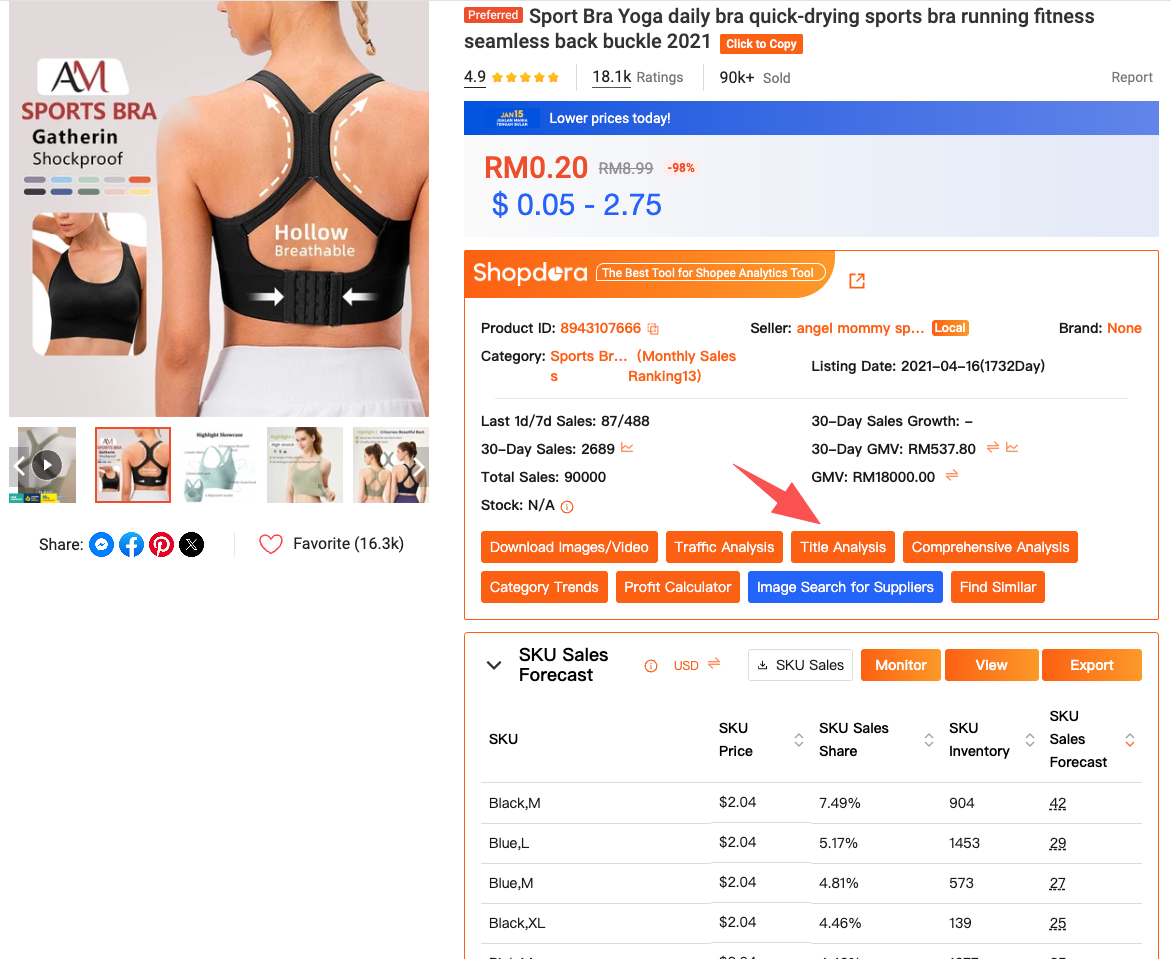
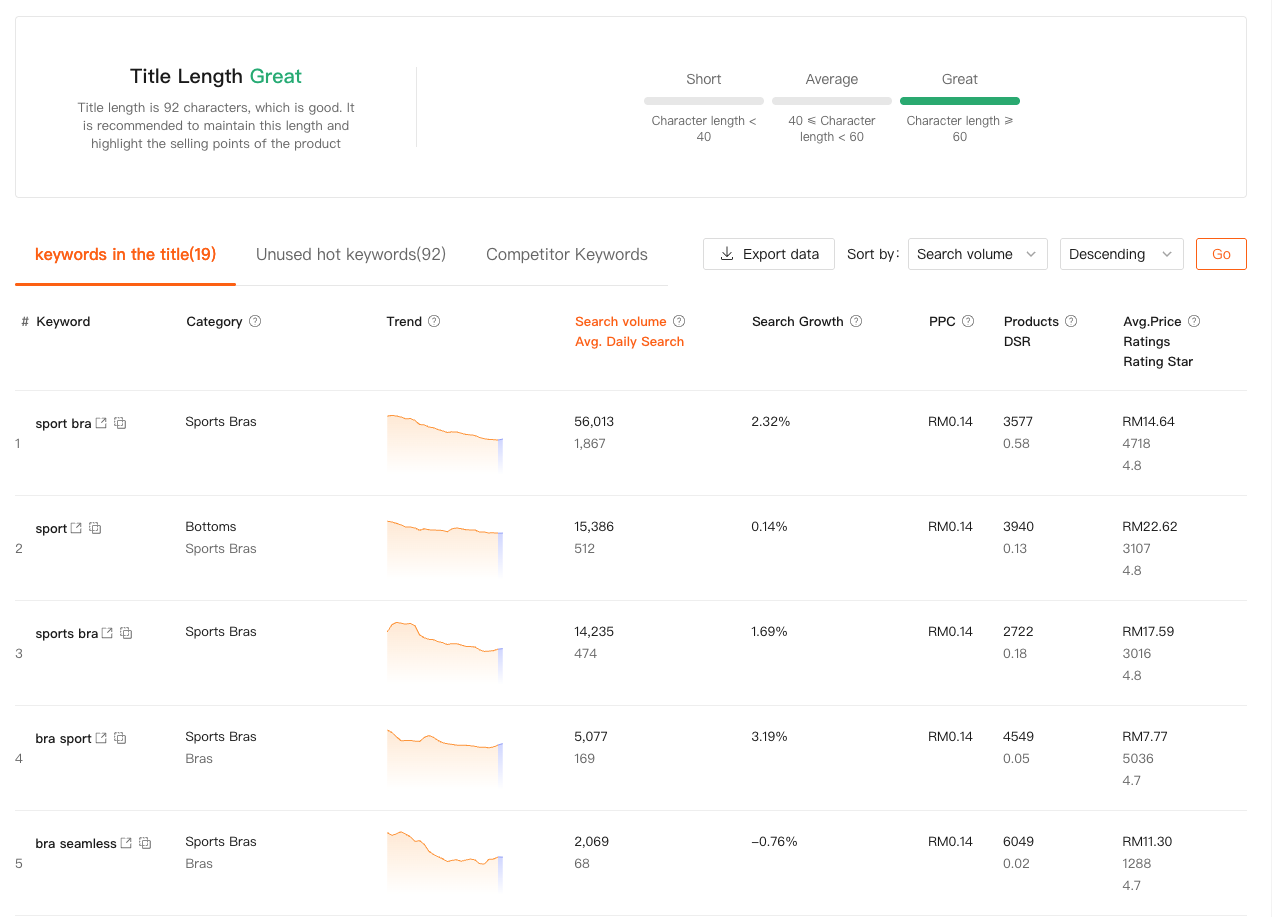
I still remember rewriting one title after noticing that a mid-volume keyword consistently appeared in top-ranking competitor listings. Within two weeks, organic impressions climbed without increasing ad spend.
This kind of result doesn’t come from guessing. It comes from aligning Shopee keywords with real market data.
Reading Between the Lines with AI Review Analysis
Sometimes pricing is right. Keywords are optimized. Traffic is stable — yet conversion stalls.
That’s when the problem isn’t traffic. It’s expectation.
Using Shopdora’s AI Review Analysis, I analyze thousands of customer reviews from competing products. Instead of manually reading reviews one by one, the tool summarizes recurring complaints, praised features, and unmet expectations.
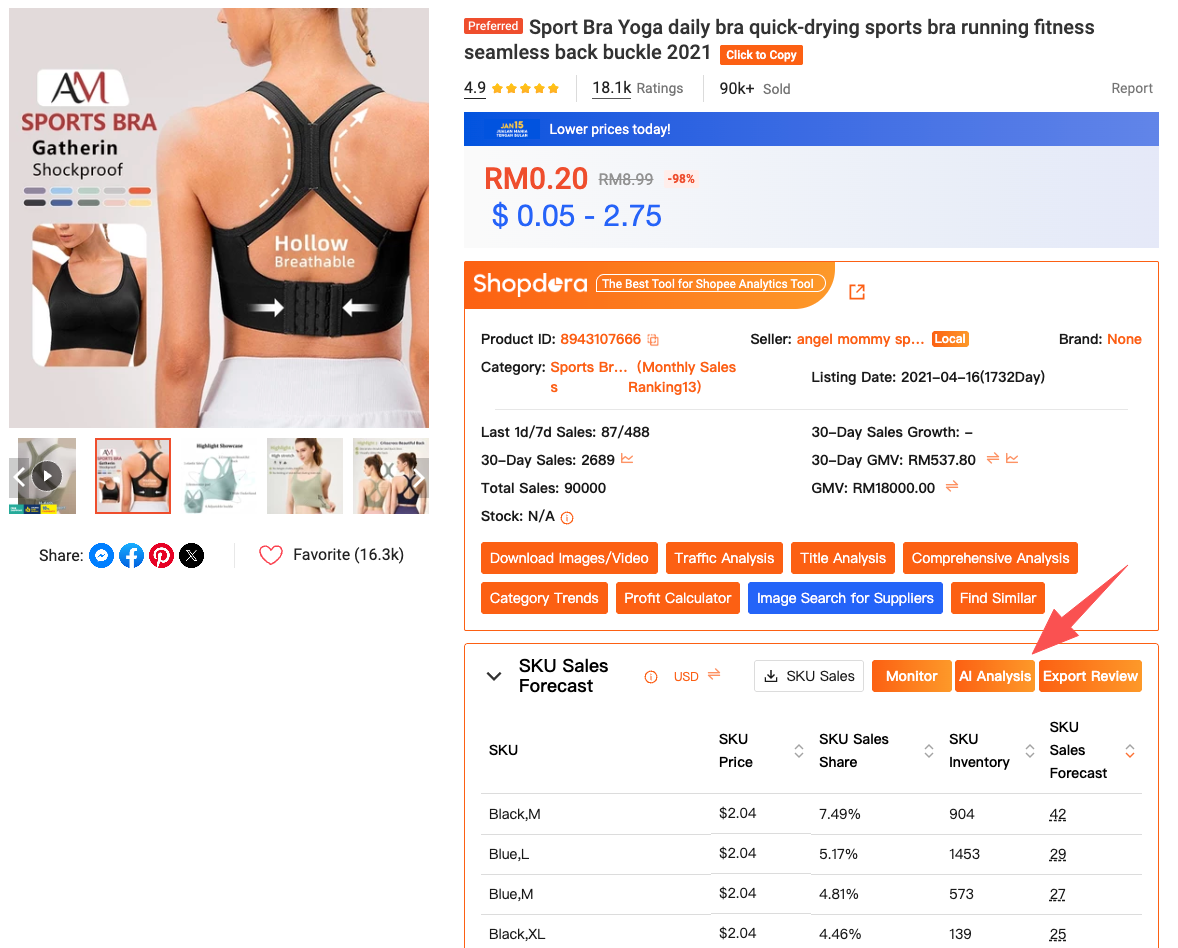
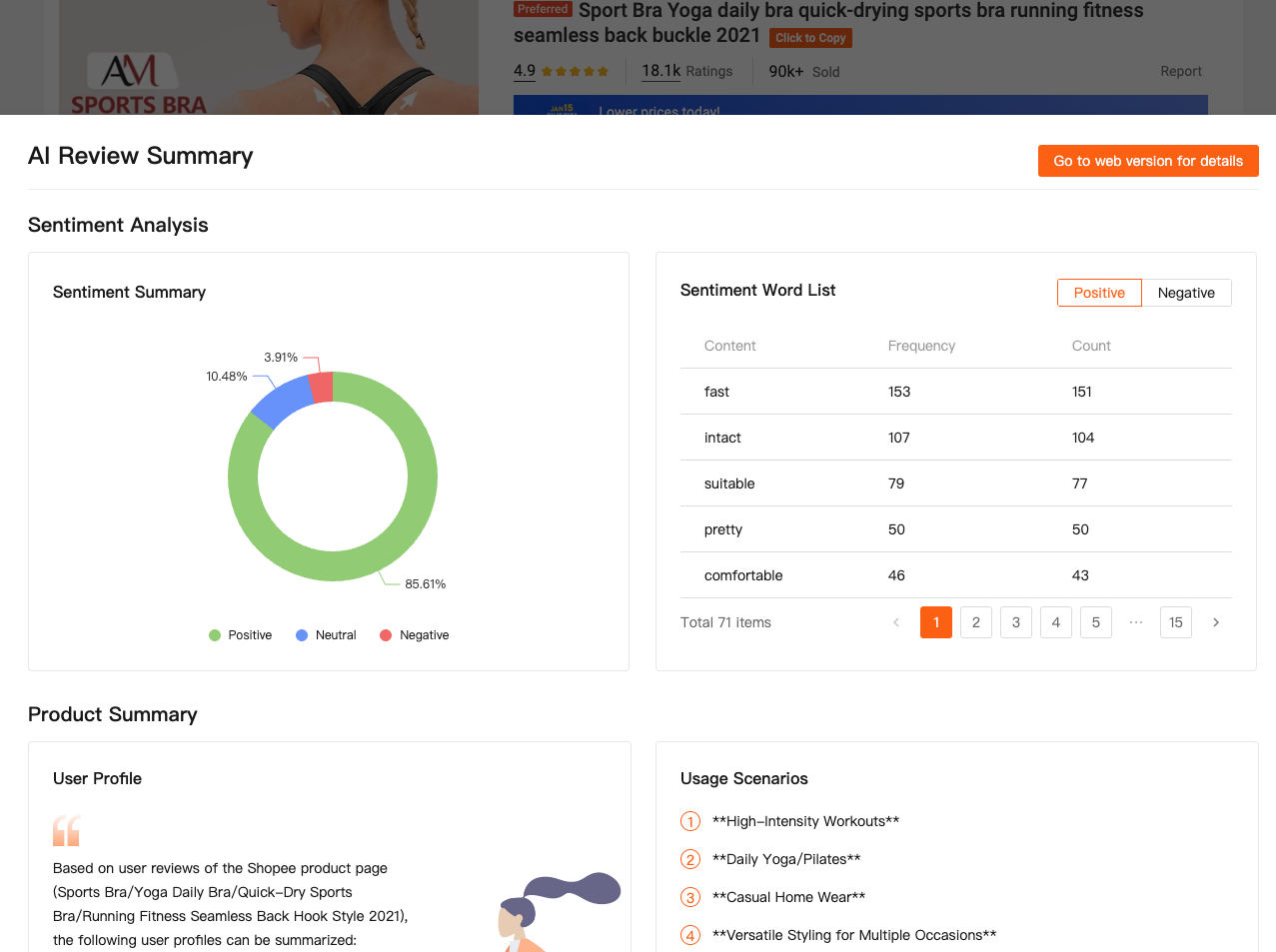
In minutes, I understand what buyers truly care about — size accuracy, material quality, packaging, delivery speed.
I’ve adjusted product descriptions and images purely based on review insights, without changing price or ads, and seen conversion improve. That’s the difference between surface-level optimization and seller-level understanding.
How All This Fits into a Shopee Analytics Workflow
What I appreciate about Shopdora is that these tools are not isolated.
They form a workflow.
I start with Comprehensive Analysis to monitor competitors and pricing behavior.
I move to Keywords Mining to validate demand and discover keyword gaps.
I refine execution using Title Analysis.
And when conversion becomes the bottleneck, AI Review Analysis tells me why.
All of this is accessible either through the Shopdora browser plugin (installed via the official Shopdora site and pinned in Chrome) or through the Shopdora web dashboard, depending on whether I’m analyzing a live Shopee page or planning strategy.
That flexibility matters when you’re running everything yourself.
Final Thoughts: Tools Don’t Replace Judgment — They Sharpen It
Shopdora didn’t magically grow my store overnight.
What it did was remove uncertainty.
Instead of guessing prices, I track behavior.
Instead of stuffing keywords, I validate intent.
Instead of blaming traffic, I fix real conversion issues.
If you’re serious about selling on Shopee, you don’t just need data.
You need actionable data, delivered at the moment you’re making decisions.
That’s what a real Shopee analytics tool should do — and why Shopdora has become part of my daily workflow.