
Shopee Price Tracker: How I Finally Stopped Guessing and Started Pricing Like a Pro
Hi, I’m David.
I’ve been running my own Shopee store for a little over three years now. Like most solo sellers, I started out doing everything myself—sourcing, listings, ads, customer service, and late-night price changes before campaigns.
For a long time, pricing was the part I hated most.
Not because it wasn’t important, but because I was basically flying blind.
I could see my own prices.
I could see my own sales.
But what I couldn’t see was what really mattered:
- When competitors quietly dropped prices
- Which SKUs they were discounting—and which they protected
- Whether a “price war” was real, or just one aggressive seller
That’s when I realized something uncomfortable:
Most Shopee sellers don’t have a pricing strategy.
They have a pricing reaction.
This article is about how I fixed that—using a proper Shopee price tracker mindset, not just manual checks—and how tools like Shopdora made competitor price tracking actually usable.

Why Shopee Pricing Is Harder Than It Looks
On paper, pricing sounds simple: be cheaper, sell more.
In reality, Shopee pricing is layered:
- Flash sales distort short-term prices
- Campaign periods create artificial “floors”
- Some sellers burn margin to rank, others protect profit
- One SKU takes all the volume, others are just there to anchor
Your seller backend only tells you half the story—your own half.
It does not tell you:
- How often competitors change prices
- Whether a price drop is temporary or structural
- Which SKU is actually driving their volume
- How prices have evolved over the last 30, 60, or 90 days
Without that context, you end up doing things like:
- Dropping price too early
- Matching a discount that ends tomorrow
- Overreacting to a competitor that isn’t even selling
That’s not strategy. That’s stress.

What a Real Shopee Price Tracker Should Do
Before we talk tools, let’s be clear about expectations.
A real Shopee price tracker is not:
- Just checking competitor pages once a day
- Copying prices into spreadsheets
- Guessing based on campaign banners
A proper price tracker should answer questions like:
- Has this competitor consistently lowered their price, or just during promos?
- Are they discounting all SKUs, or only one traffic SKU?
- Is the market price floor actually moving?
- Are prices falling because demand is dropping, or because competition increased?
To answer those questions, you need historical price data, SKU-level visibility, and market context.
That’s where I started using a few specific Shopdora features—not everything, just the parts that mattered for pricing decisions.
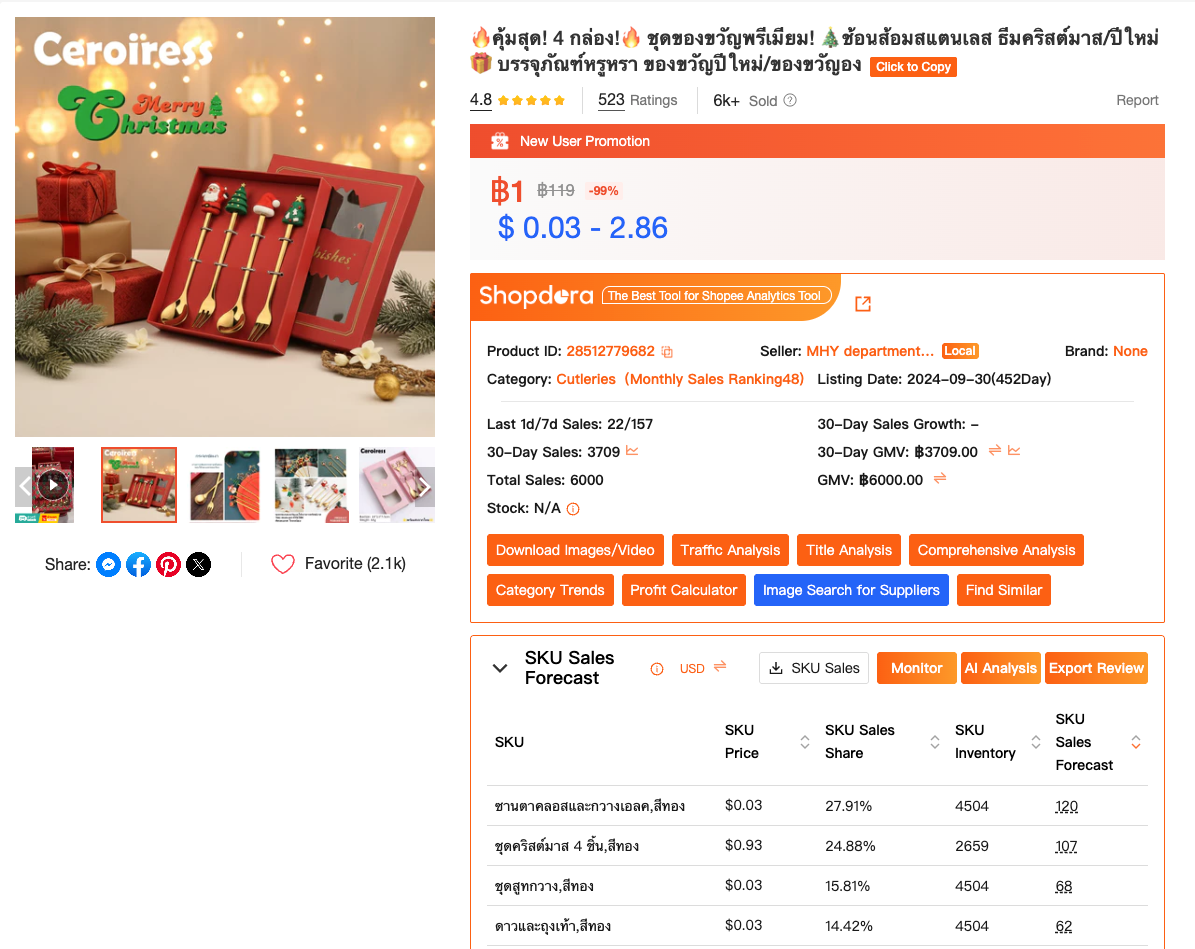
Feature 1: Product Tracker (Historical Price Tracking That Actually Matters)
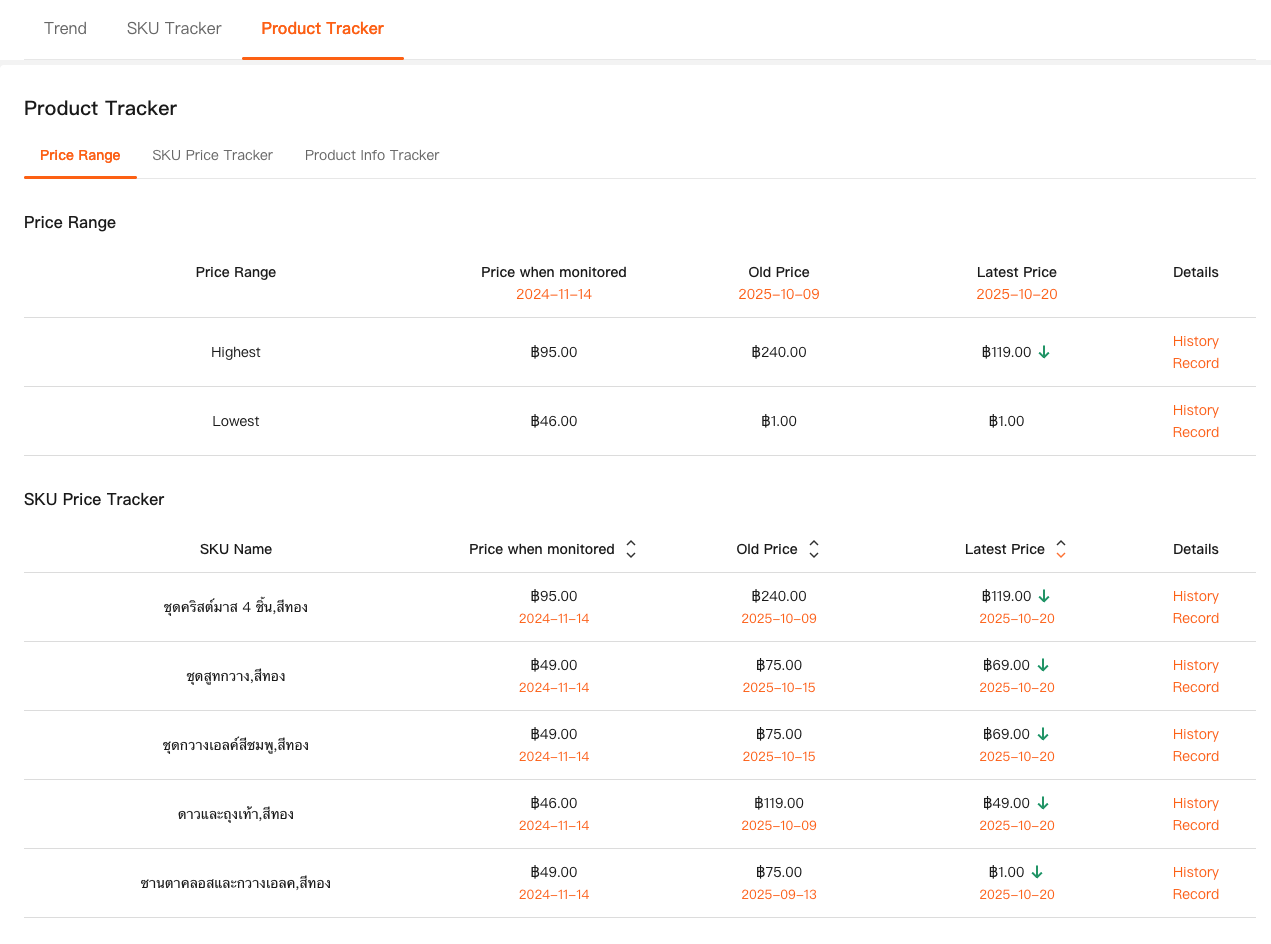
The biggest upgrade for me was Product Tracker, which lives inside Shopdora’s Comprehensive Analysis.
Instead of guessing, I could finally see:
- Highest and lowest historical prices
- Exact dates when price changes happened
- Whether prices were trending down or stabilizing
- How often competitors adjusted pricing
This was a turning point.
I remember one product where I thought,
“Everyone is cutting prices. I have to follow.”
But the price history told a different story:
- One seller dropped price aggressively
- Sales didn’t really increase
- Two weeks later, they raised it back up
If I had reacted immediately, I would’ve burned margin for nothing.
That single insight paid for itself.
Feature 2: Market Analysis (Is the Price Drop About Competition—or Demand?)
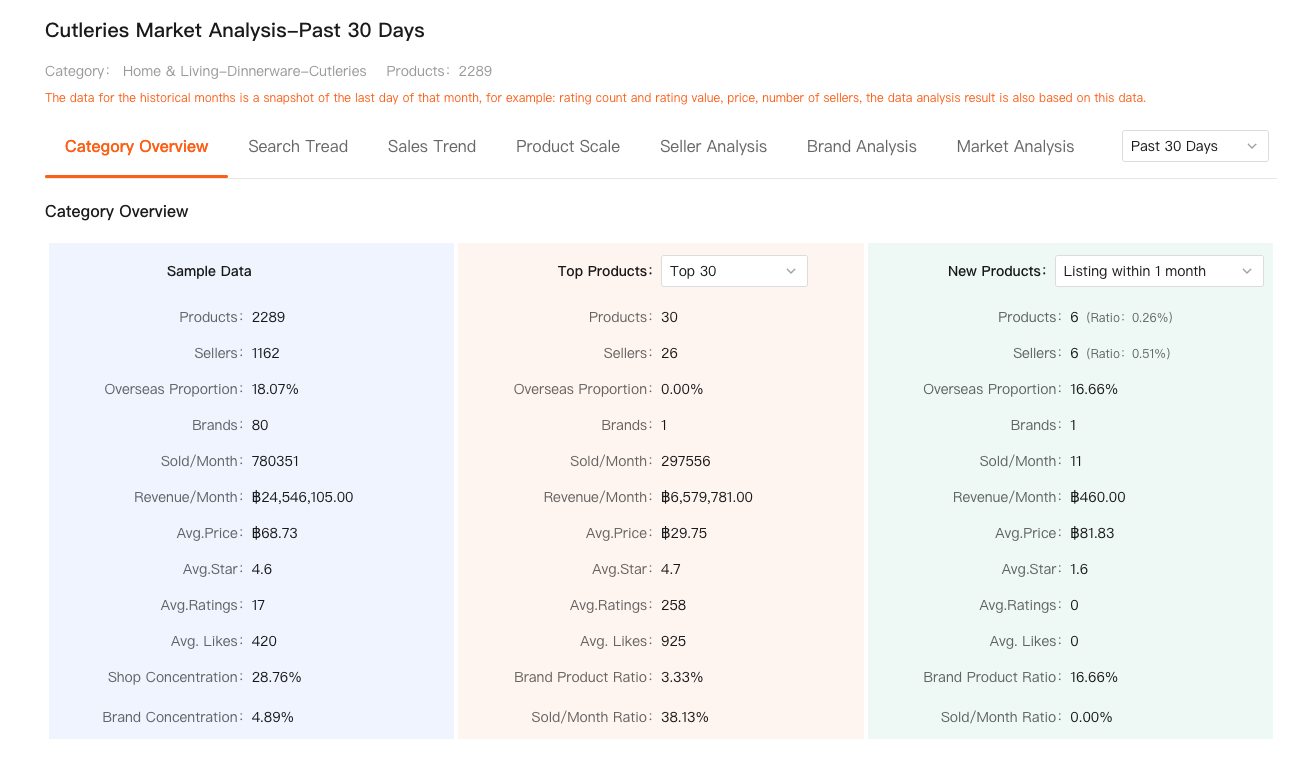
The last piece that made pricing decisions feel safe was Market Analysis.
Sometimes prices drop not because sellers are aggressive—but because the market is cooling.
With Market Analysis, I could see:
- Category sales trends (daily / weekly / monthly)
- Whether total demand was rising or falling
- If competition was increasing or stabilizing
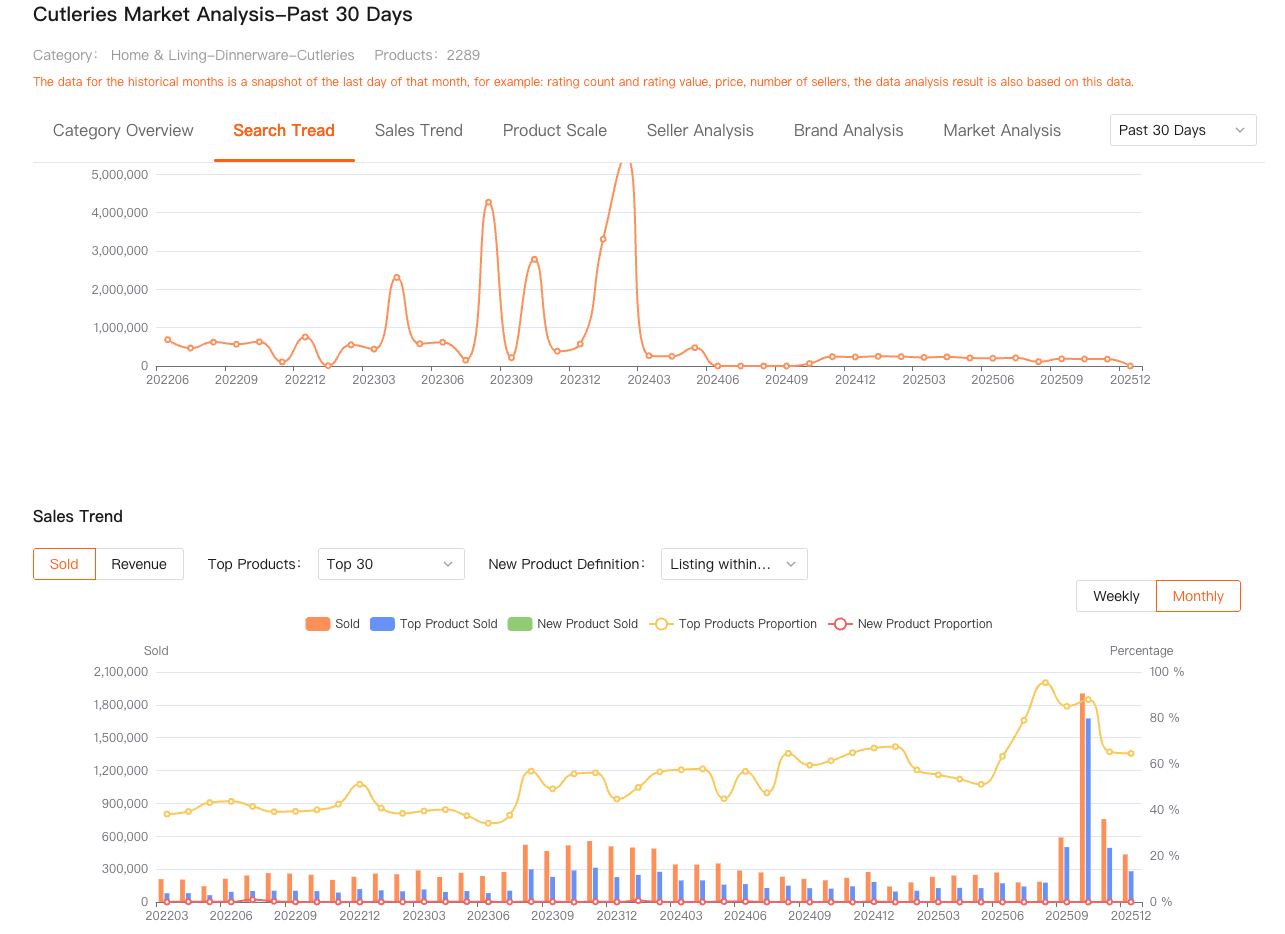
This helped me answer a critical question:
“Should I lower price to compete—or should I slow down and protect cash?”
In one case, market sales were clearly declining month over month.
Instead of fighting for volume with discounts, I:
- Reduced ad spend
- Cleared inventory gradually
- Avoided long-term price damage
That decision saved me from getting stuck with low-margin stock in a shrinking category.
How I Actually Use This as a Shopee Seller
I’m not checking prices every hour.
I’m not obsessing over every competitor.
My current routine looks like this:
- Track 5–10 core competitor products
- Review price & SKU changes weekly
- Cross-check with category market trends
- Only adjust prices when data confirms a structural change
That’s the difference between:
- Reacting to noise
- Responding to signals
Shopdora doesn’t tell me what price to set.
It tells me what’s really happening in the market, so I can decide calmly.

Final Thoughts: Pricing Is a Market Decision, Not a Panic Response
If there’s one thing three years on Shopee taught me, it’s this:
Your price shouldn’t change just because you’re nervous.
It should change because the market actually changed.
A proper Shopee price tracker isn’t about being cheaper.
It’s about understanding:
- Competitor behavior
- SKU-level strategies
- Long-term price movement
- Market direction
For me, tools like Shopdora filled the biggest blind spot Shopee sellers have:
seeing beyond their own store.
I’m still a solo seller.
I still make mistakes.
But at least now, when I change prices, I know why.