
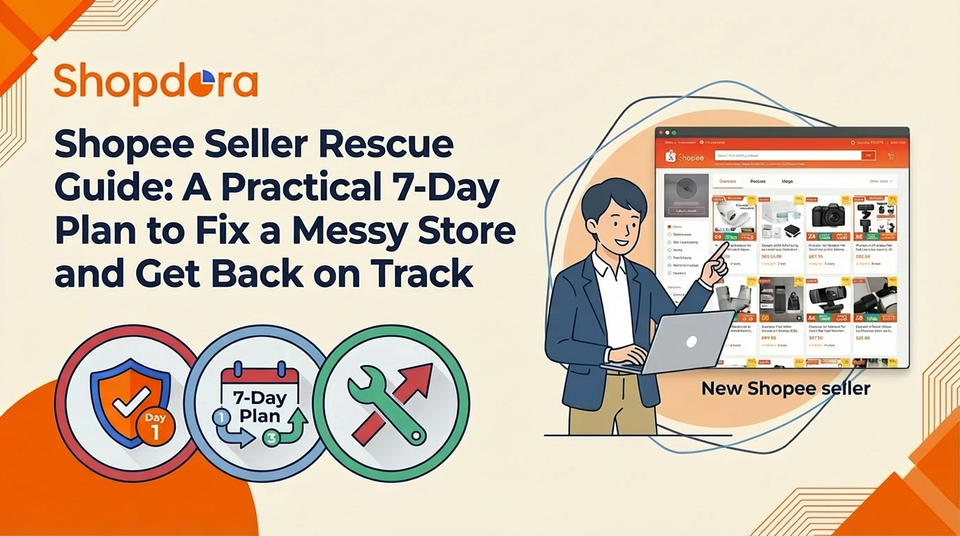
Shopee Seller Rescue Guide: A Practical 7-Day Plan to Fix a Messy Store and Get Back on Track
Many new Shopee sellers run into the same painful situation:
You’ve been fumbling your way through the platform for months, your new-seller traffic boost has expired, your orders are barely moving, and the entire store looks chaotic. Coupons are messy, categories are random, campaigns are submitted blindly… and after a while, you don’t even want to open the dashboard anymore.
If this sounds familiar, you’re not alone.
So in this guide, I want to share a clear, actionable 7-day plan to help you clean up the mess, reset your store, and put things back on the right track—based on methods that have consistently worked across real Shopee seller cases.

Day 1: Clean Up Your Categories and Products
1. Organize categories by real user scenarios
Don’t mix everything together. If you run a home & living store, don’t let kitchen tools, bathroom accessories, and bedroom organizers pile into the same category.
Instead, break them down into intuitive “scene-based” categories:
- Living Room Essentials
- Kitchen Tools
- Bedroom Storage
Then subdivide each one. For example, under Kitchen Tools:
- Cutting & Prep Tools
- Seasoning Storage
Clear categories make your store easier for buyers to navigate—and easier for you to manage.
2. Do product subtraction, not addition
Each subcategory should keep at least 10 relevant SKUs.
But anything unrelated to your main niche (e.g., a home-goods shop selling phone cases) should be removed immediately.
Focus beats chaos every single time.
A store that sells “everything” rarely performs well—Shopee rewards specialization.
Day 2: Fix the Basics
1. Keep your store design simple
You don’t need a fancy storefront. Just make sure these essentials are clear:
- Store banner states your niche (e.g., “Your Go-To Store for Kitchen Storage Solutions”)
- Your category navigation matches the cleanup from Day 1
- Customers should find what they need within seconds
You can apply a basic Shopee template—no need to overdesign at this stage.
2. Join the Free Shipping program
If your store qualifies, join Free Shipping immediately.
Products with the Free Shipping badge convert significantly better, and this feature alone helps you build steady organic traffic.
By now, Free Shipping is basically a “must-have” for most Shopee stores.

Day 3: Stop Wasting Money on Random Ads
1. Pause poorly performing ads
If an ad is burning money but not generating conversions—or if ROAS is consistently bad—pause it.
Running ads before fixing your fundamentals only leads to misleading data and wasted budget.

2. Watch your natural traffic instead
After pausing ads, check your Product Analysis tab daily.
Look for SKUs that still receive:
- Natural impressions
- Organic views
- Add-to-cart activity
These are your real potential winners.
They deserve your focus in the coming days.
Day 4–5: Reset Your Product Direction
1. Use social media to discover validated ideas
Search your niche on platforms like TikTok, YouTube, or Instagram.
For example:
- “Kitchen organization hacks”
- “Bedroom storage must-haves”
Creators don’t recommend products randomly—the items they showcase already passed a market-acceptance test.
This helps you avoid stepping into categories with no real demand.

2. Find reliable suppliers
Go to Taobao and search for products you like.
Pick suppliers offering pre-sale or stable models.
Then cross-check on Pinduoduo to see if the same item has in-stock versions.
This ensures that both demand and supply are solid before you list the product.
3. Look for items that recently sold out
When a supplier shows messages like:
- “White version sold out”
- “2-tier size out of stock”
That product already has validated demand.
If you can source the same SKU elsewhere with stable inventory, you’re entering a niche where competition is still low.
Day 6: Improve Your Conversion Rate
Here’s a simple tactic that works extremely well for early-stage sellers.
Let’s say your main product is a thermal bottle.
Find a cheap but relevant accessory—like a bottle sleeve (cost: $0.20–0.40).
Use it in three ways:
- Sell a few sleeves at a low price (e.g., $1.49) to attract traffic
- Bundle it with the bottle (e.g., bottle $8.99 + sleeve $2.00 → bundle $9.99)
- Use it as a free gift for orders over a certain amount
Giving customers more options lifts your total store conversion rate and increases your AOV at the same time.
Day 7: Track Your Data
Write down the products that showed:
- Natural impressions
- Add-to-cart growth
- First conversions
Then record the top customer questions (e.g., “How long does this bottle keep water hot?”) and add them directly into your product description or FAQ section.
In Week 2, focus entirely on these potential winners:
- Optimize titles with commonly searched keywords
- Improve the main image to highlight key selling points
- Start minimal ads (e.g., $3–$5 per day per SKU)
This is how small SKUs grow into consistent mini-best-sellers.

Final Thoughts
Rescuing a struggling Shopee store is all about learning to let go:
Delete products that don’t belong.
Pause ads that burn money.
Simplify what’s messy.
Once your foundation is clean, Shopee’s traffic mechanisms finally start working for you—not against you.
If you stay consistent through the first two weeks, you’ll start seeing the store stabilize, and some SKUs will naturally grow into strong performers.