
The Shopee Image Downloader Smart Sellers Use to Outsmart Competitors
Hi, I’m David. I’ve been running my own Shopee store for a little over three years now. I’m just a solo seller who’s spent thousands of hours staring at product pages, competitor listings, and backend dashboards, trying to answer one simple question: why does their product sell better than mine?
If you’ve ever searched for a Shopee image downloader, chances are you’re already past the beginner stage. You’re no longer asking how to list a product. You’re trying to understand why certain listings convert, and how to recreate that advantage without blindly copying and hoping for the best.
That’s where most sellers get stuck. They download images, save videos, paste them into a folder… and then do nothing meaningful with them.
In this article, I want to show you how experienced sellers actually use a Shopee image downloader as part of a bigger workflow, and how tools like Shopdora turn simple image downloads into real competitive insight.

Why Shopee Image Downloaders Matter More Than You Think
At face value, a Shopee image downloader sounds simple: download competitor images in original quality. And to be clear, that’s exactly what it should do—nothing more, nothing less.
But here’s the part many sellers misunderstand. The value isn’t in the download itself. The value is in what you analyze after you download.
When I first started selling, I thought high-performing images were mostly about aesthetics—nice lighting, clean backgrounds, maybe a model holding the product. After dissecting hundreds of best-selling listings, I realized that strong Shopee images are closer to structured data than creative art.
They reveal how competitors position price, features, use cases, bundle logic, and even which customer objections they address visually. If you don’t preserve those images in original quality, you miss half the information.
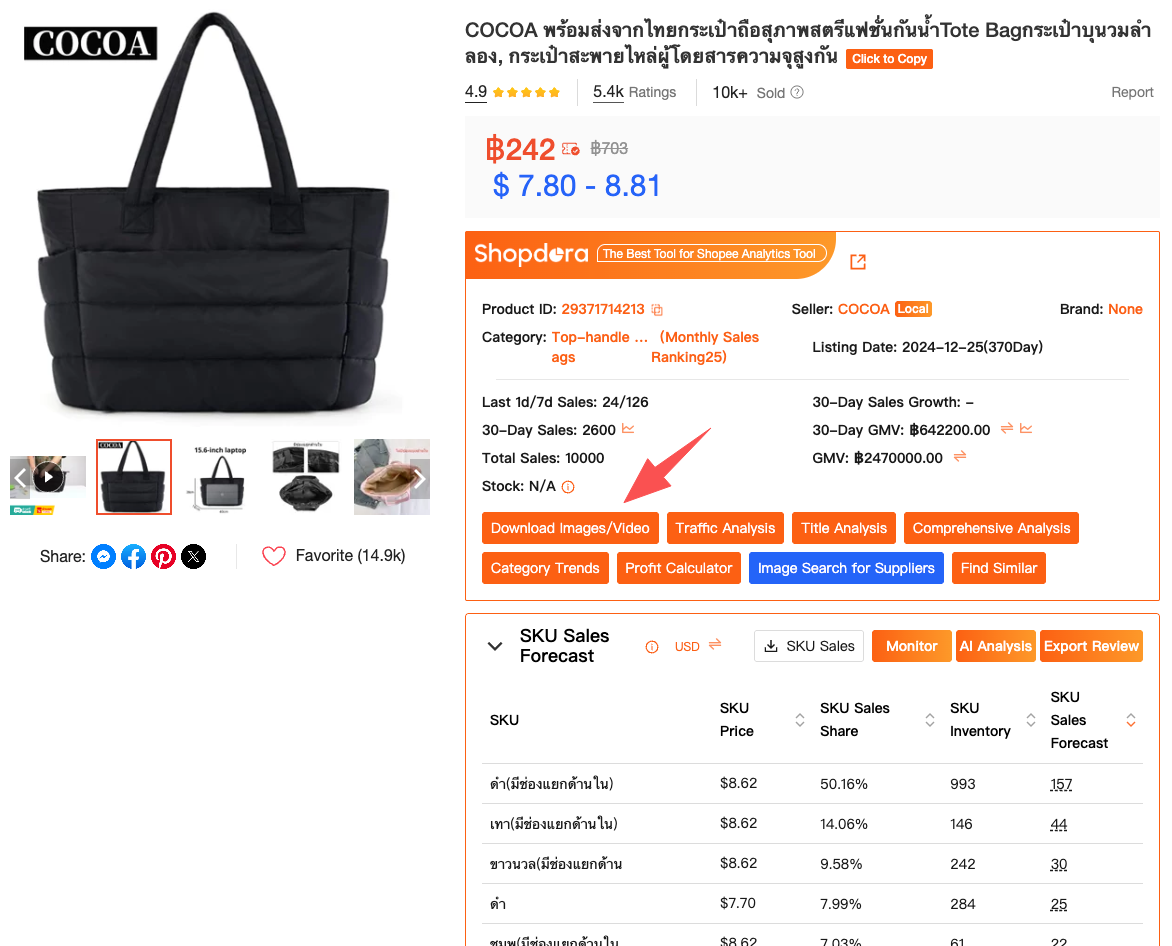
This is why I use Shopdora’s Download Image / Video feature. It does exactly one thing: lets you download Shopee product images and videos in original resolution, clean and intact. No compression, no watermark, no “analysis” layer slapped on top.
And that’s a good thing—because the analysis happens elsewhere.
From Downloading Images to Understanding the Market
Once you have competitor images saved properly, the next mistake sellers make is analyzing them in isolation. One product page rarely tells the full story.
This is where Shopee sellers usually hit a wall. Shopee’s own seller center only shows your SKU data. You can’t see how the rest of the market behaves. You don’t know whether a design choice is unique or standard, risky or proven.
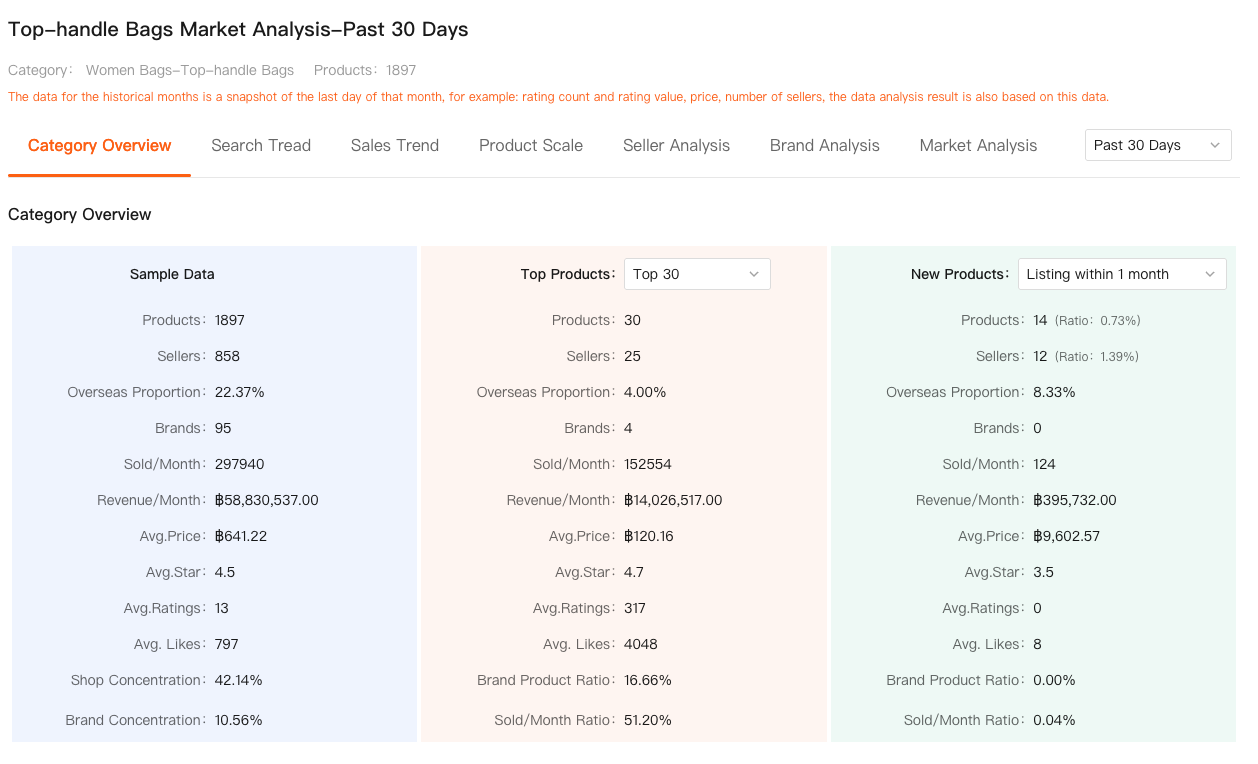
This is where I bring in Shopdora’s Market Analysis.
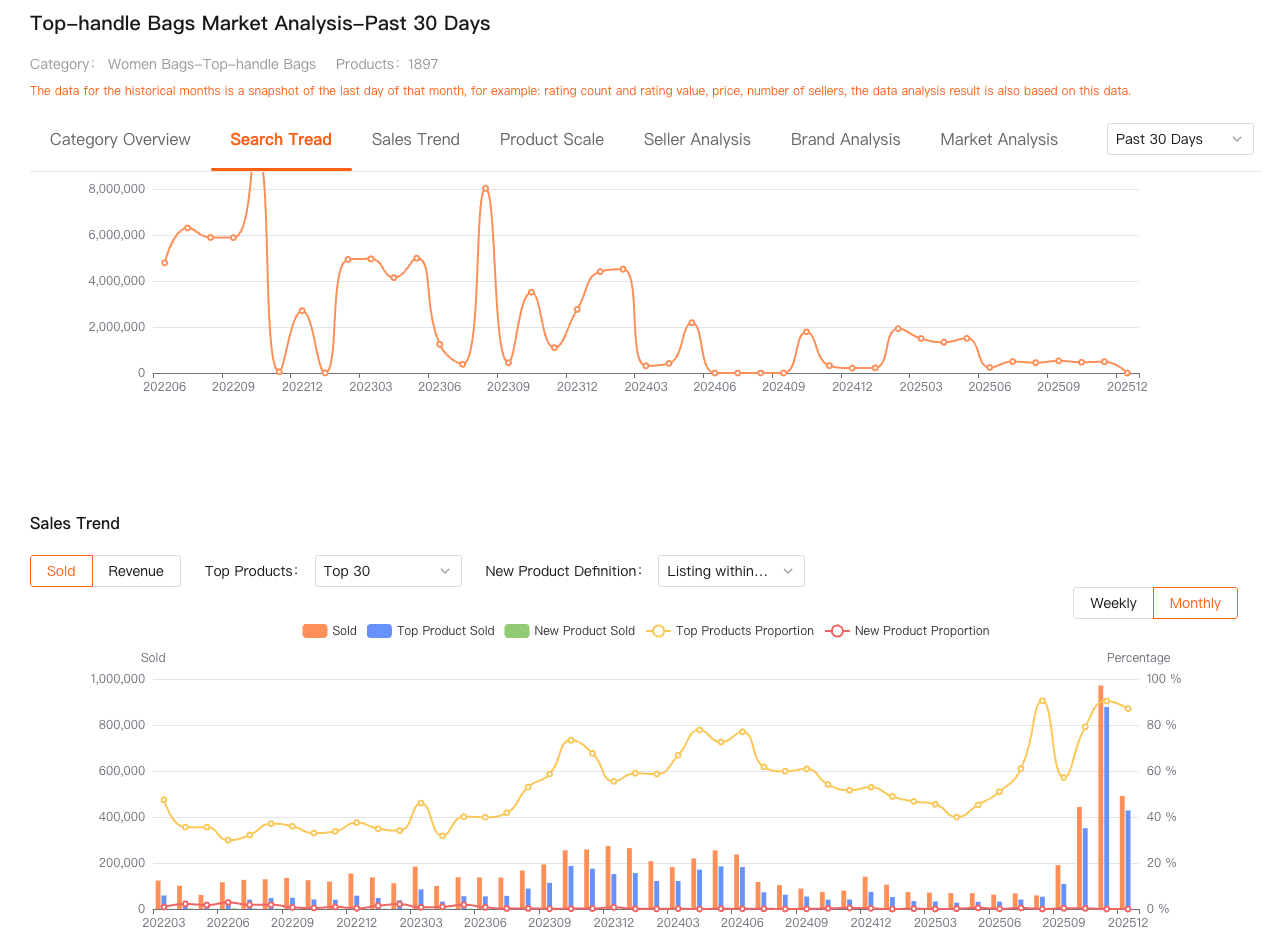
Instead of guessing whether a competitor’s image strategy is “good,” I first look at the category itself. Market Analysis shows category-level trends—overall demand, growth direction, competitive intensity, and how crowded the space really is. When I see that a category’s top sellers are converging on similar image structures (for example, first image always shows size comparison, second image always focuses on material), that tells me those visuals aren’t accidental.
Now the downloaded images make sense. They’re not just pretty pictures—they’re signals shaped by market pressure.
Without market-level context, image analysis is just subjective taste. With it, image analysis becomes evidence-based.
How I Break Down Competitor Images After Downloading
After downloading images with Shopdora, I usually spend time grouping them manually. I’m not looking for design inspiration; I’m looking for patterns.
What problem does the first image solve? Is it price anchoring, scale visualization, or usage clarity? Are feature callouts aggressive or subtle? Do top sellers explain differences between variants visually, or hide that information in text?
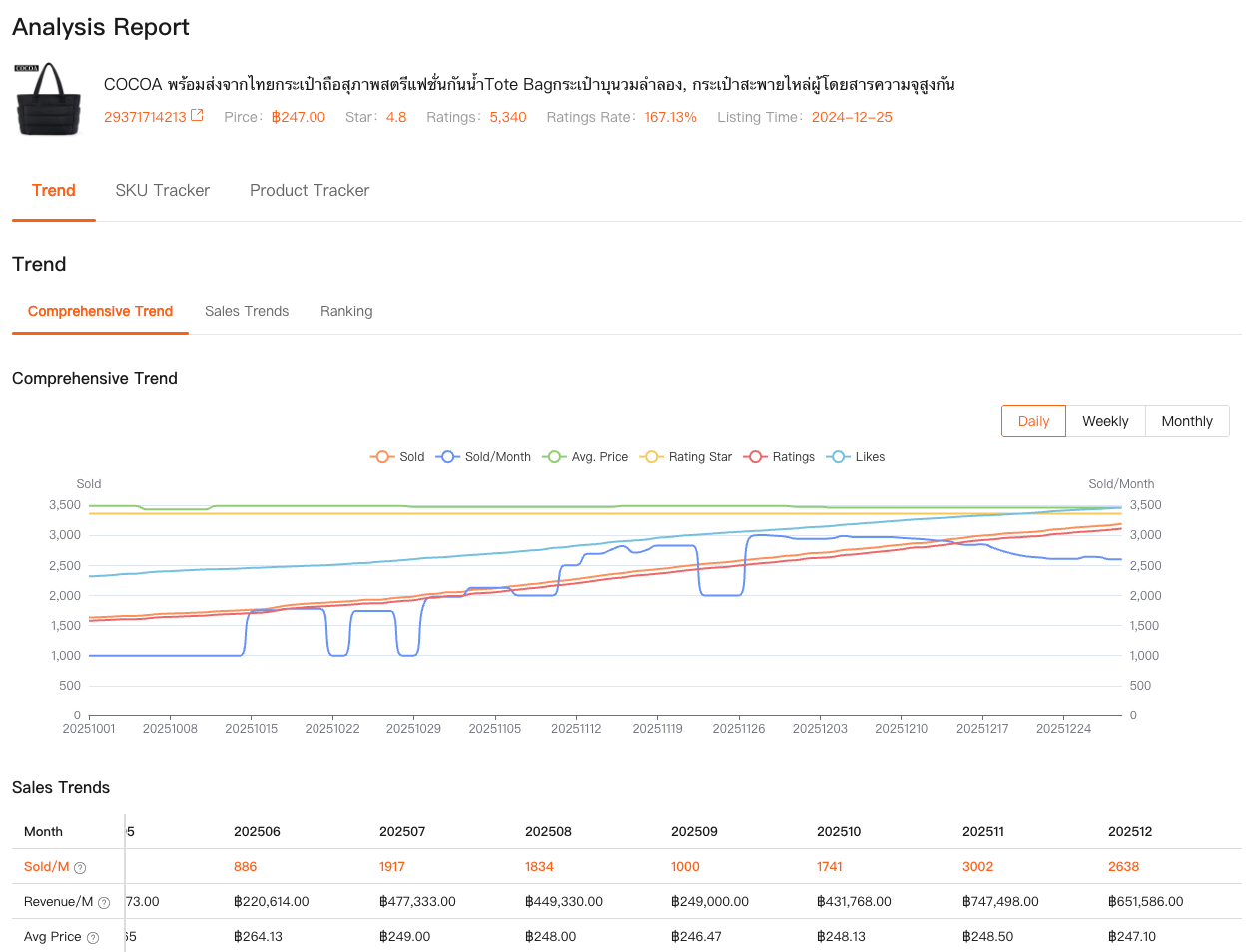
Here’s where Shopdora’s Comprehensive Analysis comes into play. This feature aggregates sales trends, rankings, and performance over time for a product. When I connect image structures to actual sales behavior—what converts, what stalls, what peaks and drops—I stop guessing.
For example, I’ve seen listings with beautiful images but unstable sales curves. Comprehensive Analysis often reveals that those products spike early and fade fast. Meanwhile, “uglier” listings with very functional images maintain stable sales for months. That insight changes how I design my own product pages.
The key is that image downloads are only the raw material. Comprehensive Analysis tells me whether those images actually work in the market.
Avoiding the Biggest Mistake: Blind Copying
Let’s address the elephant in the room. Most sellers use a Shopee image downloader to copy competitors. And most of them fail because of it.
Copying without context leads to mismatched pricing, wrong audience targeting, and poor conversion. I’ve personally tested this early on—same layout, similar visuals, different product positioning—and watched listings sink quietly.
Using Shopdora, I stopped copying and started reverse-engineering.
When I download images, I’m not asking “How do I copy this?” I’m asking “Why does this work for them?” Market Analysis helps me see whether they’re competing on price, differentiation, or sheer volume. Comprehensive Analysis shows me whether their success is consistent or temporary.
Only then do I adapt visuals—not clone them.
Final Thoughts
If you’re searching for a Shopee image downloader, you’re already doing something right. You’re paying attention to what actually drives conversion on the platform.
Just don’t stop at downloading.
Images are the surface. The real advantage comes from understanding why those images exist, when they work, and where they fit within the broader market. Tools like Shopdora don’t replace your judgment—they sharpen it by giving you access to competitor and market data you otherwise wouldn’t have.
That’s the difference between copying listings and building products that last.
And from one seller to another: that difference matters more than any image ever will.