
What Really Makes Great Shopee Analytics Tools
Hi, I’m David.
I’ve been running my own Shopee store for a little over three years now. No team, no agency, no outsourced analysts. Every product decision, every pricing tweak, every restock order comes straight out of my own pocket. That’s why I’m picky—borderline obsessive—about the tools I use.
Over time, I’ve realized something most sellers don’t want to admit:
not all shopee analytics tools are actually built to help you make decisions. Many just make dashboards look busy.
And when sellers start searching for a shopee market reaserch tool, what they really want is clarity. Not more charts. Not vanity metrics. Just answers they can act on.
Why “More Data” Isn’t the Same as Better Analytics
Most Shopee sellers rely almost entirely on Seller Center. I did too at the beginning. It shows your own sales, your own traffic, your own SKUs. That feels safe—until you realize you’re operating in a vacuum.
The biggest limitation isn’t accuracy. It’s perspective.
Seller Center can’t tell you how competitors structure their SKUs.
It can’t show whether a category is dominated by a few big brands.
It can’t explain why traffic in your niche suddenly shifts.
Good shopee analytics tools don’t just summarize what already happened in your store. They help you understand the market you’re actually competing in.
That’s where my workflow started to change after I began using Shopdora.

Why On-Page Analytics Matter More Than Dashboards
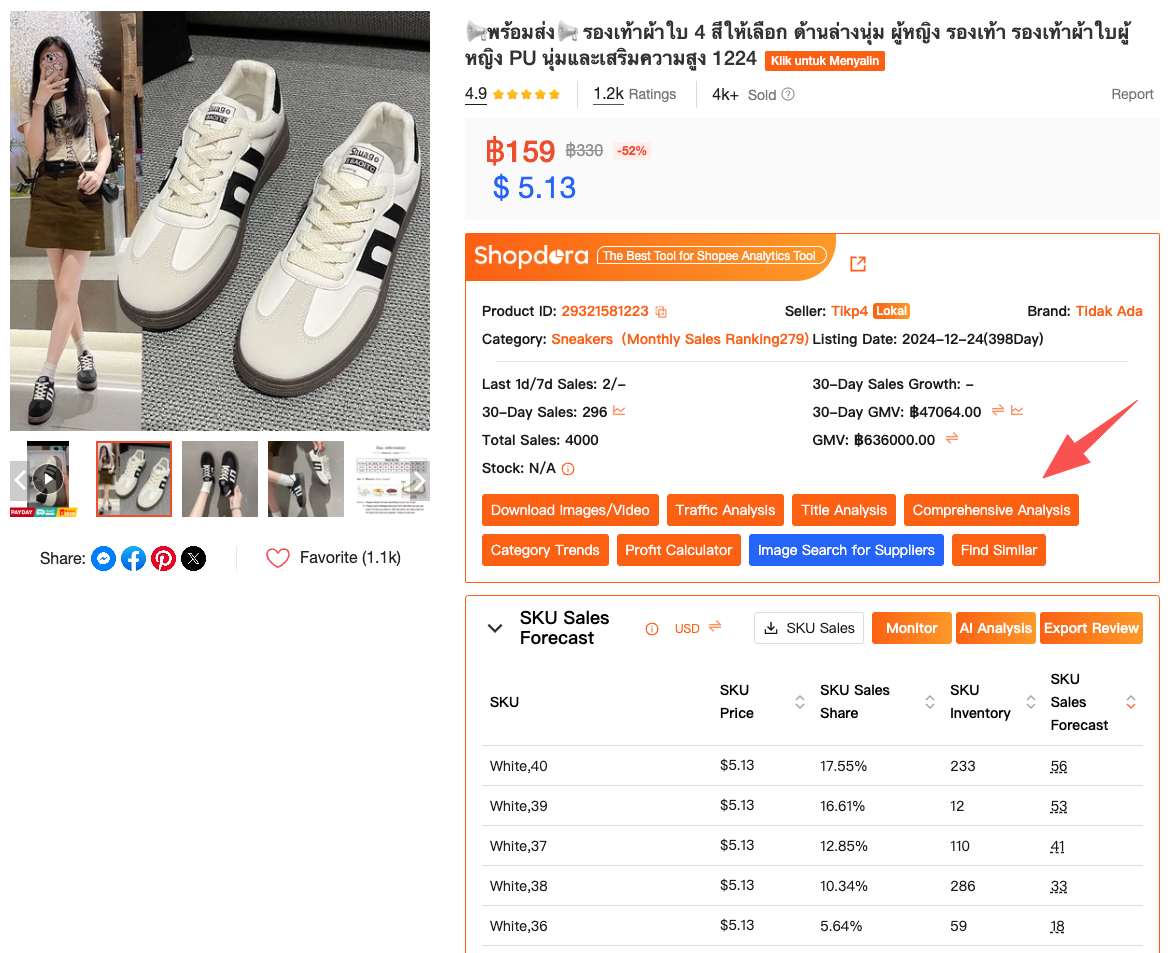
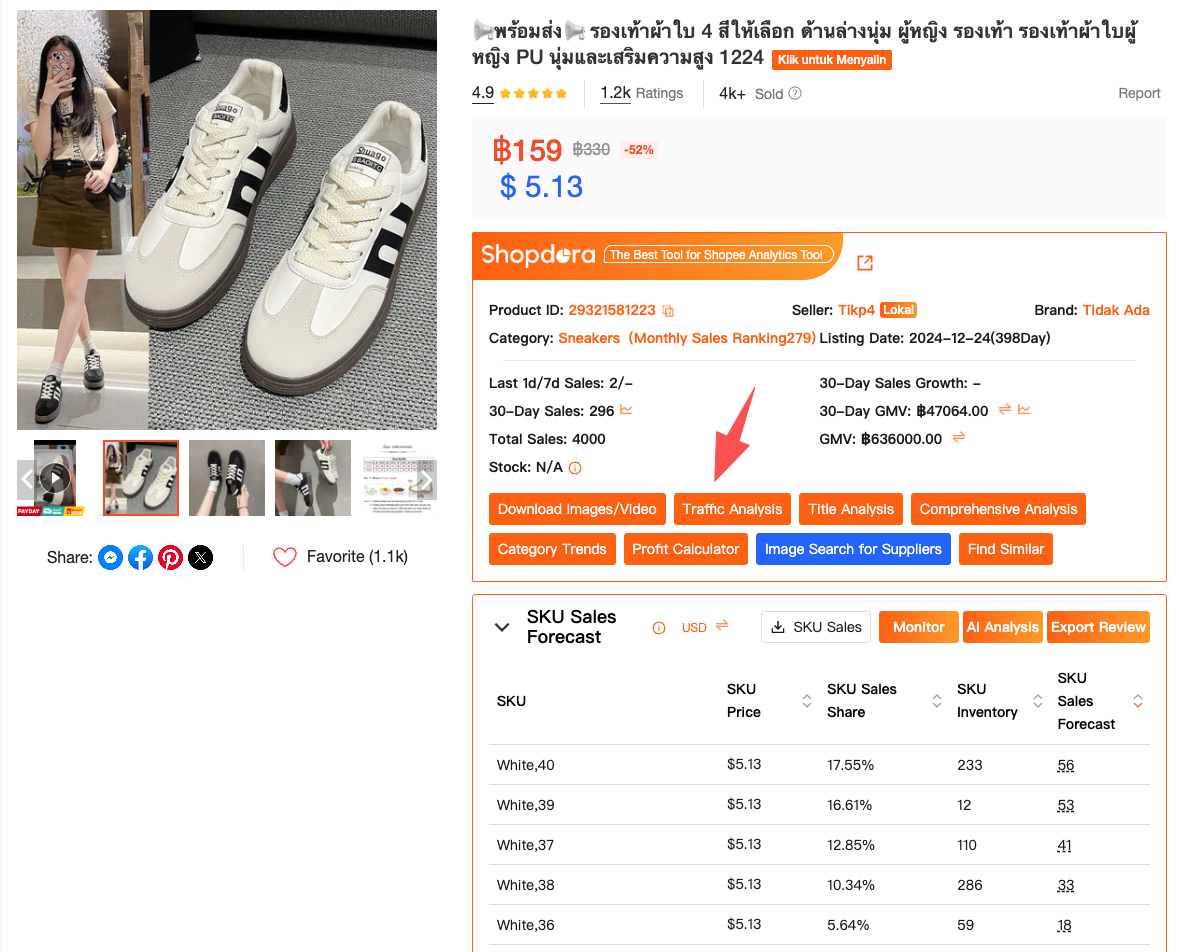
Once the Shopdora browser plugin is installed (👉 click to downloaded), it automatically appears on Shopee product pages.
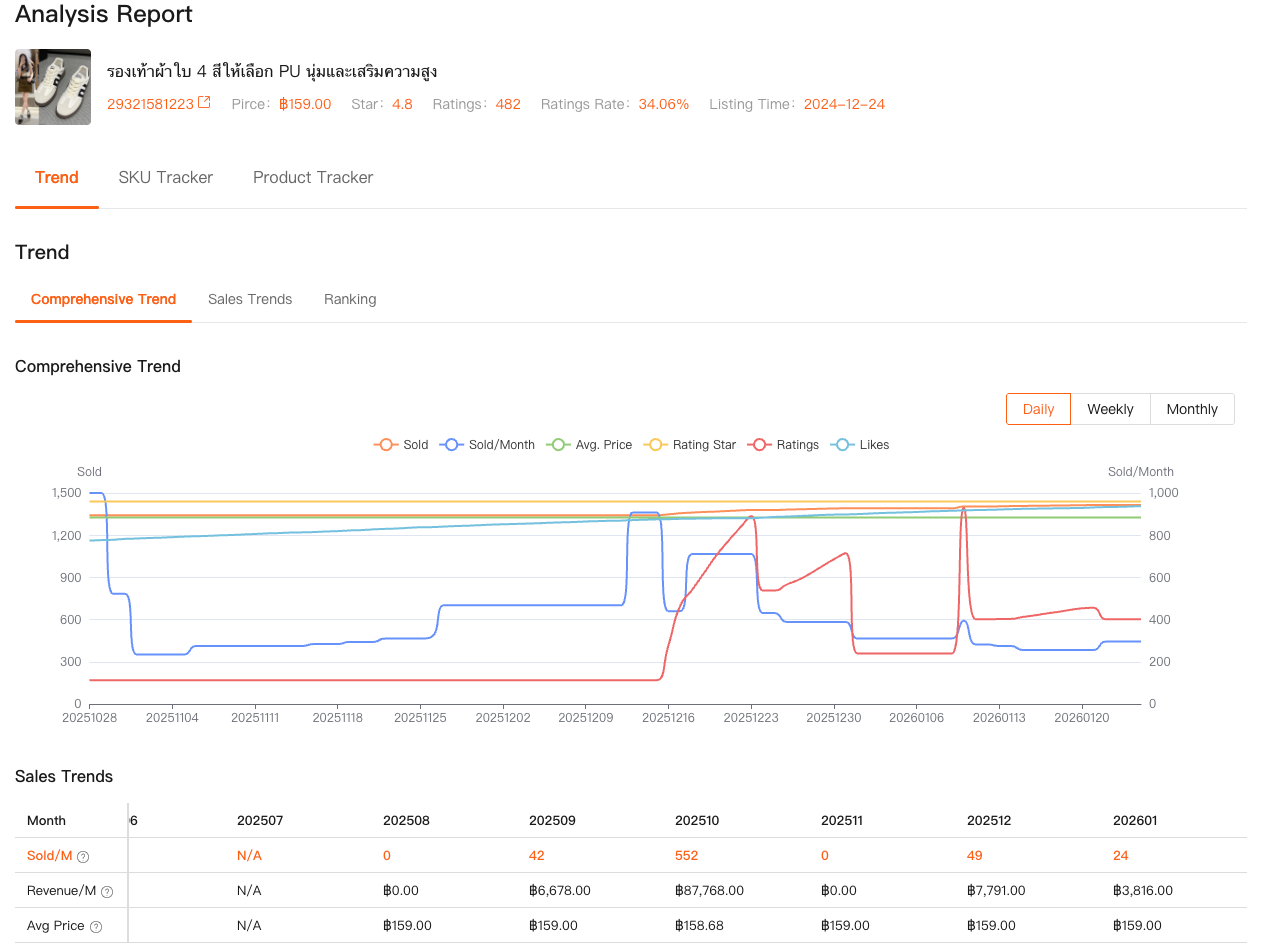
This is where Comprehensive Analysis changes how I read listings. I’m no longer guessing based on snapshots. I can see sales trends over time, revenue movement, ranking changes, and signals of where a product is in its lifecycle.
I remember a time when a product looked “hot” based on monthly sales. But Comprehensive Analysis showed that its growth curve had already flattened. Launching into that space would’ve meant fighting for leftovers.
This kind of insight doesn’t come from generic shopee analytics tools. It comes from tools that are built specifically around how Shopee’s marketplace behaves.
A Good Analytics Tool Starts With Market Context
Before I even look at individual products now, I look at the market layer first. That’s what separates guesswork from strategy.
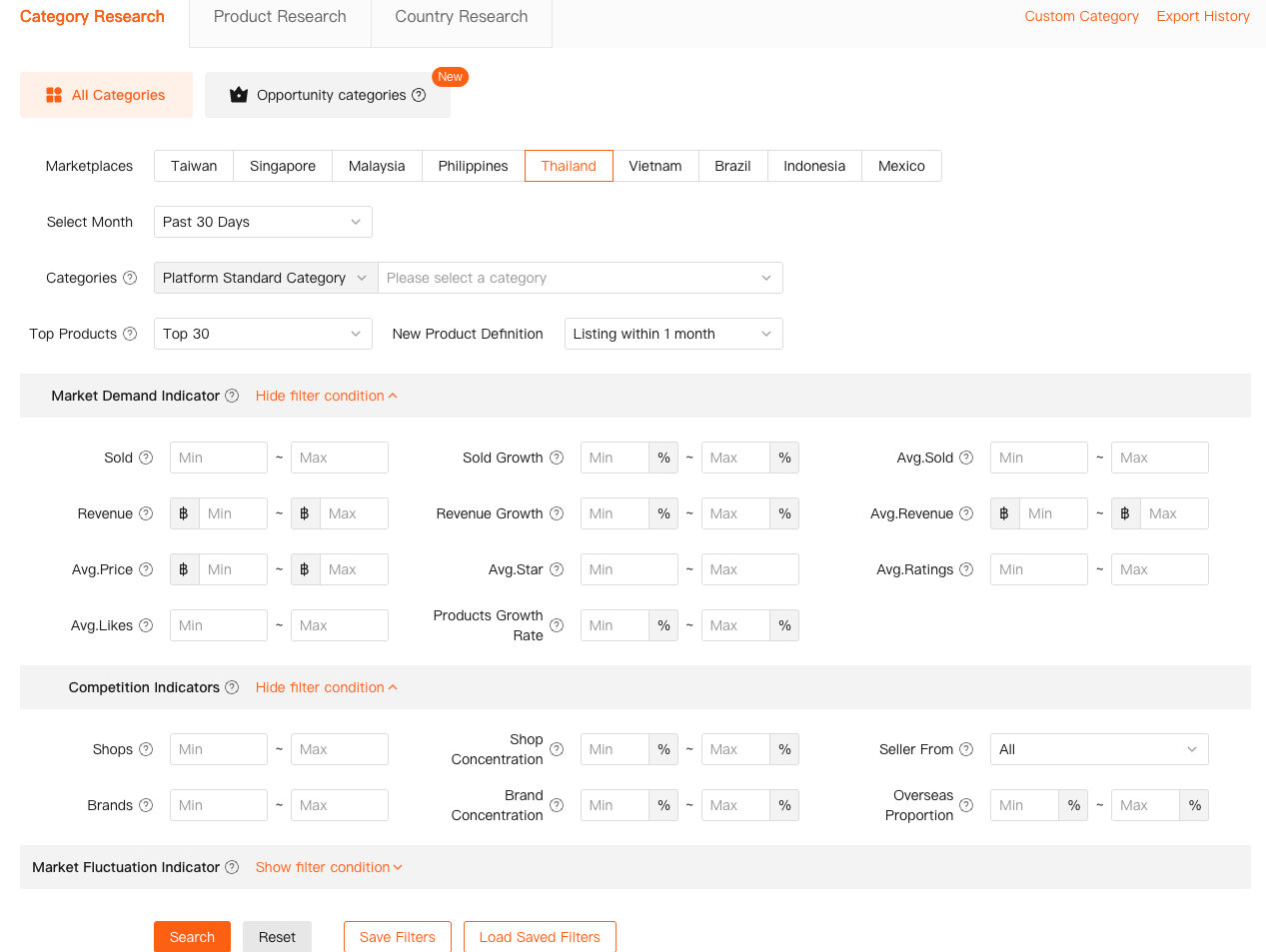
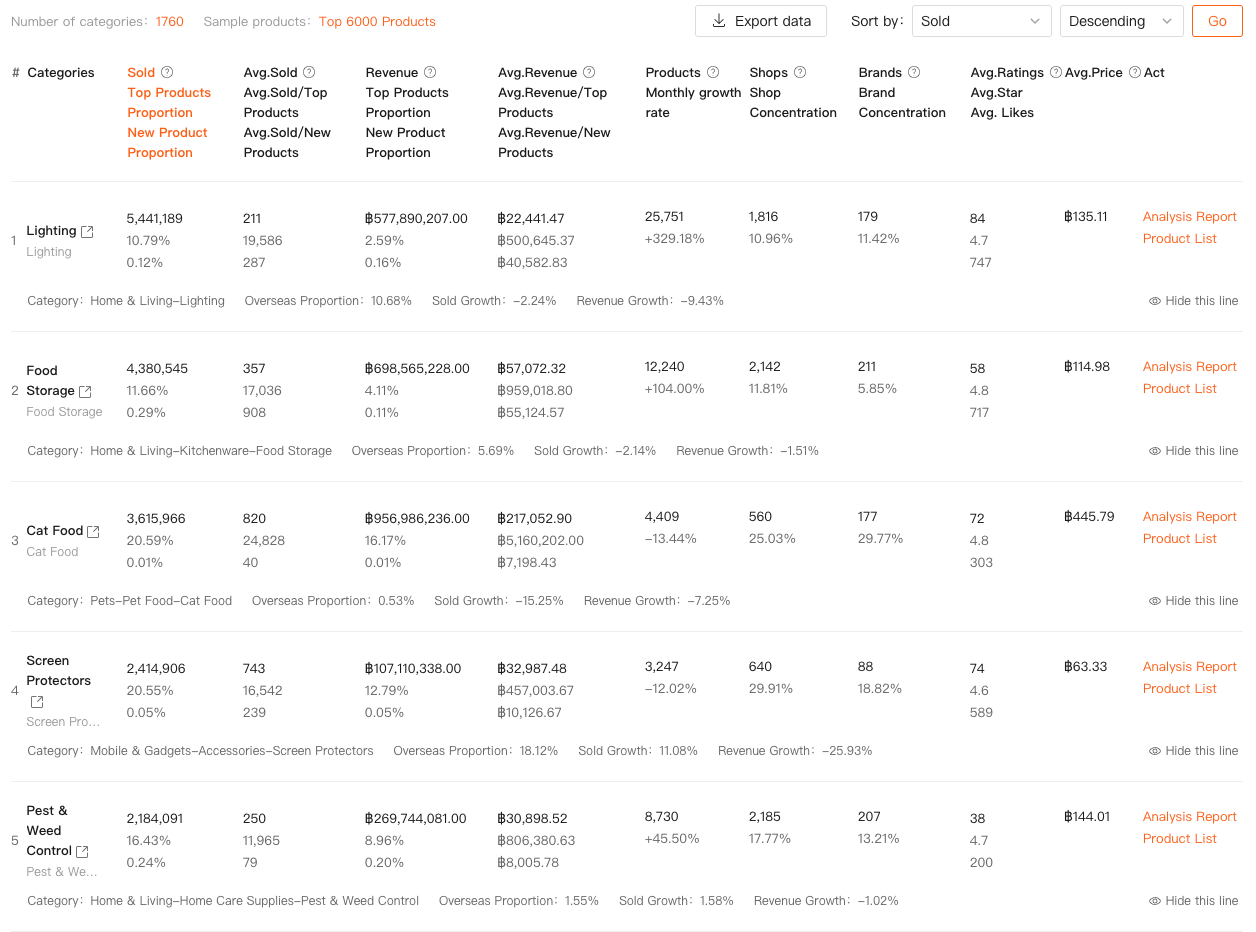
With Shopdora’s Category Research, I can analyze entire Shopee categories across different countries, time ranges, and competitive structures. I’m not just asking whether a category is big—I’m checking whether it’s healthy.
I look at total sales volume, growth rate, number of shops, number of brands, and how concentrated the top sellers are. If most sales are controlled by a handful of stores, that’s a warning sign for new entrants.
This feature is accessed directly from the Shopdora website, not through the plugin. I usually start my research sessions here, long before opening Shopee itself.
From Market View to Product-Level Truth
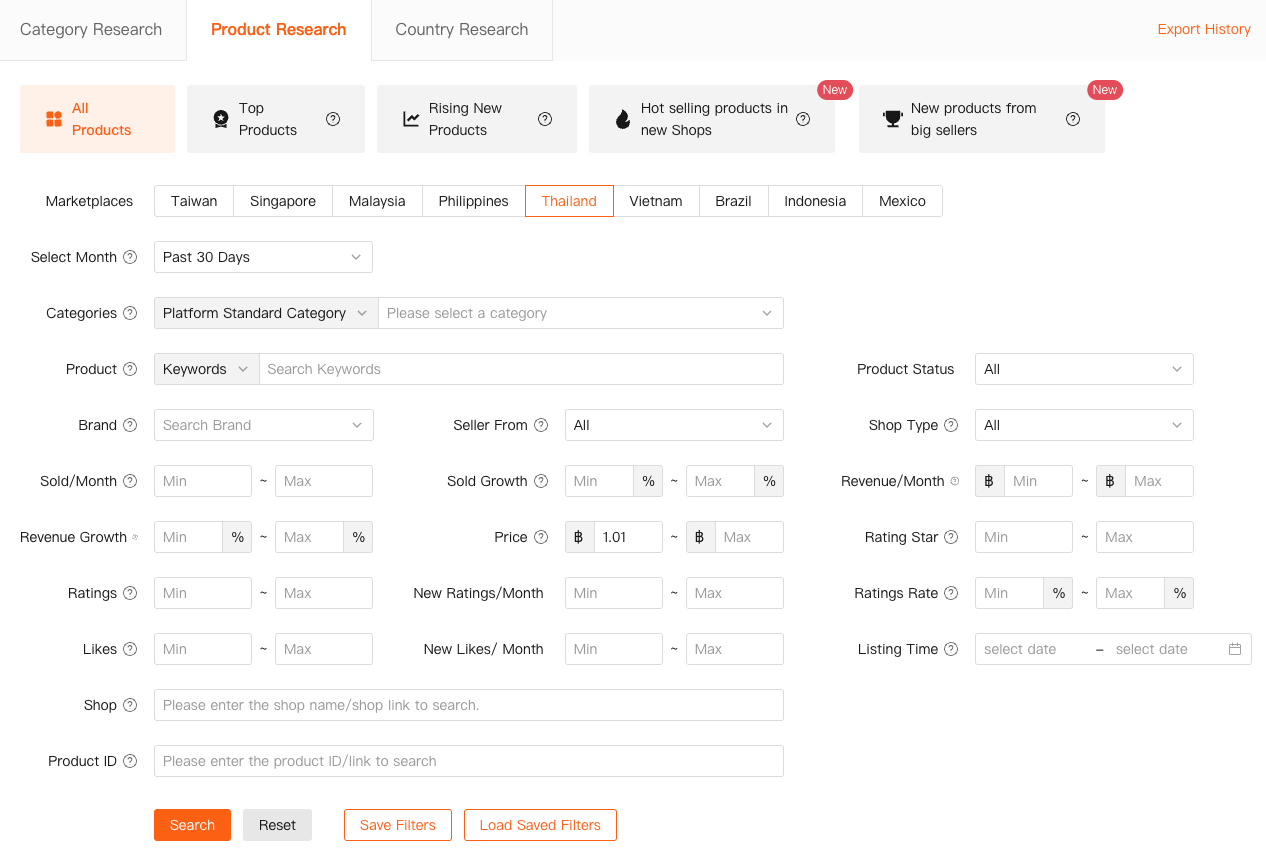
Once I’ve identified a category that still has room to breathe, I move into Product Research. This is where real shopee analytics tools begin to earn their keep.
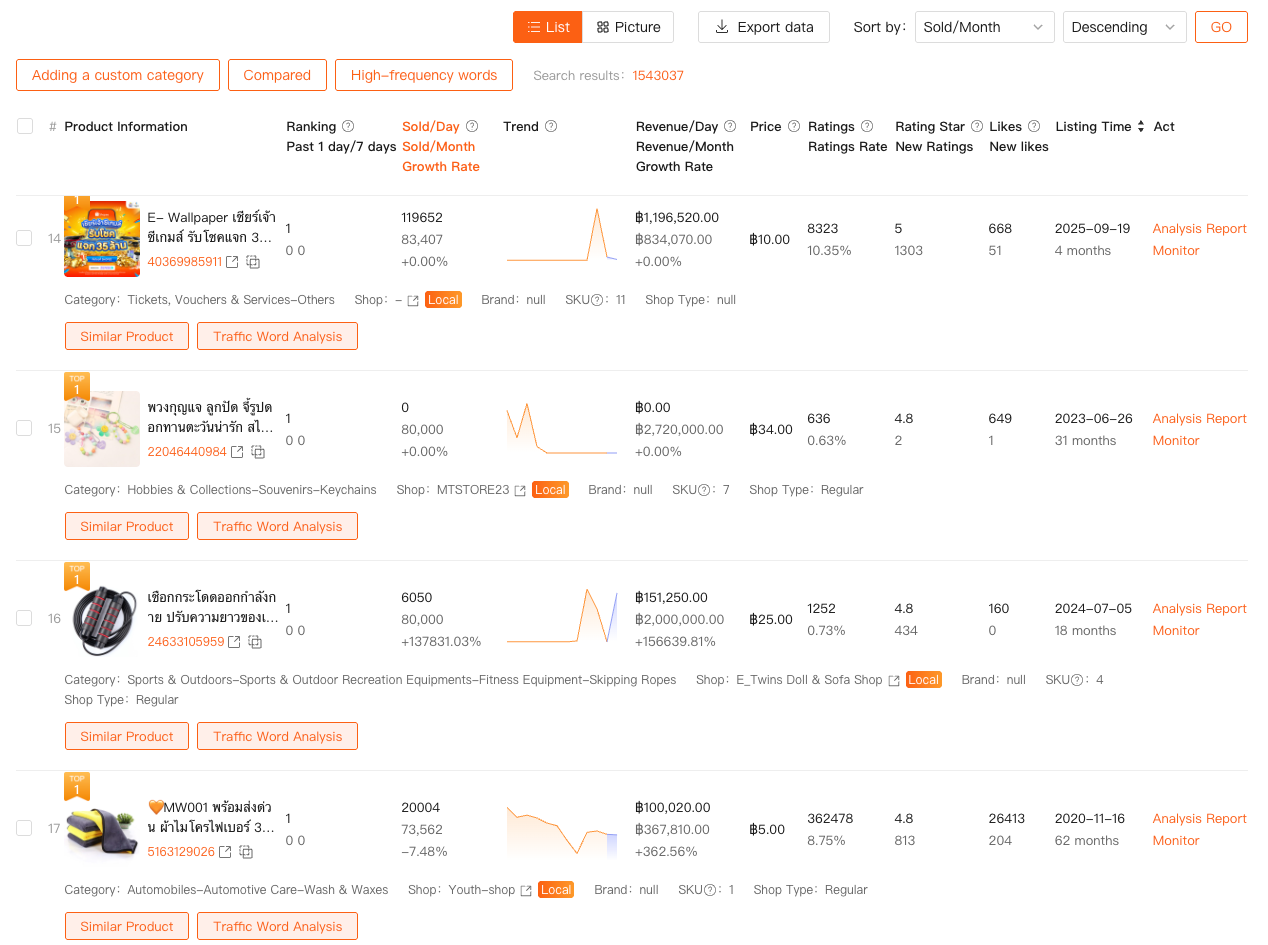
Instead of scrolling endlessly through Shopee search results, I can filter products across marketplaces using concrete data: sales volume, revenue, growth trends, price range, ratings, and listing age.
What I’m looking for isn’t the top seller. It’s patterns.
Products that are growing steadily without aggressive discounts.
Listings that gained traction despite being relatively new.
Price bands where demand exists but competition isn’t overcrowded.
Product Research is also web-based inside Shopdora. From there, I usually click directly into a Shopee listing—and that’s when the browser plugin takes over.
Traffic Without Keywords Is Just Noise
Traffic is another area where most sellers misunderstand analytics. Seller Center shows traffic numbers, but not the why behind them.
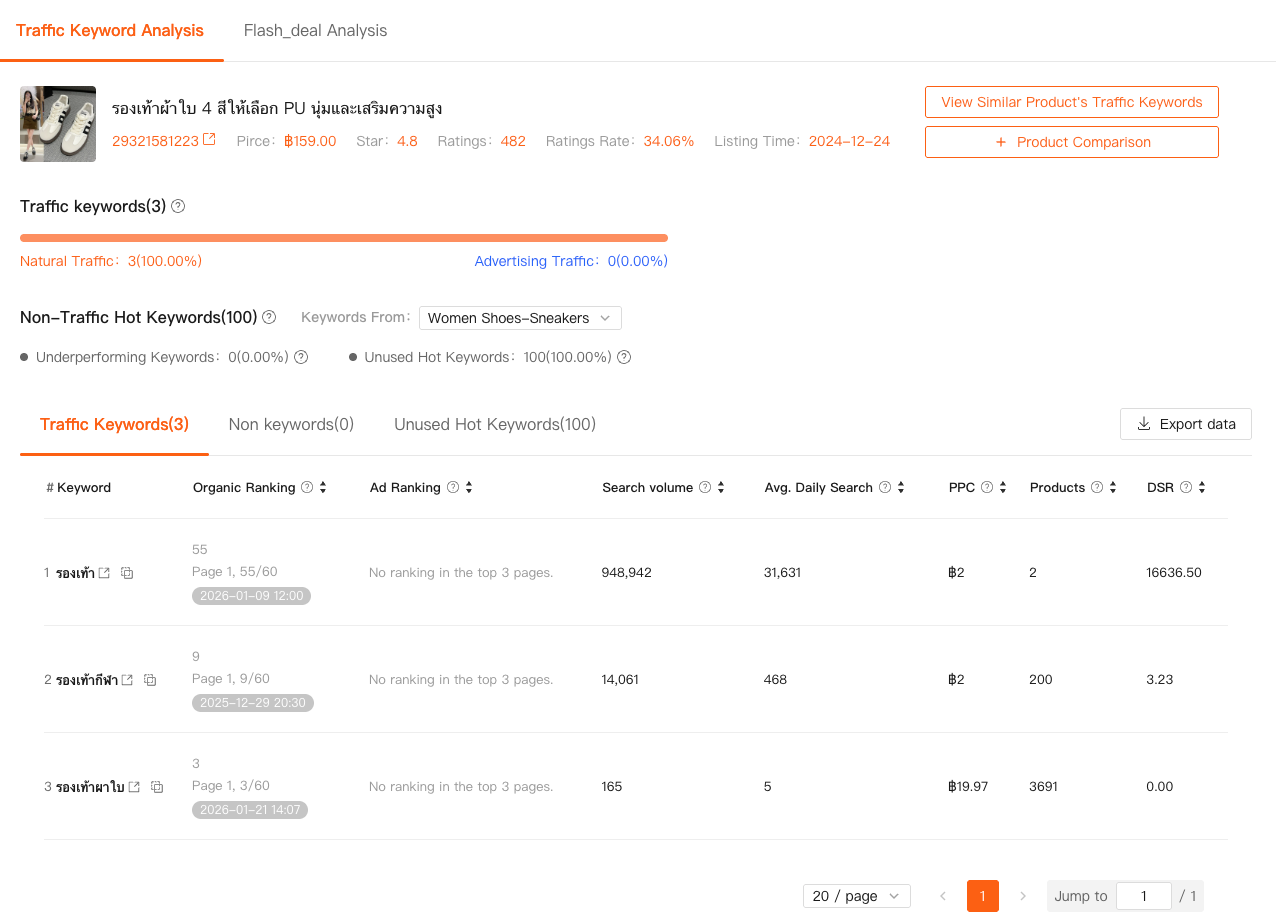
With Traffic Analysis, Shopdora breaks traffic into natural and paid sources, and more importantly, connects it to actual traffic keywords. It also highlights unused hot keywords and keywords driving traffic elsewhere in the market.
I’ve used this feature multiple times to understand why a competitor’s product suddenly surged while mine stalled—without changing price or images. The difference was keyword coverage, not conversion.
Traffic Analysis is accessed via the Shopdora plugin when viewing a product page, as well as through dedicated pages on the website for broader market-level insights. This is where a shopee market reaserch tool becomes tactical, not theoretical.
What Separates Real Analytics Tools From “Data Toys”
After using dozens of tools over the years, I’ve come to a simple definition:
good shopee analytics tools reduce uncertainty.
They don’t overwhelm you with charts. They answer specific questions:
Is this market growing or shrinking?
Is competition structural or temporary?
Is this product early, mid, or late in its lifecycle?
Is traffic coming from keywords I control—or ones I don’t?
By combining Category Research, Product Research, Traffic Analysis, and Comprehensive Analysis, Shopdora doesn’t just show numbers. It shows relationships.
And that’s the difference between analysis and observation.
Choosing the Right Analytics Tool as a Shopee Seller
If you’re evaluating shopee analytics tools, my advice is straightforward: don’t ask what the tool shows. Ask what decisions it helps you make.
If a tool can’t explain the market behind the product, it’s incomplete.
If it can’t show competitor behavior, it’s limited.
If it only reflects your own store data, it’s reactive.
A solid shopee market reaserch tool should let you see the same market your competitors see—and then some.
For me, Shopdora became that layer between instinct and action. Not because it promises miracles, but because it removes blind spots.
And in e-commerce, seeing clearly is often the biggest competitive advantage you can get.