
Shopee Keywords: How I Actually Find, Fix, and Scale Keywords That Bring Real Traffic
Hi, I’m David.
I’ve been selling on Shopee for a little over three years as an independent seller.Most of what I know didn’t come from theory—it came from fixing listings that looked perfect but got zero traffic, burning ad budget on the wrong keywords, and slowly learning how Shopee’s search really behaves.
This article is based on how I personally work with Shopee keywords today, using Shopdora as my main tool.
The Real Problem With Shopee Keywords (That No One Talks About)
When sellers say they have a “keyword problem,” it’s usually one of these:
- “I used all the popular keywords, but my listing still doesn’t get traffic.”
- “My title is full, but impressions are low.”
- “I don’t know which keywords are actually working.”
- “I’m ranking, but sales aren’t moving.”
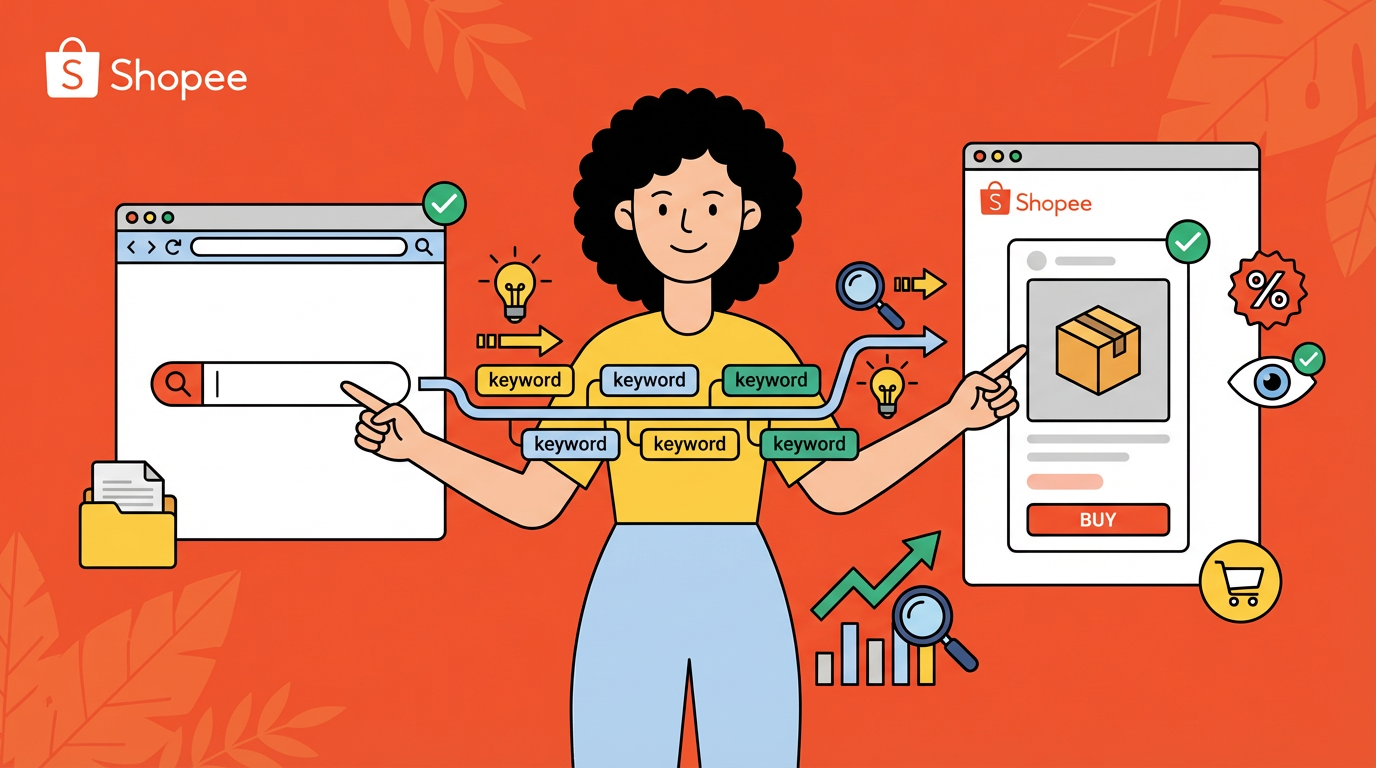
The mistake is treating Shopee keywords as static text, instead of a traffic system.
Shopee keywords are not just about:
- Search volume
- Keyword lists
- Copying competitors’ titles
They’re about which keywords are actually bringing traffic to your listing, and which ones are silently doing nothing.
That’s where Shopdora changes the workflow.

Step 1: Stop Guessing — See Which Shopee Keywords Bring Traffic
Tool used: Shopdora – Traffic Analysis
The first thing I do with any listing (mine or a competitor’s) is open Traffic Analysis-Traffic Keywords
Here, Shopdora shows me:
- Natural traffic vs. ad traffic split
- Keywords that actually generate traffic
- Organic ranking and ad ranking per keyword
- Search volume, daily searches, PPC reference, and competition
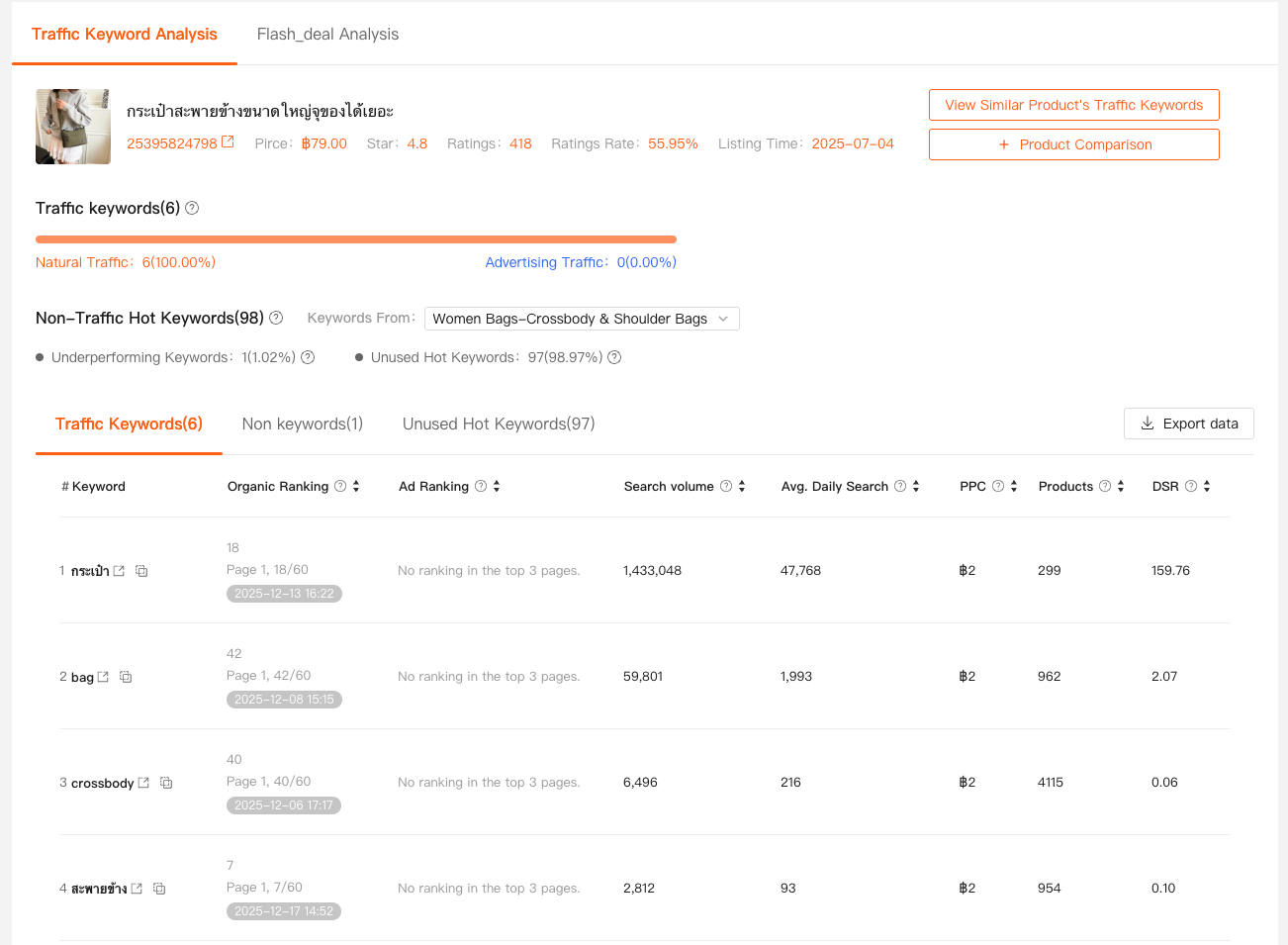
This immediately answers a critical question:
“Which Shopee keywords are real traffic drivers, and which are just decoration?”
Why this matters
I’ve seen listings ranking for many keywords but only 2–3 keywords bringing most of the traffic.
Without this view, sellers often:
- Over-optimize low-impact keywords
- Kill titles that are actually working
- Add keywords that dilute relevance
Traffic Analysis turns keywords from theory into measurable assets.
Step 2: Find Keywords You’re Using — But That Bring Zero Traffic
Traffic Analysis: Non-Traffic Hot Keywords
This is one of the most underrated keyword insights.
Shopdora compares:
- Your listing
- Against Top 100 searched keywords in your sub-category
Then it shows:
- Keywords you already use
- But that bring no traffic at all
These are called Non-Traffic Hot Keywords.
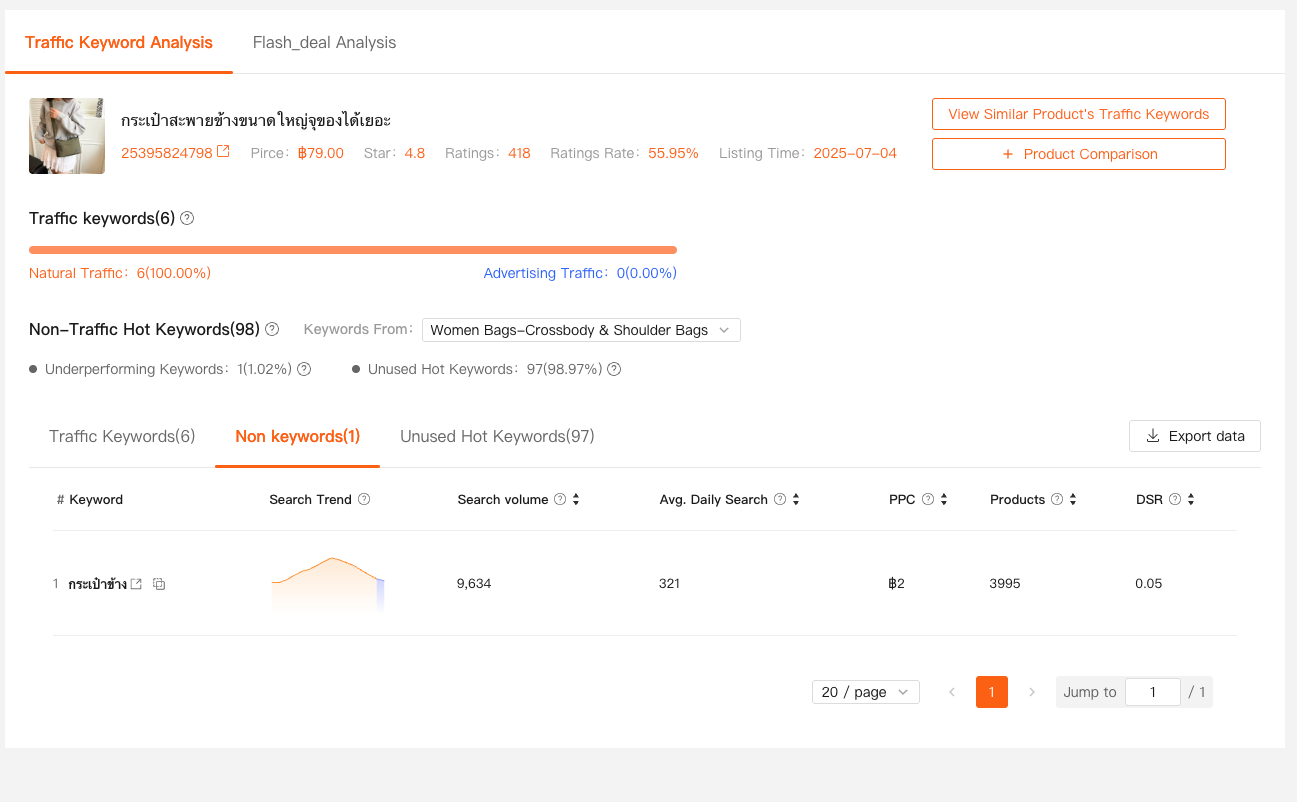
What this tells me:
- The keyword might be buried too deep in the title
- The listing lacks authority for that keyword
- The keyword is better suited for ads than organic
Instead of deleting them blindly, I usually:
- Move them to ad campaigns for testing
- Reposition them in the title
- Decide whether they’re worth keeping at all
This alone has saved me from dozens of useless title rewrites.
Step 3: Discover High-Intent Keywords You’re Not Using Yet
Traffic Analysis: Unused Hot Keywords
The opposite problem is even more common:
“I never even knew users were searching for this.”
With Unused Hot Keywords, Shopdora shows:
- High-search keywords in your category
- That your listing does not use at all
- Along with search volume and relevance reference
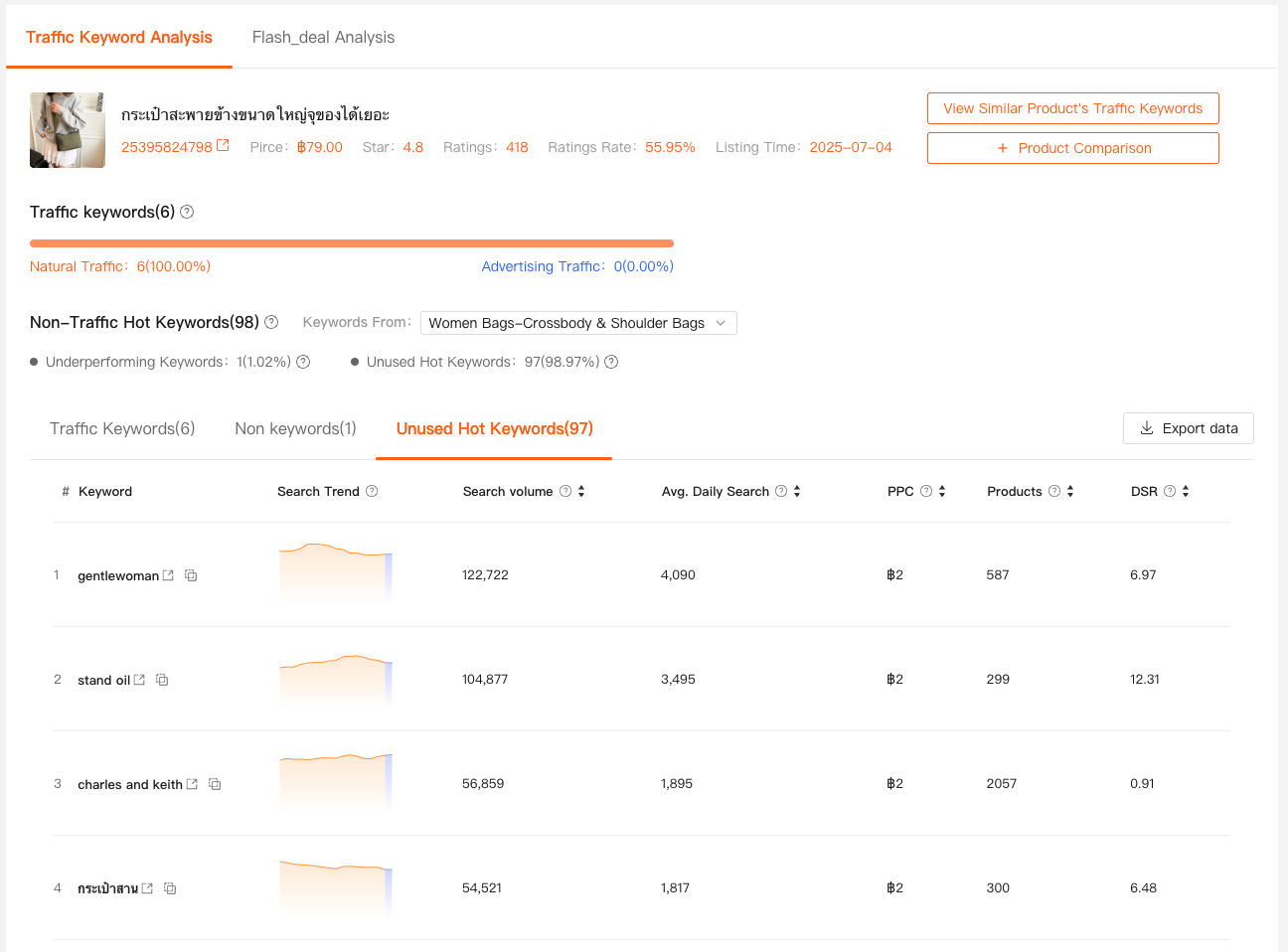
This is where I often find:
- Long-tail keywords competitors missed
- Secondary intent keywords perfect for title expansion
- Keywords that explain why competitors convert better
Instead of stuffing them all in, I prioritize:
- High relevance + medium volume
- Keywords that match real user intent
- Keywords that fit naturally into the title structure
This is how Shopee keyword optimization stays clean and effective, not spammy.
How I Combine These Keyword Insights Into One Workflow
Here’s my actual Shopee keyword process with Shopdora:
- Traffic Analysis
- Identify which keywords already bring traffic
- Protect and strengthen them
- Non-Traffic Hot Keywords
- Diagnose keywords that exist but don’t work
- Decide: reposition, test via ads, or remove
- Unused Hot Keywords
- Expand keyword coverage strategically
- Capture missed demand without bloating the title
This workflow works because it’s data-driven, not template-driven.

Why Shopee Keywords Fail Even When the Title Looks “Perfect”
From my experience, most keyword failures come from:
- Treating all keywords as equal
- Ignoring traffic contribution
- Copying competitor titles without understanding context
- Optimizing for volume instead of relevance
Shopdora helps me avoid that by showing:
- Keyword performance, not just presence
- Keyword opportunity, not just popularity
That’s a big difference.
Final Thoughts
Shopee keywords aren’t about who uses the most words.
They’re about who understands which words actually move traffic.
I still tweak keywords every week, but I don’t do it blindly anymore.
With Shopdora’s Traffic Analysis, Non-Traffic Hot Keywords, and Unused Hot Keywords, I know exactly:
- What to keep
- What to fix
- What to add