
Shopee Keywords: What Sellers Can’t See
Hi, I’m David.
I’ve been selling on Shopee for a little over three years as a solo seller. I don’t manage multiple stores, and I don’t outsource operations. Everything I test — from pricing to keywords — is based on my own products and real results.
If you’re searching for Shopee keywords, you’re probably not looking for definitions. You’re looking for answers.
Why does my product have impressions but no clicks?
Why do competitors with similar products keep ranking higher?
Why does changing titles feel like guessing?
After years of trial and error, I realized the biggest issue isn’t effort.
It’s visibility.
The Shopee Keyword Problem No One Talks About
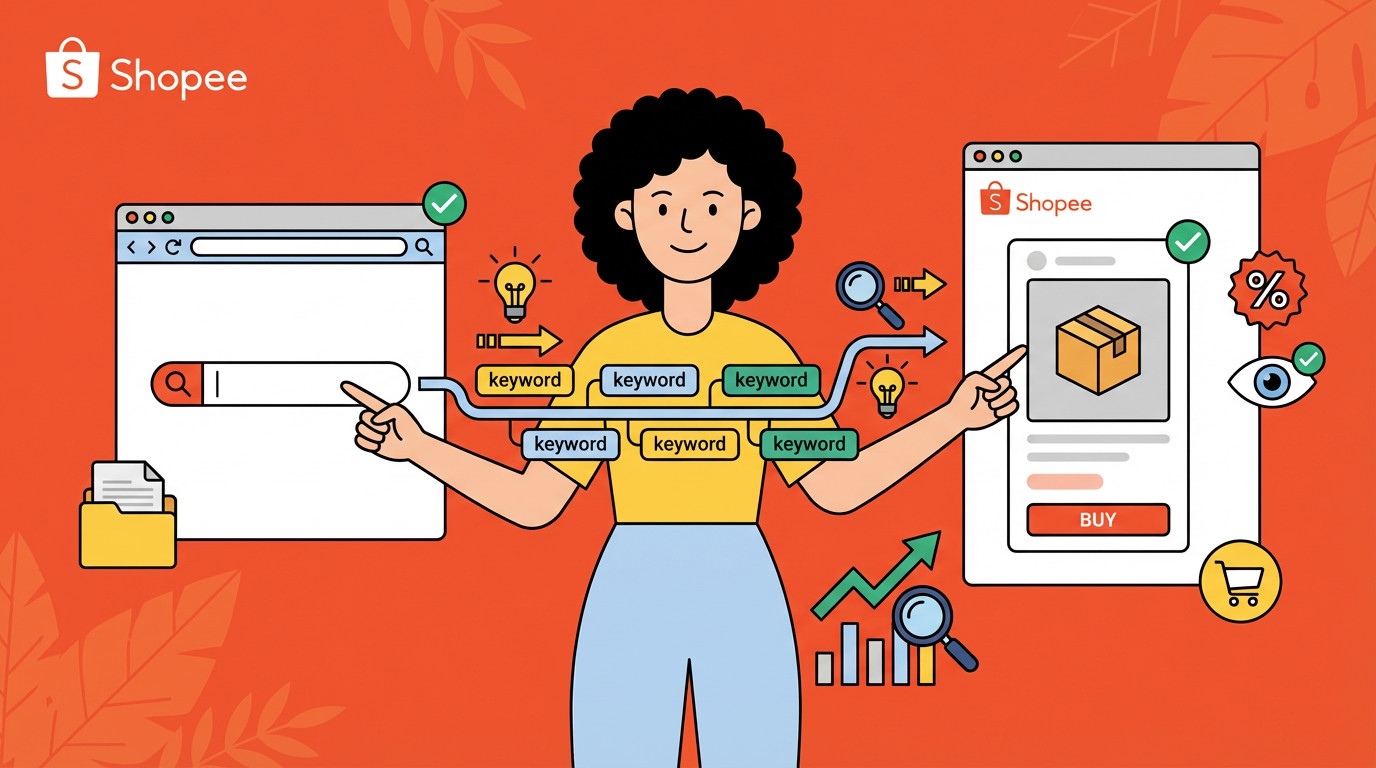
Shopee sellers actually have access to very little keyword data.
Inside Seller Center, you can see:
- Your own impressions
- Your own clicks
- Your own ad keywords
What you cannot see:
- How big the keyword market really is
- Which keywords competitors are getting traffic from
- Which keywords exist but are not being fully used
- How keywords behave at a category or market level
That means most sellers optimize keywords in isolation — based only on their own store.
And that’s exactly where things go wrong.

Shopee Keywords Are a Market Problem, Not a Store Problem
Keywords don’t belong to one product.
They belong to the market.
If you can only see your own keyword data, you’re always reacting:
- You change a title after traffic drops
- You add keywords after competitors rank
- You test ads without knowing keyword saturation
Real keyword strategy starts when you can see:
- What buyers search across the platform
- How competitors capture traffic
- Where traffic exists but isn’t fully claimed
This is where Shopdora’s keyword-related features actually make sense.
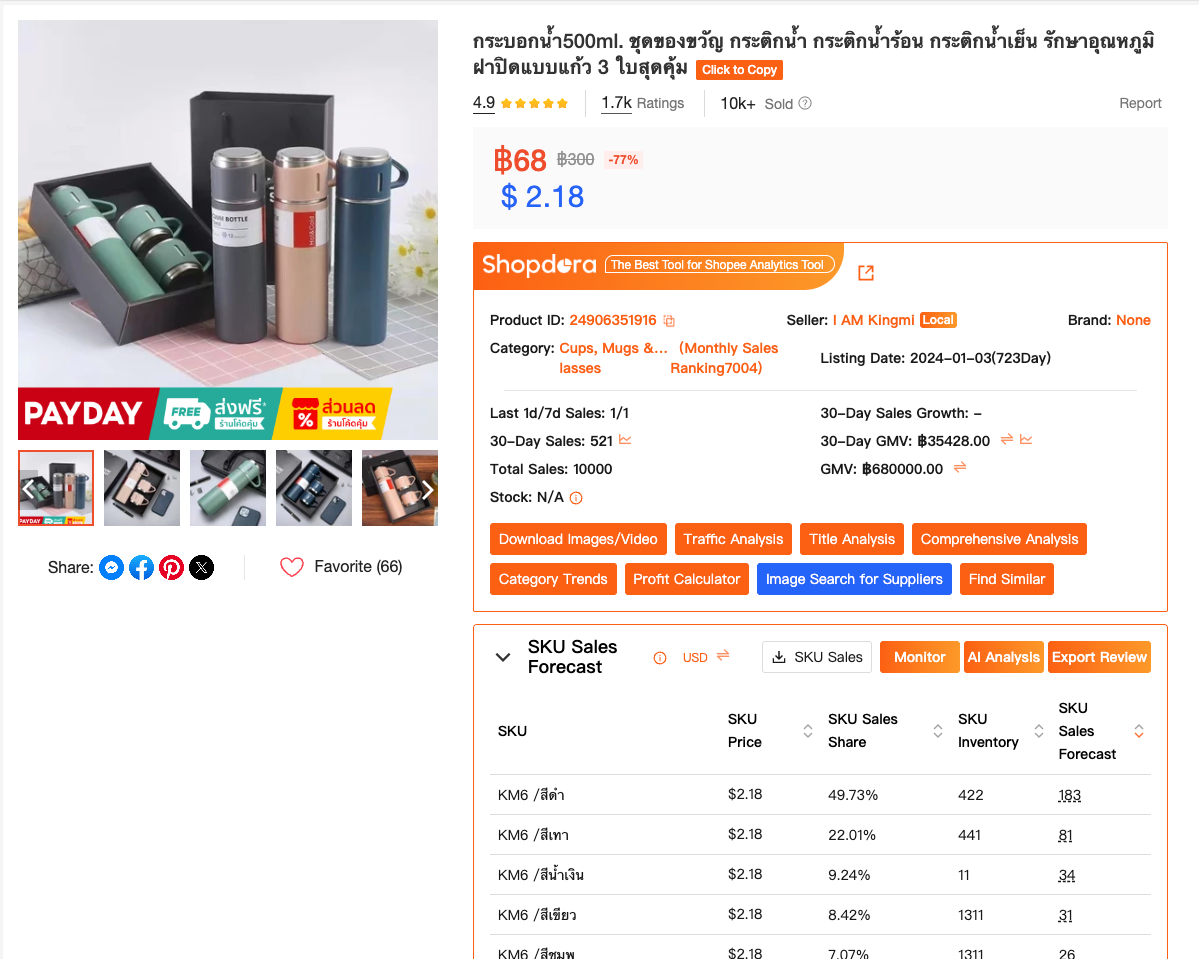
Feature 1: Keywords Mining — Seeing Real Shopee Keyword Demand
Keywords Mining in Shopdora is not a product-level tool.
It’s a platform-level keyword data view.
This matters.
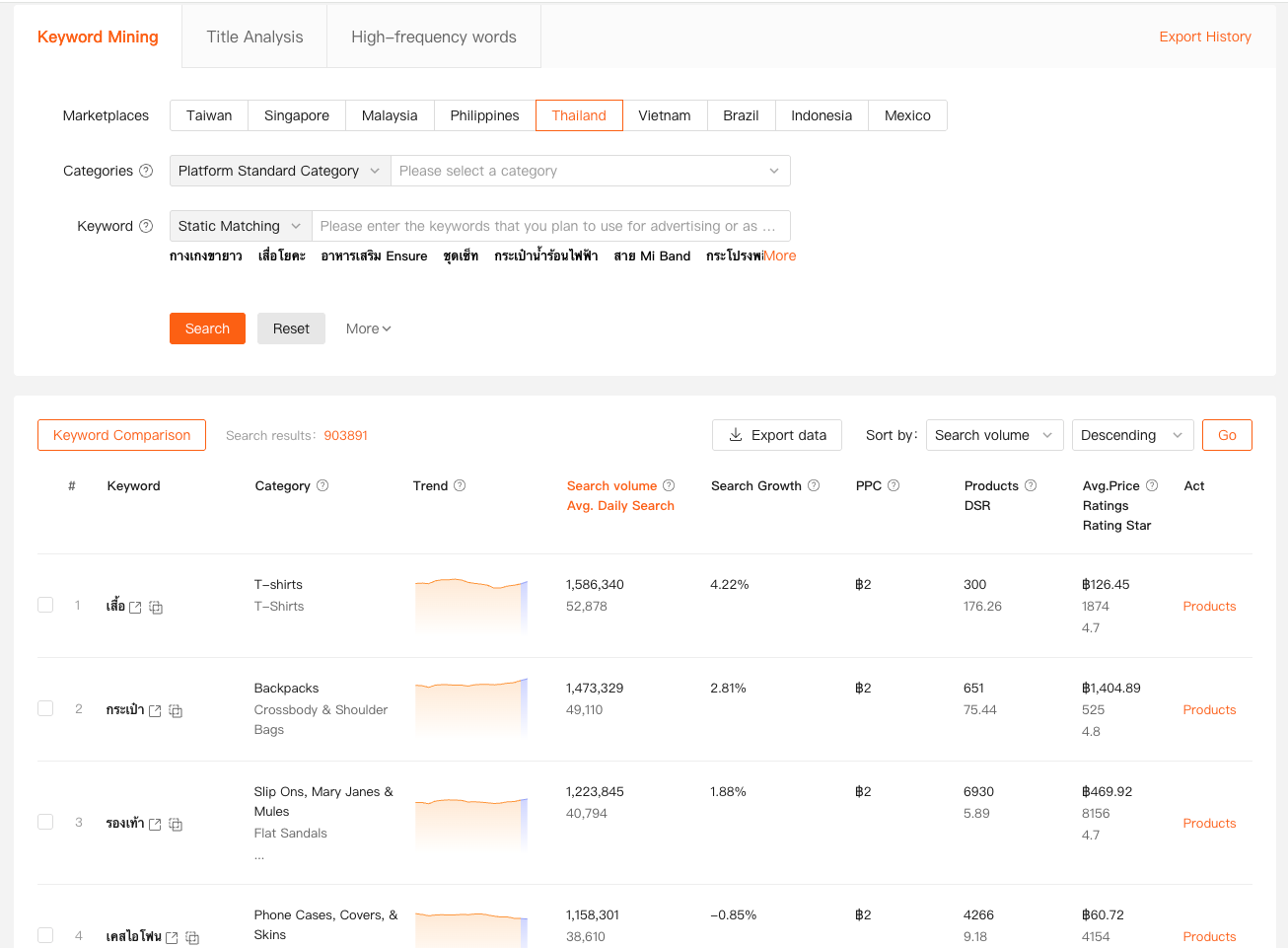
Instead of guessing keywords from product names, I can:
- Select a Shopee site and category
- View keywords with real search volume
- Check trend direction and growth
- See how crowded a keyword is (related product count, PPC signals)
This answers a critical question sellers usually skip:
“Is this keyword actually being searched — or does it just sound right?”
Many keywords look logical but have weak demand.
Others have demand but are already dominated by large sellers.
With Keywords Mining, I focus on:
- Keywords with stable or growing demand
- Keywords that match buyer intent
- Keywords that aren’t completely saturated yet
This is where keyword research stops being guesswork.
Feature 2: Traffic Analysis — Where Shopee Traffic Really Comes From
Finding keywords is only the first step.
The more important question is:
Which keywords are actually driving traffic — and which ones are being ignored?
This is where Traffic Analysis comes in.
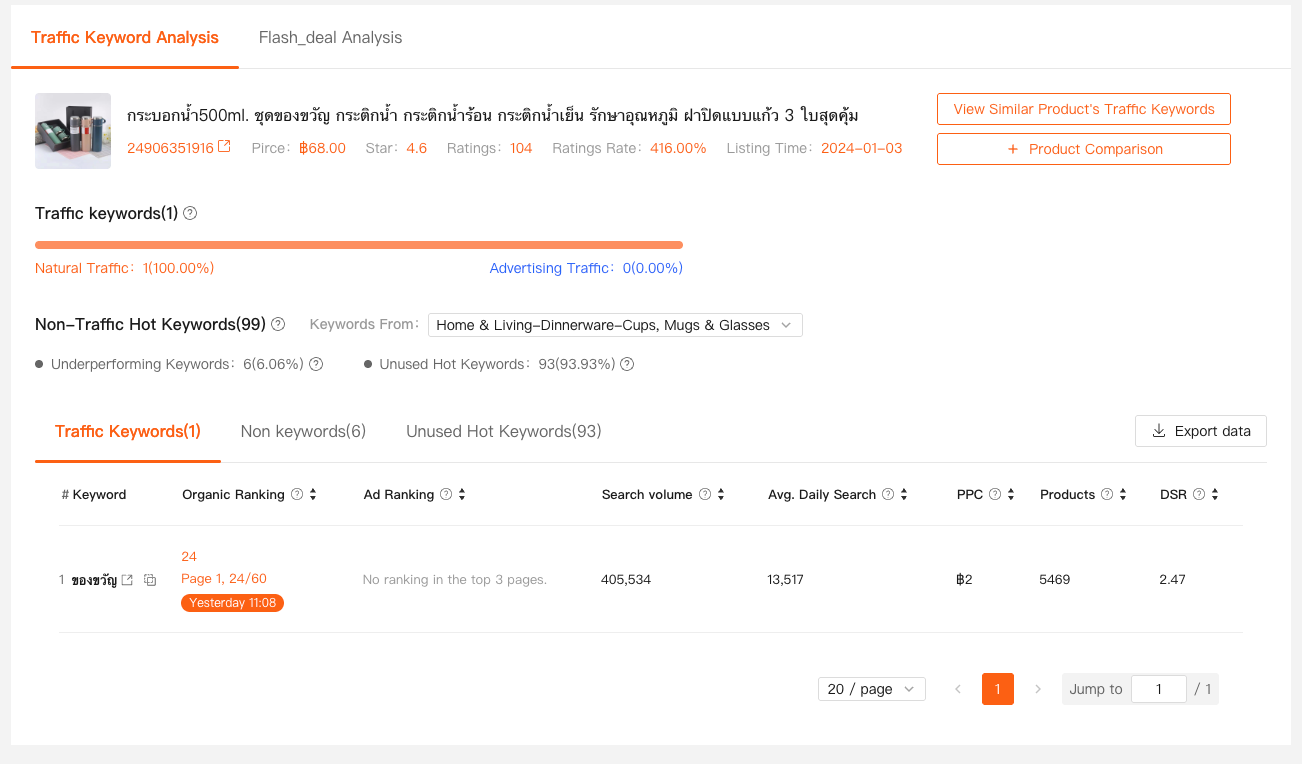
Shopdora breaks keyword traffic into three extremely useful categories:
1. Traffic Keywords
These are keywords that are already bringing traffic to a product or competitor listing.
By analyzing competitors’ Traffic Keywords, I can see:
- What keywords are already “working” in the market
- Which keywords Shopee is actively distributing traffic for
- Whether traffic is organic or ad-driven
This is insight sellers cannot get from their own backend.
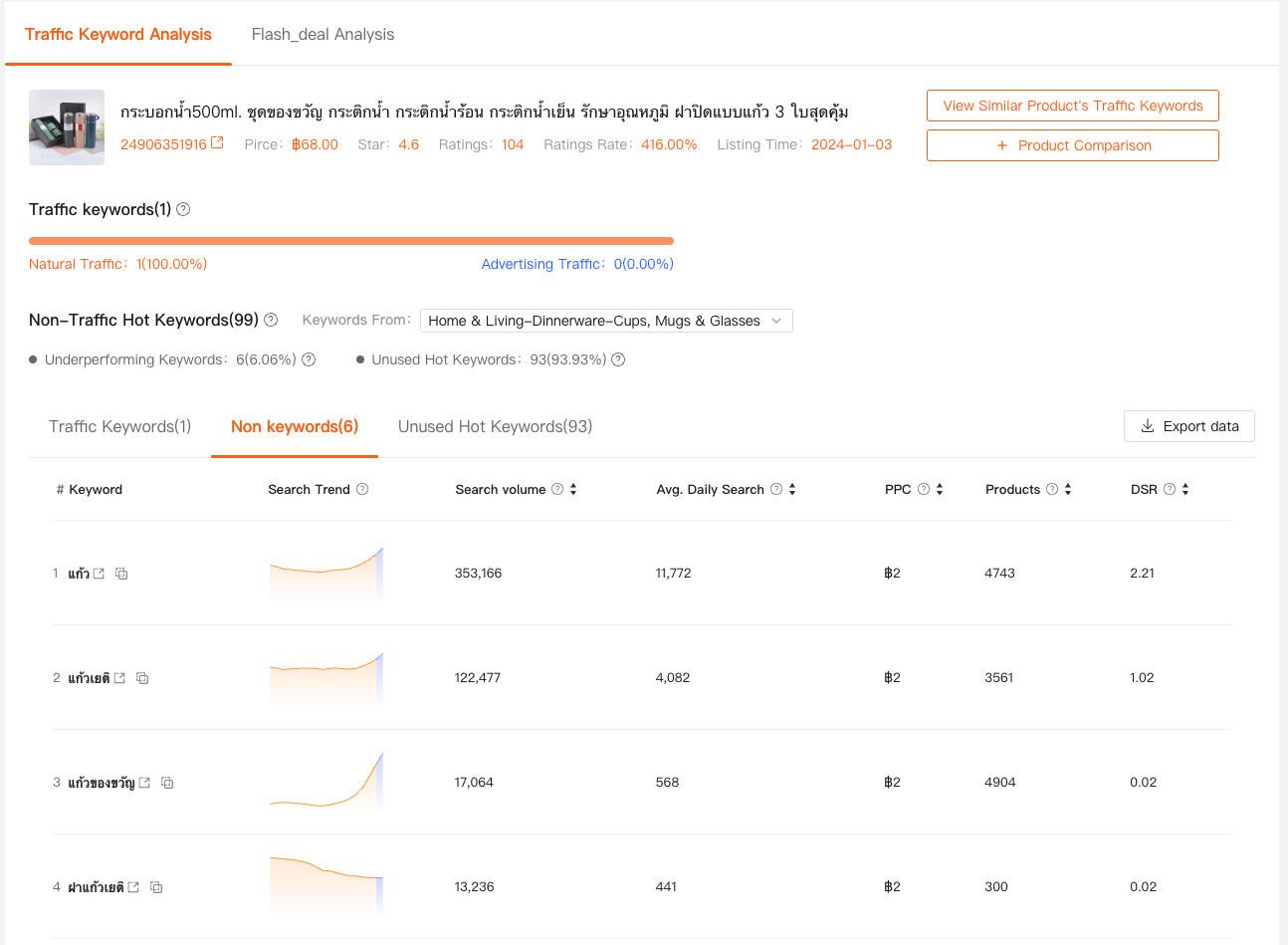
2. Non-Traffic Hot Keywords
These are keywords with search demand, but not currently generating traffic for a specific product.
This usually means:
- The keyword exists
- Buyers search it
- But listings are not well optimized for it
These are often missed opportunities.
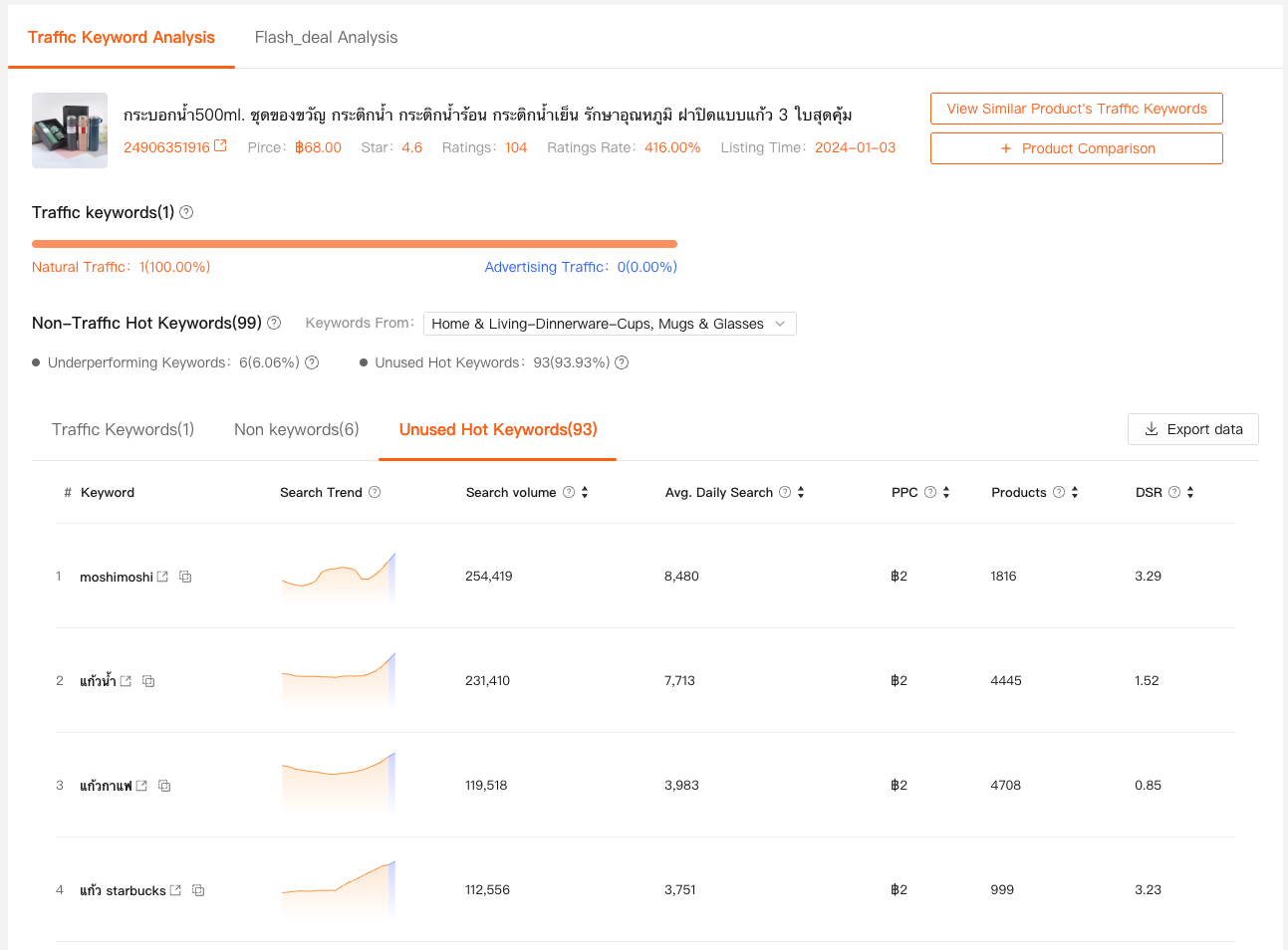
3. Unused Hot Keywords
This is the most overlooked category.
Unused Hot Keywords are:
- Actively searched
- Relevant to the product
- But not used in the listing’s title or keyword structure
This is where keyword optimization becomes strategic instead of competitive.
You’re not fighting for the same keywords.
You’re expanding coverage where others didn’t bother.
Feature 3: Title Analysis — Keyword Coverage, Not Keyword Stuffing
Most Shopee sellers think title optimization is about:
“What keywords should I add?”
Title Analysis flips the question to:
“Which keywords am I NOT covering compared to the market?”
With Title Analysis, I can:
- Compare my title against competitors
- See which keywords are missing
- Identify overused vs underused terms
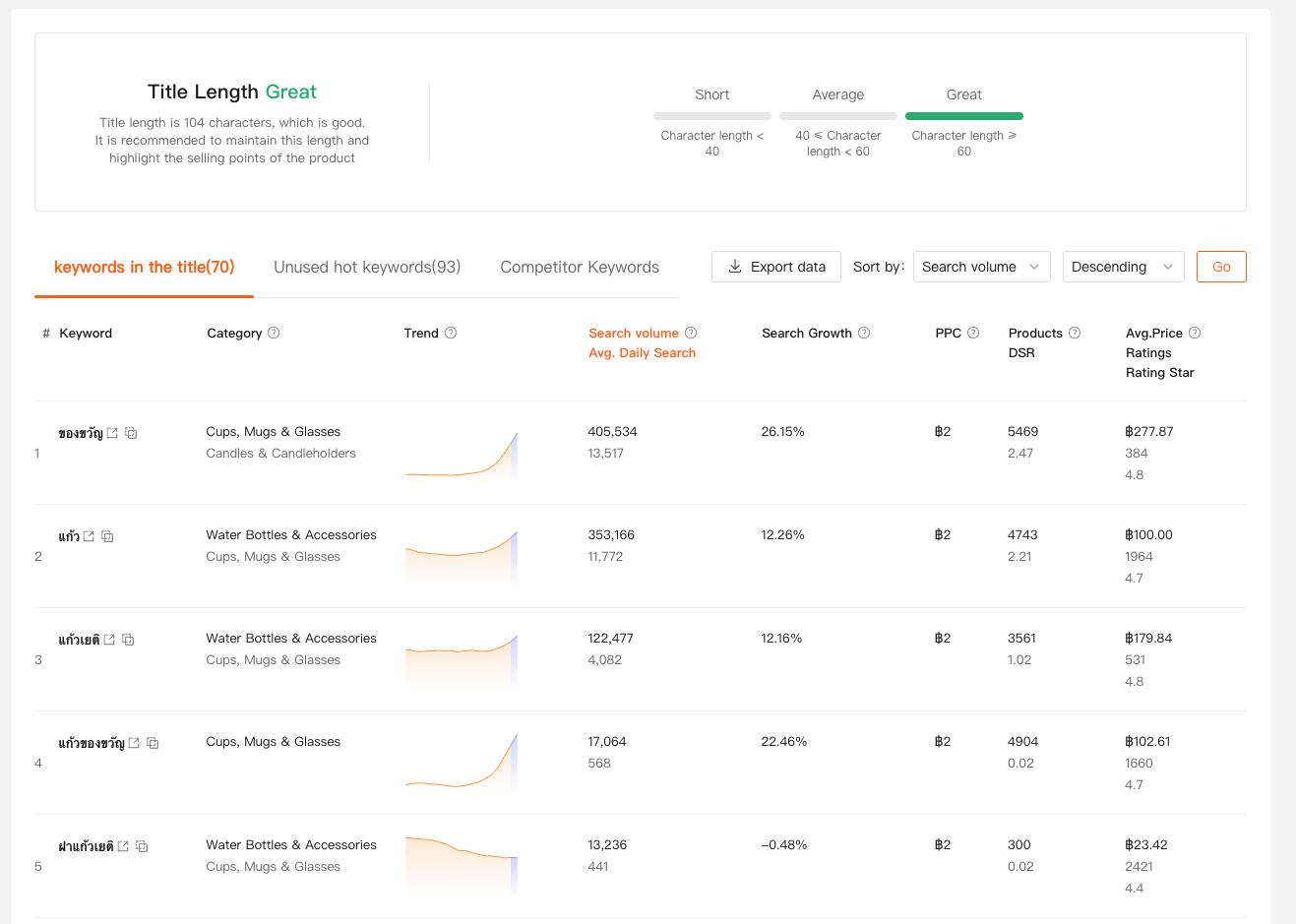
This avoids two common mistakes:
- Keyword stuffing without intent
- Copying competitor titles blindly
Instead, I build titles that:
- Cover high-value keywords
- Include traffic-proven terms
- Add uncovered keywords competitors missed
This is especially powerful when combined with Traffic Analysis.
Why Shopee Keyword Optimization Fails for Many Sellers
Most keyword failures come from the same root issue:
lack of market visibility.
Sellers rely on:
- Intuition
- Guessing
- Copy-paste optimization
But Shopee keywords are dynamic:
- Trends change
- Buyer language evolves
- Competition shifts
Without market-level data, you’re always late.
Shopdora doesn’t replace Seller Center.
Seller Center shows your store.
Shopdora shows the market.
That distinction is everything.
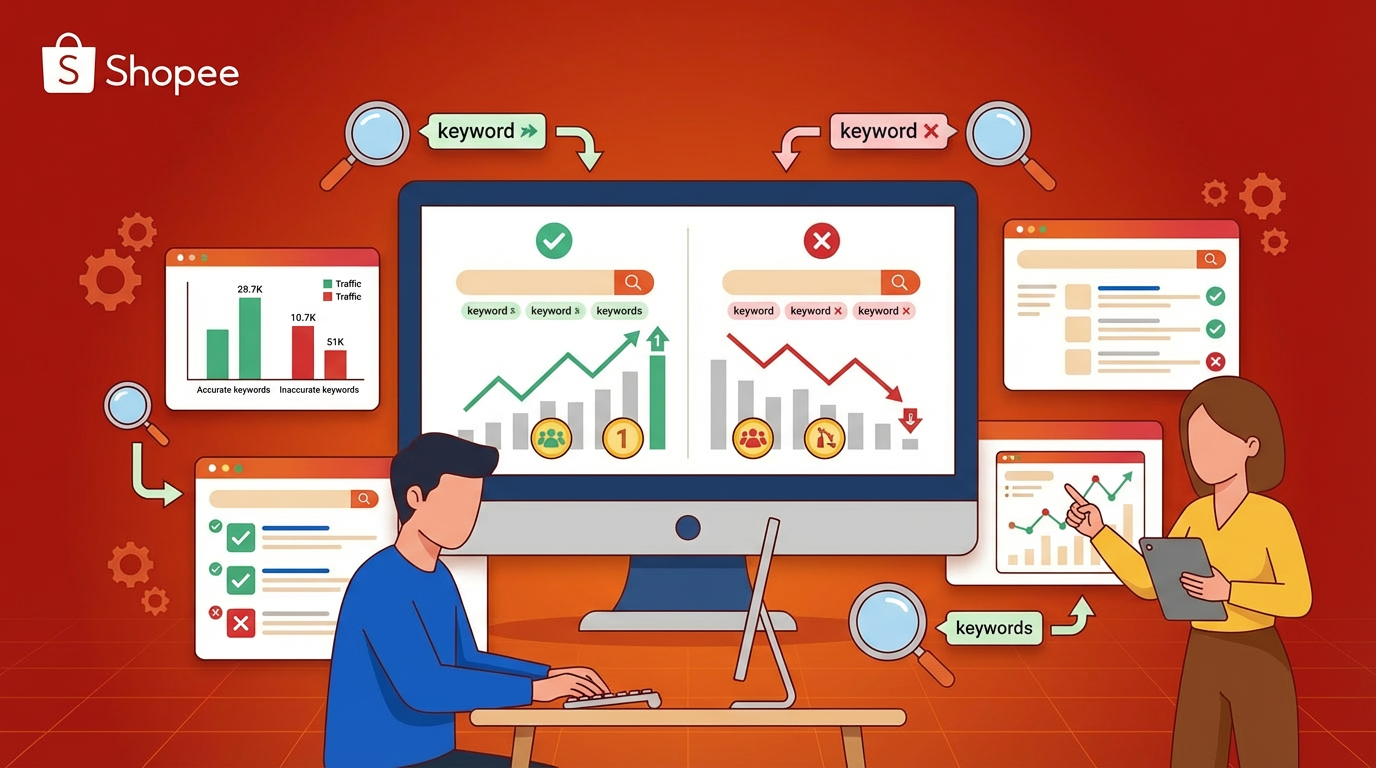
My Practical Shopee Keyword Workflow Today
Here’s how I actually use keyword data now:
- Keywords Mining
→ Validate demand and market size - Traffic Analysis
→ Understand which keywords drive traffic and which are ignored - Title Analysis
→ Improve keyword coverage without bloating titles
This workflow helps me:
- Reduce trial-and-error
- Avoid low-intent keywords
- Build listings that age better over time
Final Thoughts: Keywords Don’t Win Alone — Visibility Does
If Shopee keywords feel confusing, it’s not because you’re bad at optimization.
It’s because:
- You only see your own data
- You don’t see competitor behavior
- You don’t see unused opportunities
Keyword tools should give you perspective, not presets.
For me, Shopdora fits into my workflow as a way to see what Shopee itself doesn’t show sellers — keyword demand, traffic distribution, and coverage gaps across the market.
Once you see that, keyword decisions stop feeling random.