
Shopee Optimization for Beginners: How to Slightly Increase Your Chances of Success

Hi, I’m David.
I’ve been running my own Shopee store for a little over three years now. I started exactly where most beginners start—alone, guessing a lot, and wasting more time than I’d like to admit.
If you’re new to cross-border eCommerce, there’s a frustrating moment you’ve probably experienced already:
You spend the entire day “working on your shop,” but when you close your laptop at night, nothing meaningful has actually moved forward.
No new listings.
No clearer direction.
No real sense of progress.
That feeling usually isn’t caused by laziness or lack of effort. It comes from doing the right things in the wrong order, or switching tasks constantly without a clear system.
Below are three practical adjustments I wish I had made earlier. They won’t magically guarantee success—but they do raise your odds, especially if you’re still figuring out Shopee optimization as a beginner.

1. Optimize Your Time Before You Optimize Your Store
Most new sellers treat every day the same: a bit of product research, a bit of shipping, a bit of ads, a bit of customer service. The result is mental fatigue and zero momentum.
What actually works better is splitting your store journey into clear operational stages, and focusing on only the tasks that matter in that stage.
The starting stage: build the foundation
At the very beginning, your only real goals are:
- Finding products worth testing
- Getting listings live with basic optimization done properly
This is not the time to worry about campaigns, flash sales, or fancy promotions.
When I mentor beginners, I usually suggest something simple:
- Morning: product and market research
- Afternoon: listing setup and optimization
Nothing else. No distractions. No switching back and forth.
This is also where data tools start to matter—not to “pick a winning product,” but to avoid wasting weeks on categories that were never viable to begin with.
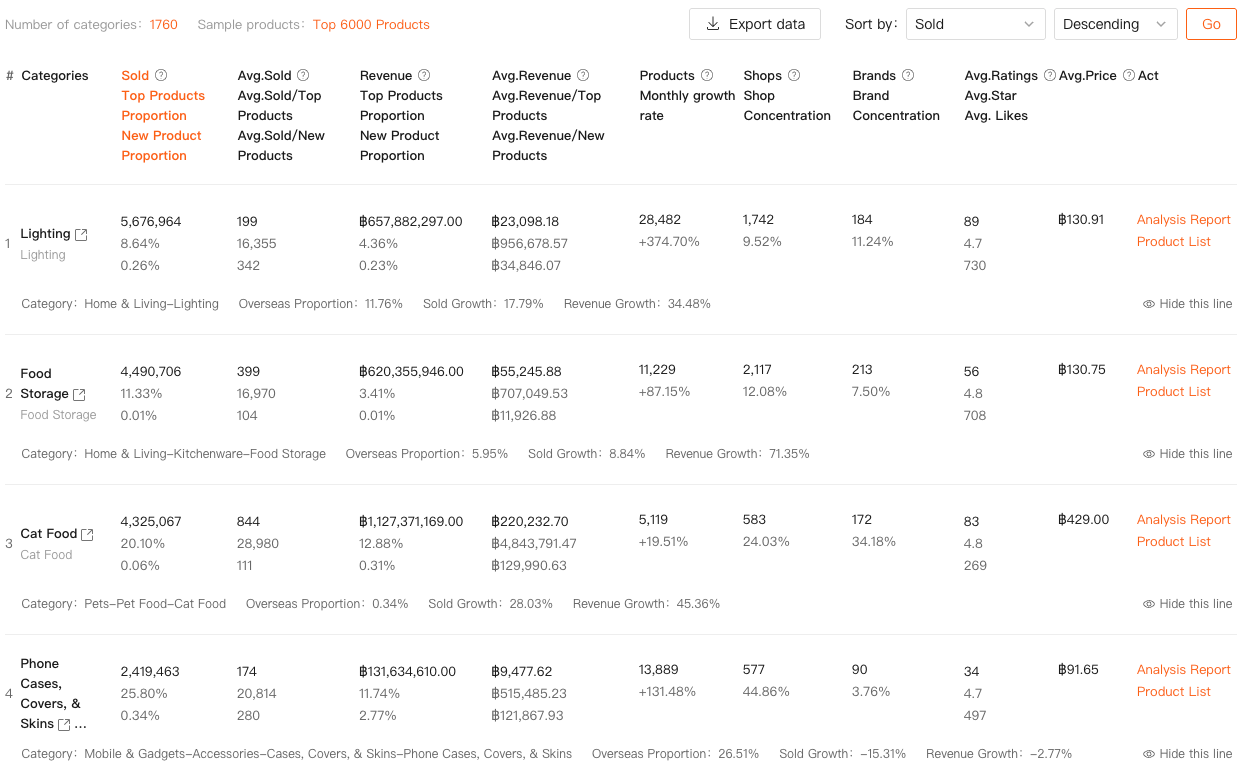
For example, using a category research tool like the one in Shopdora helps you see category-level data first: total sales volume, growth trends, number of sellers, brand concentration, and how dominant the top products really are.
Instead of guessing, you’re making an early decision based on market structure, not hope.
That alone saves beginners an enormous amount of time.
The first-order stage: improve what already exists
Once orders start coming in—even slowly—your priorities should shift.
Now it’s less about uploading random new products and more about:
- Improving existing listings
- Testing pricing and variations
- Managing fulfillment and basic promotions
At this point, Shopee optimization becomes iterative. You’re no longer asking “What should I sell?” but “Why is this product converting better than that one?”
Jumping back to unrelated tasks too often is what kills focus. If you’re optimizing listings, stay there. If you’re handling logistics, finish that block fully. Context switching is the silent productivity killer.
2. Consistent New Product Research Beats Talent Every Time
Very few people are naturally good at product selection. Most sellers who look “talented” simply analyzed more products over time.
One common beginner mistake is relying on bestseller lists and copying top products directly. That might look logical, but in practice it rarely works well for new stores. You’re stepping into the most competitive part of the market without any leverage.
A better approach is to work backward from demand and competition, not from rankings.
I usually start at the category level, not the product level. This is where tools like Shopdora’s Category Research and Product Research modules are useful—not because they tell you what to sell, but because they help you rule things out quickly.
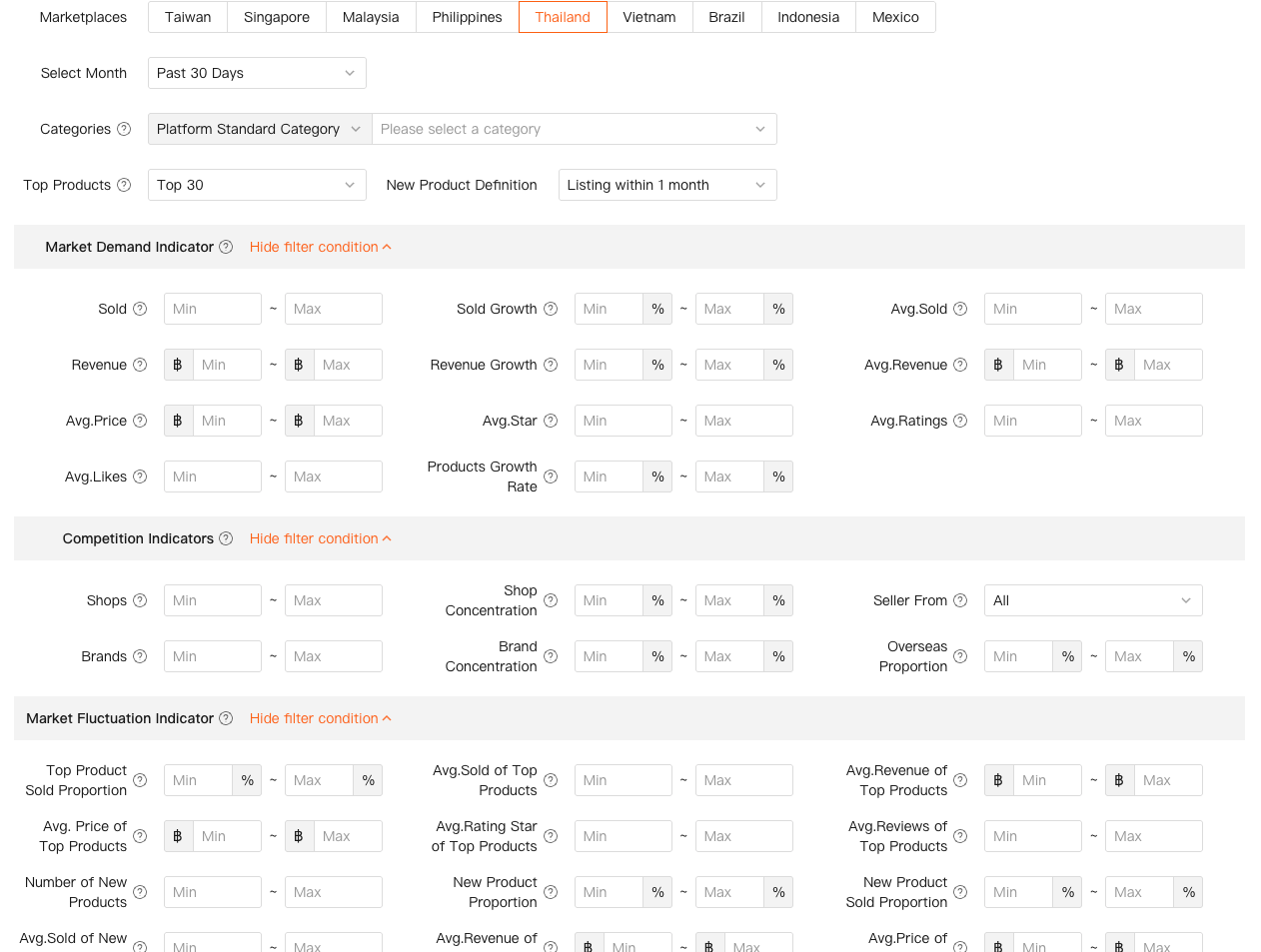
You can filter categories by:
- Sales and revenue size
- Growth rate
- Number of competing products, shops, and brands
- New product share
Once you identify a category with real demand and manageable competition, the next step isn’t listing immediately—it’s studying the right competitors.
On the buyer side of Shopee, search your main keywords and click into stores that meet three criteria:
- Store age under one year
- Total sales in a reasonable range (not massive, not tiny)
- Focused on one main category
These stores are often the best teachers.
From there, analyze their higher-priced, higher-volume products. You’re not copying blindly—you’re understanding:
- Why this product sells at that price
- Which variations move the fastest
- What customers consistently praise or complain about
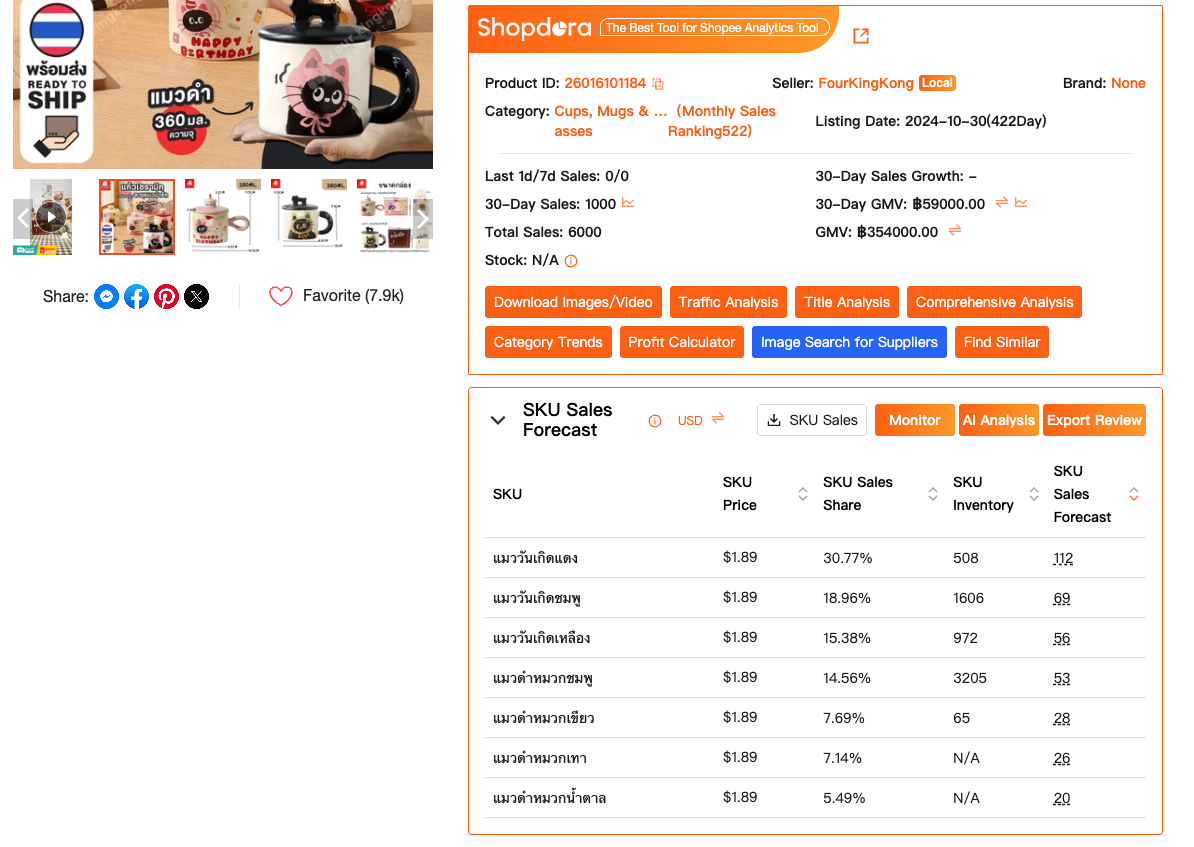
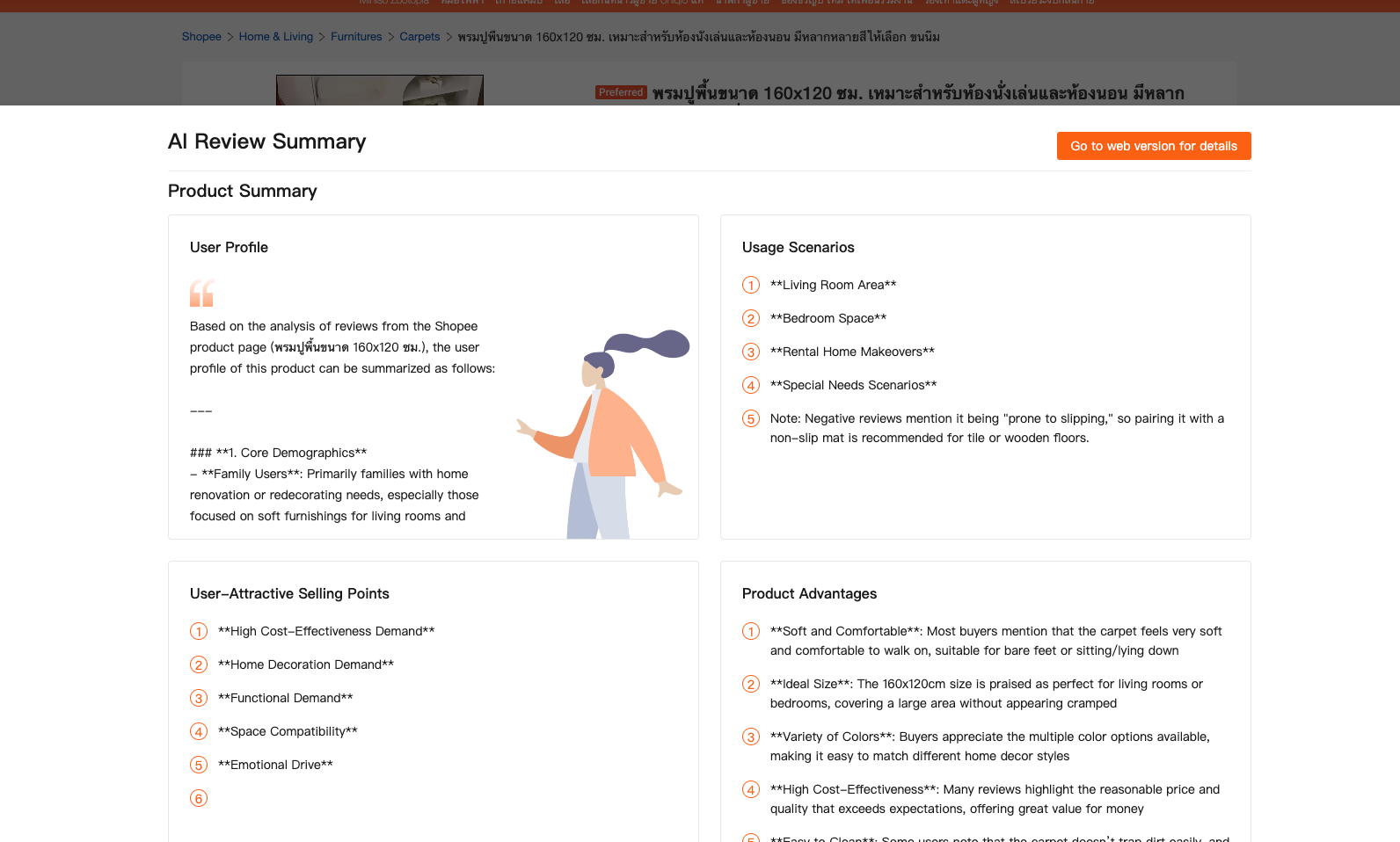
Shopdora’s SKU Insight and AI Review Analysis can speed up this step by summarizing variation performance and recurring review themes. Instead of reading hundreds of reviews manually, you focus on patterns that actually affect conversion.
Once you’ve done this work properly, sourcing becomes much easier. You’re no longer “finding a product”; you’re sourcing a solution that already proved itself.
3. Shopee Optimization Is About Momentum, Not Perfection
One of my students hit over seven figures in monthly sales last year. What surprised him most wasn’t a tactic—it was a pattern.
Every time he stopped uploading new products for a while, traffic dropped. Not immediately, but noticeably.
You don’t need to upload dozens of listings every week. But consistent new listings—even a few—help maintain store momentum.
The key is intentional uploading. Random copy-paste listings just to “hit a number” don’t help much.
After a product goes live, Shopee usually needs one to two weeks to properly test and distribute traffic. If a product underperforms, that’s not failure—that’s feedback.
Ask practical questions:
- Is the price misaligned with similar competitors?
- Are images or variations unclear?
- Is demand seasonal or mismatched?
This is where product tracking and competitor comparison data matter more than gut feeling. With tools like Shopdora’s Product Tracker and Find Similar, you can monitor how competing products adjust pricing, variations, and performance over time instead of guessing in isolation.
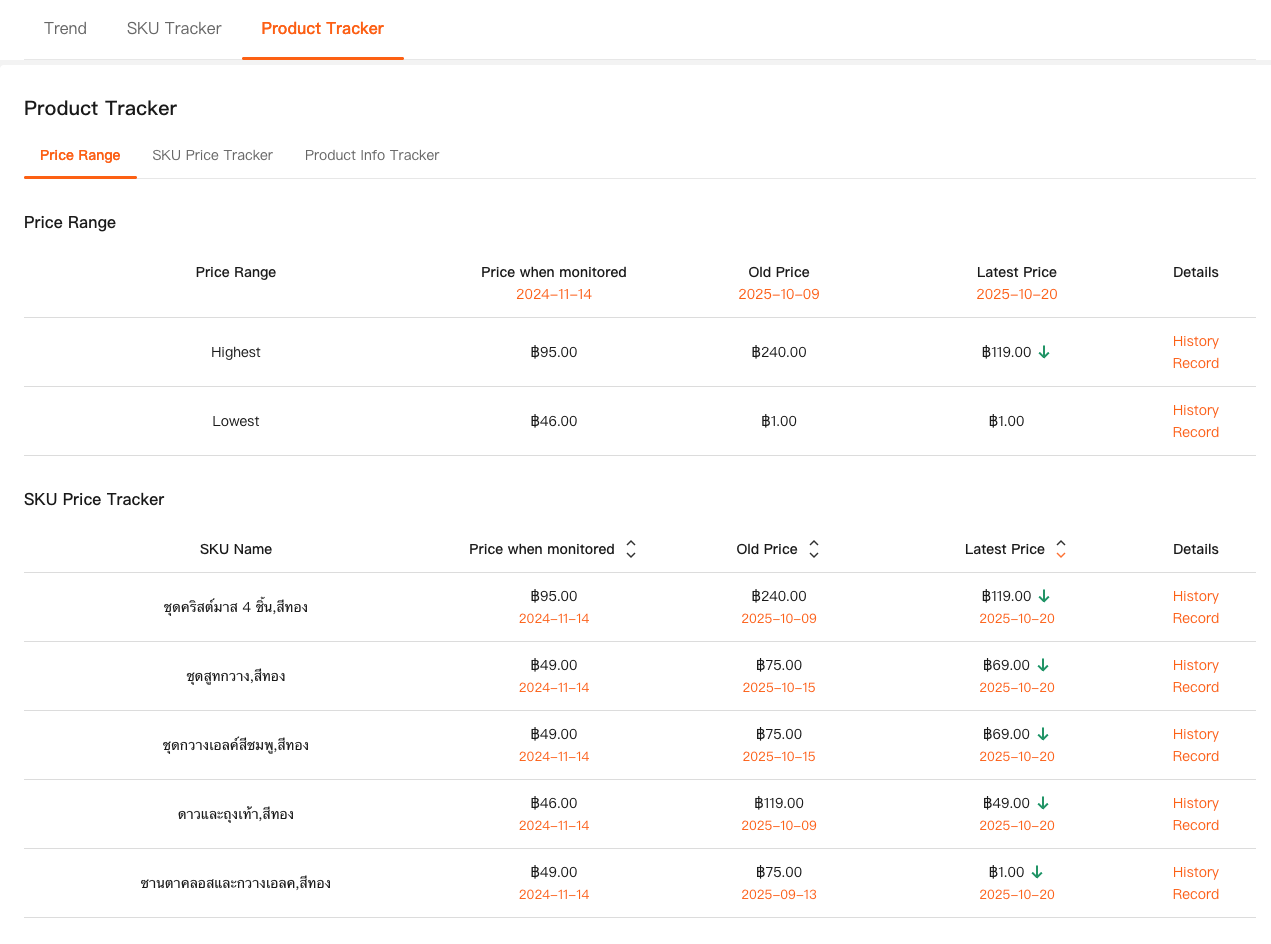
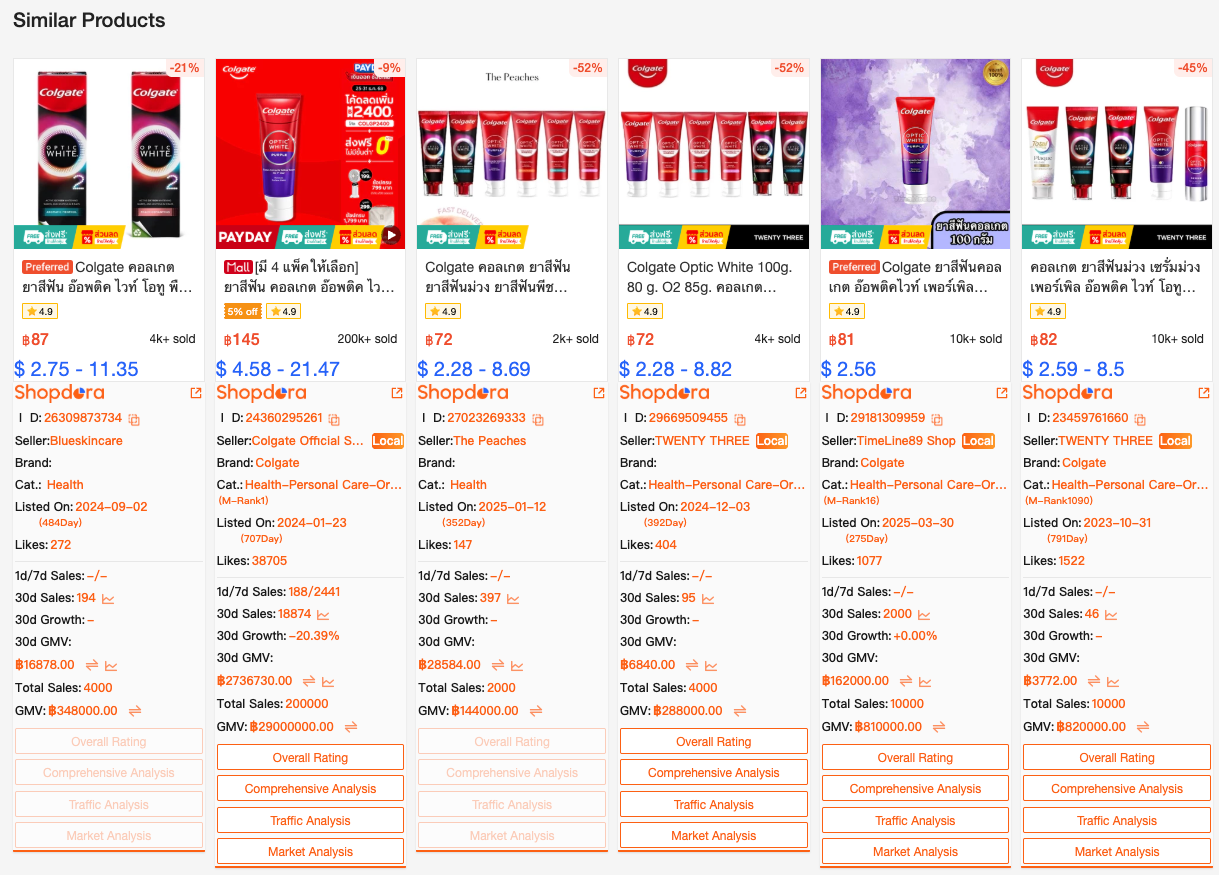
If the first batch doesn’t work, adjust and launch the second. If that still misses, refine again. This loop—launch, observe, adjust—is the real engine behind Shopee optimization.
Final Thoughts: This Work Is Repetitive—and That’s Normal
Cross-border eCommerce isn’t glamorous. Most days feel repetitive. The same workflows, the same decisions, over and over again.
What separates sellers who survive from those who quit isn’t motivation—it’s structure.
Clear stages. Consistent product research. Data-informed adjustments.
Tools like Shopdora don’t replace thinking, but they reduce blind spots. They give you access to market, category, and competitor data you simply can’t see inside the Shopee seller backend.
If you’re still early in your journey, focus less on shortcuts and more on building a system you can repeat—even on days when progress feels invisible.
That’s how you slowly increase your odds.